




For modern law firms, managing client funds accurately is more than just a legal requirement; it is a matter of trust. Choosing the right trust accounting software for law firms ensures compliance, reduces errors, and streamlines financial operations.
In this blog, we will explore everything law firms need to know to make an informed decision when selecting software for trust account management.
With the increasing complexity of legal transactions and the need for accurate reporting, law firms cannot rely on manual processes alone. Implementing the right software not only saves time but also enhances transparency, safeguards client funds, and supports the long-term growth of the firm.
What You Will Learn From This Blog
- Key aspects of law firm trust accounting and its importance.
- Benefits of using trust accounting software for law firms.
- Features to look for in reliable trust accounting solutions.
- How to choose, implement, and maximize ROI from trust accounting software.
- Mistakes to avoid when selecting a solution for your firm.
By the end of this blog, law firms can confidently choose software that meets both compliance and operational needs.
Understanding Trust Accounting in Law Firms
Law firm trust accounting is the process of managing client funds separately from the firm’s own money. This separation ensures transparency, protects client funds, and helps law firms maintain compliance with legal regulations. Accurate trust accounting is essential for building credibility with clients and regulatory authorities alike.
Trust accounting involves several key tasks, including tracking deposits, managing disbursements, handling retainers, and performing regular reconciliations.
Efficient management of these activities prevents errors, reduces the risk of financial discrepancies, and ensures that all client transactions are properly recorded and accounted for. Relying on manual accounting processes can be challenging, as they are prone to mistakes, delays, and difficulty in generating accurate reports.
These limitations make it clear why law firms increasingly rely on trust accounting software for law firms, which automates workflows, improves accuracy, and ensures compliance with state bar regulations.
Benefits of Using Trust Accounting Software for Law Firms
Error Reduction
Trust accounting software for law firms automates calculations and reconciliations, reducing human errors significantly.
Enhanced Reporting
Software provides detailed financial reports, giving law firms better insights into client accounts and trust balances.
Time-Saving
Automation through trust accounting software for law firms allows legal staff to focus on client work instead of manual bookkeeping tasks, improving efficiency.
Regulatory Compliance
The software ensures all transactions meet legal requirements, reducing the risk of penalties during audits.
Secure Client Funds Management
Law firm trust accounting software keeps client funds separate and secure, providing peace of mind to both the firm and its clients.
Easy Audit Preparation
With organized records and automated reporting, audits become faster and less stressful for law firms.
Better Financial Transparency
Software provides clear visibility into client transactions, helping firms monitor trust accounts and maintain accountability.
Why Modern Law Firms Need Trust Accounting Software
Handling Multiple Client Accounts
Large law firms manage hundreds of clients. Trust accounting software for law firms simplifies tracking multiple accounts simultaneously.
Accurate Reconciliation
Automated reconciliation ensures that all client funds match bank statements without manual effort.
Tracking Retainers
Retainer fees are handled efficiently, with accurate deductions and clear records for each client.
Reducing Administrative Burden
Legal staff spend less time on bookkeeping and more on client-related tasks.
Audit Readiness
Preparedness for audits becomes easier, as all law firm financial management transactions are documented and easy to retrieve.
Improved Client Transparency
Clients can be provided with clear statements and updates, enhancing trust and accountability.
Real-Time Financial Insights
Software gives law firms instant visibility into trust account balances and transactions for better decision-making.
Essential Features to Look for in Trust Accounting Software for Law Firms
Client Fund Segregation
The software must maintain separate accounts for each client to ensure compliance and avoid fund commingling.
Automated Reconciliation
A core feature is reconciling client accounts with bank statements automatically.
Detailed Reporting
Reports on trust balances, transactions, and outstanding fees help in monitoring and decision-making.
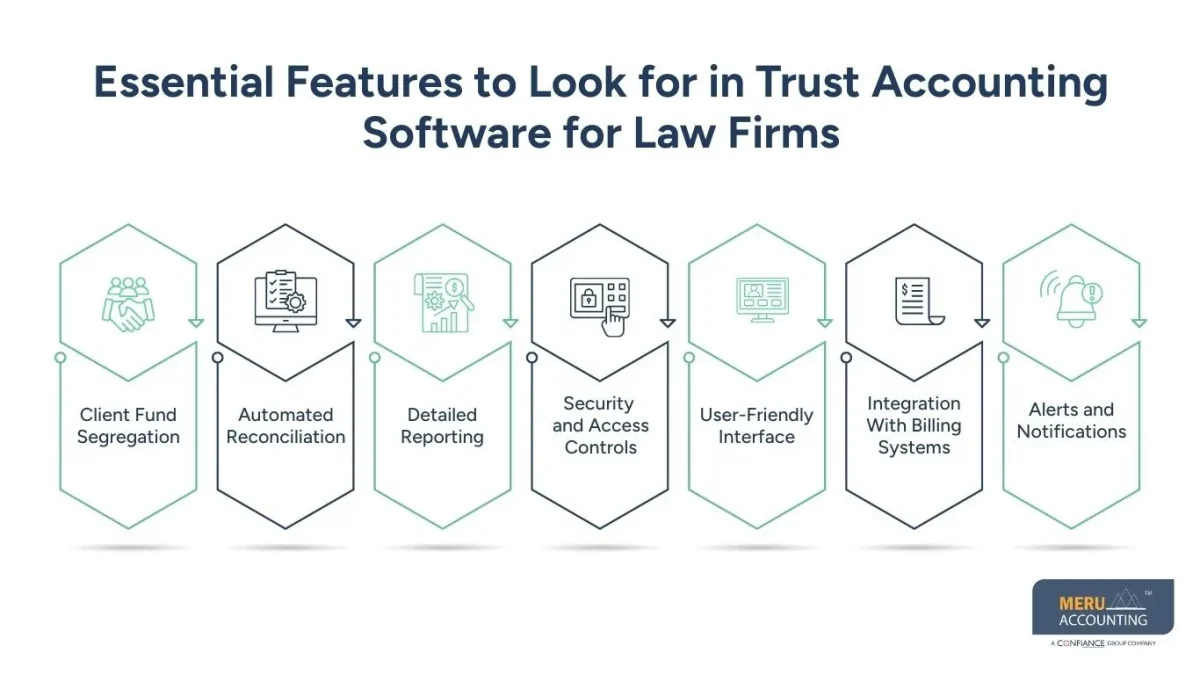
Security and Access Controls
Software should allow restricted access to sensitive financial data to protect client funds.
User-Friendly Interface
Simple navigation ensures that legal staff can easily manage accounts without extensive training.
Integration With Billing Systems
Software that integrates with case management and billing systems reduces duplicate work and streamlines processes.
Alerts and Notifications
Automated alerts for low balances, pending payments, or reconciliation issues help law firms stay proactive and compliant.
Steps to Choose the Right Law Firm Trust Accounting Solution
Assess Your Firm’s Needs
Identify the number of client accounts, reporting requirements, and compliance needs to determine what features are essential.
Research Available Options
Evaluate multiple trust accounting software for law firms solutions for features, security, scalability, and customer support.
Check Reviews and References
Learn from other law firms’ experiences with specific trust accounting software for law firms to identify strengths and weaknesses.
Conduct a Trial Run
Test the software with real transactions to ensure it meets your firm’s operational and compliance requirements.
Make an Informed Decision
Choose software that balances functionality, ease of use, compliance, and cost for long-term effectiveness.
Consider Long-Term Scalability
Ensure the software can handle firm growth, additional clients, and new features in the future.
Plan for Implementation and Training
Factor in setup, staff training, and workflow adjustments to make adoption smooth and efficient.
Implementation Best Practices for Law Firm Trust Accounting Software
Train Staff Thoroughly
Ensure all staff understand how to use the software correctly to minimize errors and maintain compliance.
Set Up Accounts Properly
Each client account should be accurately set up and linked using trust accounting software for law firms to avoid discrepancies.
Maintain Clear Procedures
Document workflows for deposits, disbursements, and reconciliations to ensure consistency and accountability.
Regular Monitoring
Conduct periodic checks to verify that trust accounts are accurate, transactions are recorded correctly, and compliance requirements are met.
Seek Professional Support
Engage experts or law firm trust accounting services to ensure proper implementation and optimal software usage.
Customize Software Settings
Adjust settings, permissions, and reporting preferences to match your firm’s specific operational needs.
Schedule Ongoing Reviews
Regularly review software performance, workflow efficiency, and compliance practices to ensure continuous improvement.
Common Mistakes to Avoid When Selecting Trust Accounting Software
Ignoring Compliance Needs
Choosing software that does not meet regulatory requirements can lead to penalties.
Overlooking Integration Options
Software must integrate with billing and case management systems to avoid duplicate work.
Skipping Training
Poorly trained staff may create errors, defeating the purpose of automated software.
Focusing Only on Cost
Selecting the cheapest option may compromise features or security essential for trust accounting.
Not Evaluating Long-Term Scalability
Software should be able to grow with your firm and handle more clients or additional features in the future.
How Law Firms Can Maximize ROI from Trust Accounting Solutions
Use Full Feature Set
Take advantage of all software features, including reporting, reconciliation, and compliance tracking.
Reduce Manual Processes
Automate as much as possible to save time and reduce errors.
Monitor Key Metrics
Track trust account balances, transaction volumes, and reconciliation times to measure efficiency.
Regular Updates and Maintenance
Keep software updated to ensure security and access to the latest features.
Partner with Experts
Engage accounting experts to optimize workflows and ensure best practices when using trust accounting software for law firms.
How Meru Accounting Can Support Law Firms
Managing trust accounts effectively requires more than just software. It requires expertise, proper processes, and ongoing support.
With Meru Accounting, law firms can achieve accuracy, compliance, and efficiency through tailored solutions, professional guidance, and structured workflows.
The following key areas highlight how Meru Accounting ensures optimal law firm trust accounting practices.
Specialized Expertise
Expert guidance ensures that law firm trust accounting is accurate, compliant, and aligned with regulatory requirements.
Custom Solutions
Trust accounting software can be tailored to meet a firm’s specific operational needs, including client account management and reporting.
Migration Support
Assistance with moving data from legacy systems to modern software ensures a smooth transition without errors or data loss.
Ongoing Support
Continuous support, training, and guidance help staff use trust accounting software for law firms efficiently and maintain compliance.
Process Optimization
Experts can help streamline workflows, reduce manual effort, and improve trust account management efficiency.
Audit Preparedness
Professional guidance ensures that all accounts, reports, and reconciliations are ready for internal or regulatory audits.
Key Takeaways
- Selecting the right trust accounting software for law firms is essential for compliance and operational efficiency.
- Law firm trust accounting requires accurate tracking of client funds, retainers, and disbursements.
- Software should include features like automated reconciliation, reporting, security, and ease of use.
- Avoid mistakes such as ignoring compliance, overlooking integration, and underestimating training needs.
- Partnering with experts like Meru Accounting ensures proper implementation and maximizes ROI.
FAQs
Trust accounting software for law firms is a tool that helps manage client funds securely, separate from the firm’s own money, while ensuring compliance with legal regulations.
It automates calculations, reconciliations, and reporting, reducing mistakes that commonly occur in manual trust account management.
Look for client fund segregation, automated reconciliation, detailed reporting, secure access, and user-friendly navigation.
Yes, most modern solutions integrate with existing billing and case management tools to streamline operations and reduce duplicate work.
Assess your firm’s needs, compare software features, read reviews, test demos, and seek expert guidance to ensure compliance and efficiency.


