



Effective time management is essential for improving productivity and making smarter business decisions. To achieve this, it is crucial to record and analyse staff time accurately. By tracking how your team spends their work hours, you can identify bottlenecks, reduce delays, and optimize task allocation. A Time Analysis Report provides valuable insights into daily activities, helping managers make informed decisions to improve efficiency. In this guide, we will explore the best practices to record and analyse staff time so your team can work more effectively and achieve better results.
Why You Need to Record and Analyze Staff Time
When you record and analyze staff time, you open a window into your team’s work life. You can see if work flows well or if time slips away in long breaks, talks, or tasks done the wrong way.
Understand Where Time Goes
Time can vanish fast in daily work. A work time analysis helps you track time in real terms. It shows if time was used for key tasks or for things that slow you down.
Help Staff Improve Work Habits
Once staff see how their time is used, they can fix poor work habits. A clear report can lead to better plans and smart time use.
Spot Gaps in the Workflow
You may find work blocks or task repeats. These slow down work. Use the data to patch gaps and fix delays.
Plan Tasks with More Control
When you know how long tasks take, you plan well. This leads to less stress and more focus on goals.
What is a Time Analysis Report?
A time analysis report is a tool that shows how staff use work hours. It can be daily, weekly, or monthly. The report tracks tasks, breaks, idle time, and the time spent on each job.
What Does It Include?
- Tasks done
- Time spent on each task
- Total time logged
- Unused or idle time
- Notes or staff input
Why Is It Useful?
The report tells you if staff stay on task or get sidetracked. It helps you plan, fix weak points, and grow the team’s output.
Tools to Record and Analyze Staff Time
To start a work time analysis, you must choose the right tools. The choice depends on your team size, work type, and goals. Some teams prefer basic tools, while others need smart apps with built-in reports. The main idea is to pick tools that make it easy to record and analyse staff time without adding stress or confusion.
Time Sheets (Manual)
Manual time sheets are best for small teams or solo workers. Staff write down start times, end times, and tasks.
Pros:
- Simple to use for all
- No tech skills or software needed
- Good for short projects
- Cost-effective option
Cons:
- Prone to errors due to human input
- Takes time to fill and check
- Hard to store and manage
- Difficult to analyse for trends
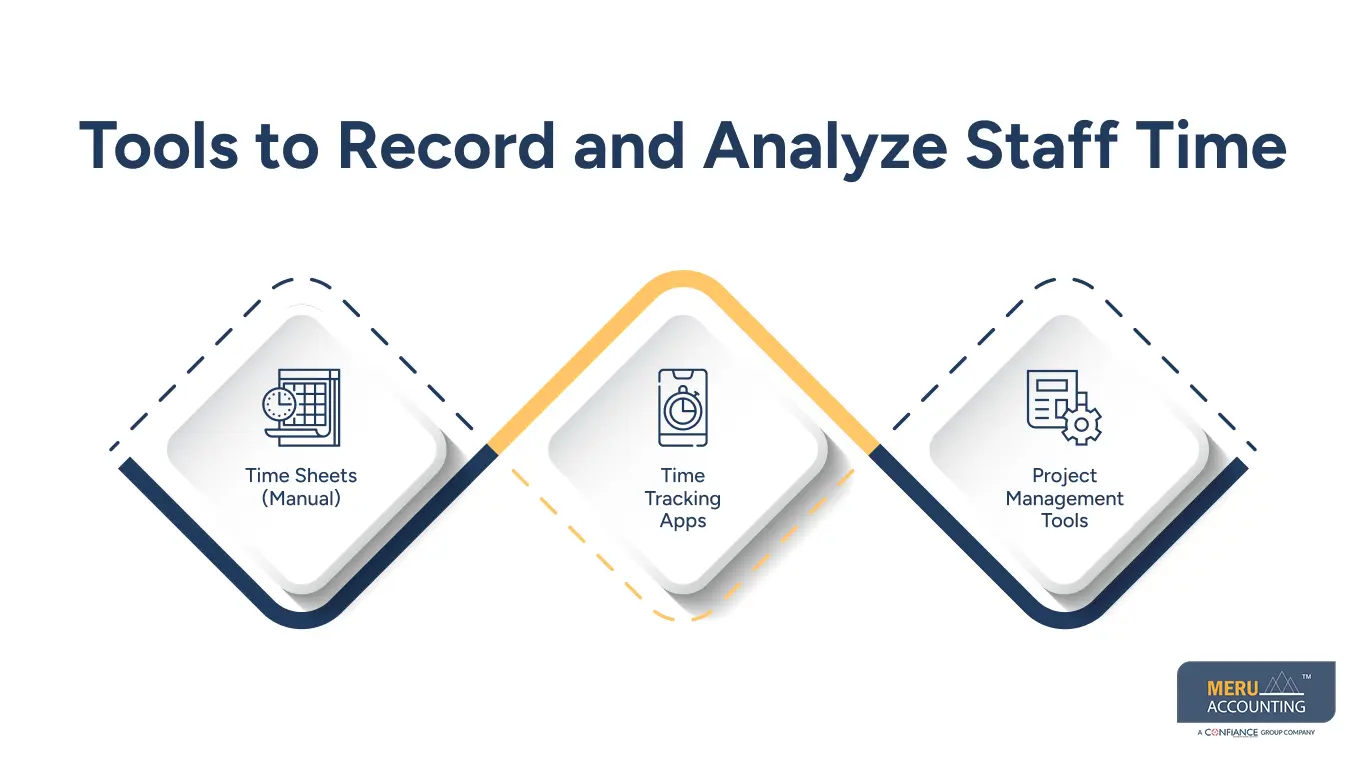
Time Tracking Apps
Apps like Clockify, Toggl, and Time Doctor make tracking tasks easy. These tools work on phones and computers. You can record time with one click, making data more accurate.
Pros:
- Tracks time in real time
- Easy to use with auto-logs
- Generates analysis reports fast
- Useful for remote teams
Cons:
- Staff may forget to click ‘start’
- Needs some basic training
- It can feel too strict for creative roles
- May have subscription costs
Project Management Tools
Apps like Asana, Trello, and Monday.com include time tracking. You can assign tasks, track hours, and see team progress.
Pros:
- Combines time tracking and task control
- Helps monitor team performance
- Links the time to the task and the deadline
- Boosts teamwork and clarity
Cons:
- Setup may take time
- It can be too much for small teams
- Features may go unused
- Needs ongoing updates and support
Steps to Build a Good Time Analysis Report
To build a good time analysis report, you need a system. This includes planning, tracking, reviewing, and reporting. A clear process ensures that the data is useful and leads to better work time analysis.
Step 1: Choose Your Method
Decide if you’ll use paper, spreadsheets, or digital apps. Pick a method that fits your team and is easy to manage.
Step 2: List the Key Tasks
Make a list of tasks that need tracking. Use clear names like “Client Call” or “Report Draft” so staff know exactly what to log.
Step 3: Start Tracking Daily
Ask your team to log time every day. Make it part of the work routine. Daily tracking gives the most accurate data.
Step 4: Check the Data Often
Review time logs weekly. This helps you spot issues early, like missed logs or wrong task tags.
Step 5: Build the Report
Use the collected data to create your analysis report. Break it down by team, task, or day. Use charts to make it easy to read and share.
Step 6: Share and Discuss
Talk to your team about the report. Look at trends and time drains. Work together to make smart changes.
Common Problems in Work Time Analysis
Even with good tools, things can go wrong. When you record and analyse staff time, you may face common issues. Solving them early keeps the process smooth.
Staff Forgot to Track Time
Busy days can make staff forget to track time. Use tools that send alerts or add time tracking to the end-of-day checklist.
Data Is Not Clear
If task names are vague, reports won’t help. Use short, clear names like “Email Support” or “Team Meeting.”
Too Much Data
Tracking too many small tasks can be a problem. Focus on key tasks that affect productivity and profit.
Lack of Trust
Some staff think tracking means spying. Be open about why you’re tracking. It helps plan work better and avoid burnout.
Inconsistent Use
Some staff may skip tracking or log late. Make it a habit with reminders and weekly checks.
Tool Overload
Using too many tools can confuse staff. Keep it simple. Use one or two tools that do the job well.
No Clear Goal
If you don’t know why you’re tracking time, the report won’t help. Set a goal like “cut idle time by 10%.
Best Practices for Work Time Analysis
To get value from your report, use smart habits. These make it easy to track time and fix problems fast.
Track in Real-Time
Ask staff to log time as they work. Waiting until later leads to errors or missed entries.
Keep Reports Simple
Use visuals like graphs and pie charts. A short report is easier to read and use.
Review Weekly
Don’t wait for monthly reports. Weekly checks help you catch slow tasks or overloads early.
Use the Data
Use insights to fix slow tasks, assign work better, or shift deadlines. A report is only useful if you act on it.
Give Feedback
Share report results with staff. Praise good work and offer help where time loss shows up.
Set Clear Goals
Know what you want to achieve—less overtime, better task flow, or team balance. Clear goals shape better reports.
Train Your Team
Teach staff how and why to track time. A trained team will log better data and trust the process.
At Meru Accounting, we simplify the way you record and analyse staff time. Our team gives solutions that fit your business and team size, so every hour is tracked, work patterns are clear, and you can use the data to help your team work better. We set up simple time tracking tools and create clear time reports that show where time goes and suggest small changes to boost work and reach your goals. Partner with us to manage time smarter and achieve steady growth.


