


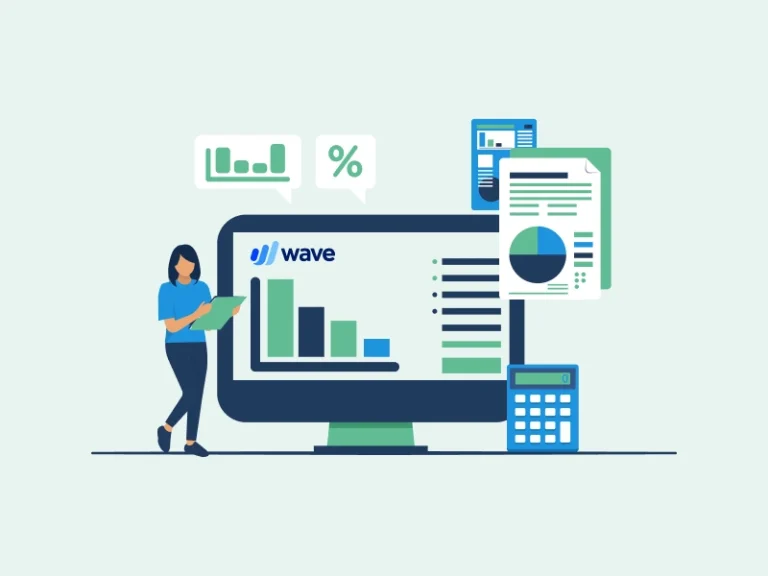
Wave Accounting software is a popular, user-friendly tool designed to help small businesses and freelancers manage their finances efficiently. One of the standout features of Wave Accounting is its ability to help businesses create realistic budgets. By categorizing expenses and income, users can develop detailed budgets that reflect their actual spending and revenue patterns. Whether you’re new to financial planning or looking to streamline your budgeting processes, Wave Accounting offers a range of features to simplify financial management and decision-making. This guide will explore how you can use Wave Accounting software to budget effectively and plan for your financial future.
Introduction to Wave Accounting
Wave Accounting is a powerful yet easy-to-use financial tool designed for freelancers, small businesses, and entrepreneurs. It goes beyond basic bookkeeping to assist in creating budgets and planning finances effectively. Wave automatically syncs financial data from linked bank accounts, ensuring accurate and up-to-date information. This makes budgeting not only easier but more reliable, allowing business owners to identify areas where they can save money or allocate resources more effectively. Whether you’re a beginner or experienced in financial management, Wave Accounting software can help you stay organized, save money, and plan for your future.
Key Features of Wave Accounting for Budgeting
- Expense Tracking
Wave Accounting automatically categorizes your expenses, allowing you to monitor your spending habits. This feature helps you identify areas where you can cut costs and allocate funds more effectively. - Income Management
By connecting your bank account to Wave, you can seamlessly track income and match it to specific clients or projects. This transparency is crucial for budgeting and ensuring consistent cash flow. - Customizable Reports
Generate detailed financial reports, such as profit and loss statements and cash flow reports, to gain insights into your financial health. These reports are invaluable for setting realistic financial goals and tracking progress. - Recurring Transactions
Automate recurring income or expense entries, such as subscription fees or regular client payments. This feature simplifies budgeting by providing a clear picture of predictable cash inflows and outflows. - Budget Forecasting
Wave allows you to forecast future income and expenses based on historical data. This helps you prepare for upcoming financial obligations and plan for growth opportunities.
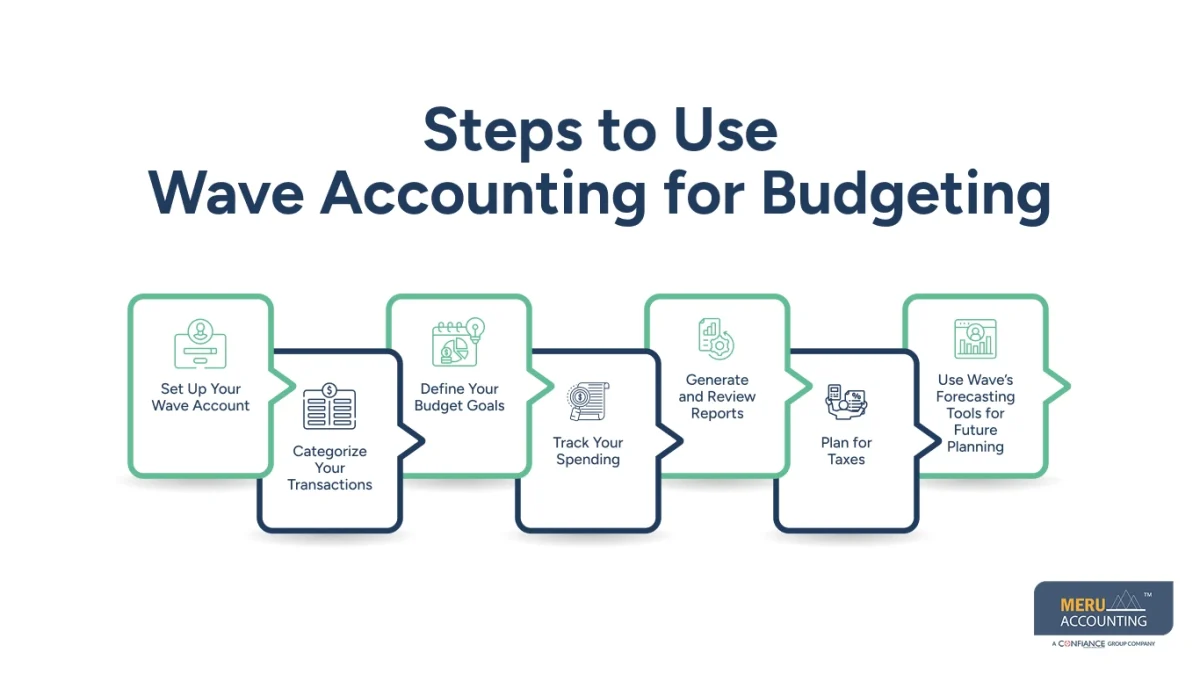
Steps to Use Wave Accounting for Budgeting
- Set Up Your Wave Account
First, sign up for a free Wave Accounting account. Once your account is set up, link your bank accounts and credit cards to automatically import your financial transactions. This ensures your financial data is always up-to-date and accurate. - Categorize Your Transactions
Organize your expenses and income into categories such as rent, utilities, salaries, sales, and others. This helps you understand where your money is going and creates a clearer picture of your spending habits. Categorizing your transactions is essential for building an accurate budget that reflects your actual income and expenses. - Define Your Budget Goals
Set clear financial goals. For example, you might want to save for a new project, reduce operational costs, or pay off debts. Based on these goals, allocate a specific amount of money to each category, prioritizing what’s most important or urgent. This ensures your resources are being used in the most effective way possible. - Track Your Spending
Regularly monitor your transactions using Wave’s dashboard. The dashboard provides a real-time overview of your finances, helping you identify where you’re spending too much (overspending) or where you might have room to spend more (underspending). Keeping track allows you to make adjustments to your budget as needed. - Generate and Review Reports
Wave Accounting provides various reports that help you analyze your financial performance. Use these reports to compare actual spending against your budget and identify areas where you might need to cut costs or make adjustments. Regularly reviewing these reports ensures you stay on track to meet your financial goals. - Plan for Taxes
Wave Accounting also helps with tax preparation by calculating sales tax and organizing your financial data. By saving a portion of your income specifically for taxes, you can avoid surprises during tax season and ensure you’re always prepared to meet your tax obligations. - Use Wave’s Forecasting Tools for Future Planning: Wave Accounting also provides simple tools to help you forecast your business’s future financial performance. This forecasting can give you a glimpse of what’s coming, allowing you to plan accordingly. Forecasting involves projecting income and expenses based on current data, helping you set more realistic financial goals.
Benefits of Using Wave Accounting for Financial Planning
- Cost-Effective Solution
Wave is free to use, making it an excellent choice for small businesses and freelancers with limited budgets. - Improved Financial Visibility
With Wave’s comprehensive reports and analytics, you can make informed financial decisions and set realistic goals. - Streamlined Budget Management
Automated processes and easy-to-use tools reduce the time spent on manual budgeting and planning. - Scalability
As your business grows, Wave’s features can adapt to manage increasing financial complexity without additional costs. - User-Friendly Interface
The intuitive design ensures that even users with limited accounting knowledge can navigate and utilize Wave effectively.
Conclusion
Wave Accounting software is an invaluable tool for businesses looking to enhance their budgeting and financial planning. By offering features like expense tracking, income management, and customizable reports, Wave makes it easy to monitor your financial health and plan for the future. Its intuitive interface and cost-effective nature make it particularly appealing for small businesses and freelancers. Meru Accounting can help you seamlessly implement and maximize the benefits of Wave Accounting for your business needs. Start using Wave Accounting today to take control of your finances, streamline your budgeting, and ensure long-term success.


