




Sage Timeslips Bookkeeping is a tool that helps businesses track time and create bills correctly. Many companies still use spreadsheets, paper sheets, or manual logs to note work hours. These ways often cause mistakes, missed bills, late payments, and extra work for staff.
Sage Timeslips Bookkeeping fixes these issues by recording all hours and turning them into clear, correct bills. This lets businesses focus on tasks that grow the firm rather than fix errors.
Timeslips Sage Software is easy to use but very strong. It tracks work hours, handles many projects, and makes client bills fast. Companies that use it often see faster billing, fewer mistakes, and happier clients. For service firms, turning hours into correct bills is key for cash flow and profit.
Sage Timeslips accounting also helps managers watch how staff spend time and which projects bring the most gain. It gives clear reports and simple insights that support better decisions.
By lowering billing mistakes and extra work, the software helps staff work more efficiently and builds client trust. Companies using it gain both speed and control over money and projects.
What You Will Learn From This Blog
- How Sage Timeslips Bookkeeping helps track time fast and easily.
- Ways Timeslips Sage Software makes billing correct and quick.
- Simple steps to use Sage Timeslips Bookkeeping in business.
- Common issues in tracking time and billing, with easy fixes.
- Real examples of firms that use this software well.
- Tips to improve accounting work and save time.
What is Sage Timeslips Bookkeeping?
Sage Timeslips Bookkeeping is a tool that helps track work hours and make correct invoices. Staff can log time fast, and the software turns it into client bills. It works for different clients, projects, and rates, so it fits small and large businesses.
Timeslips Sage Software is useful for law offices, accounting firms, and service companies. Managers can see project progress, staff work, and client accounts at any time. This view helps businesses stay organized, plan work, and make smart choices.
The software also cuts down admin work by automating time logs, invoices, and reports. Staff spend less time on manual tasks, and clients get correct bills on time. Sage Timeslips Bookkeeping helps work run smoothly, saves time, and builds trust with clients.
Key Benefits of Using Sage Timeslips Bookkeeping
Accurate Time Tracking
Sage Timeslips Bookkeeping ensures every hour is recorded. No work is lost, and clients get correct bills.
Better Billing
Timeslips Sage Software makes invoices automatically. This reduces mistakes and speeds up client payments.
Saves Time
Automating billing and tracking cuts down admin work. Staff can focus on important tasks instead.
Stronger Client Trust
Clients see clear and correct invoices. This builds trust and long-term relationships.
Useful Insights
Reports show which projects and clients bring the most profit. Managers can make better decisions with this data.
Importance of Accurate Time Tracking and Billing with Sage Timeslips Bookkeeping
- Ensures all work is tracked to stop lost income. Tracking hours helps managers see which jobs make a profit.
- Reduces billing mistakes by making invoices fast and right. Correct bills save time and stop fights with clients.
- Improves cash flow by getting client payments faster each month. Fast payments let businesses spend on growth and needs.
- Builds client trust with clear and correct invoices always. Clients feel sure about charges and keep using services.
- Supports rules by keeping records neat for audits and taxes. Neat records make reports easy and clear for managers.
Boosts work output by cutting time spent on manual work. Staff can focus on key jobs that grow the business.
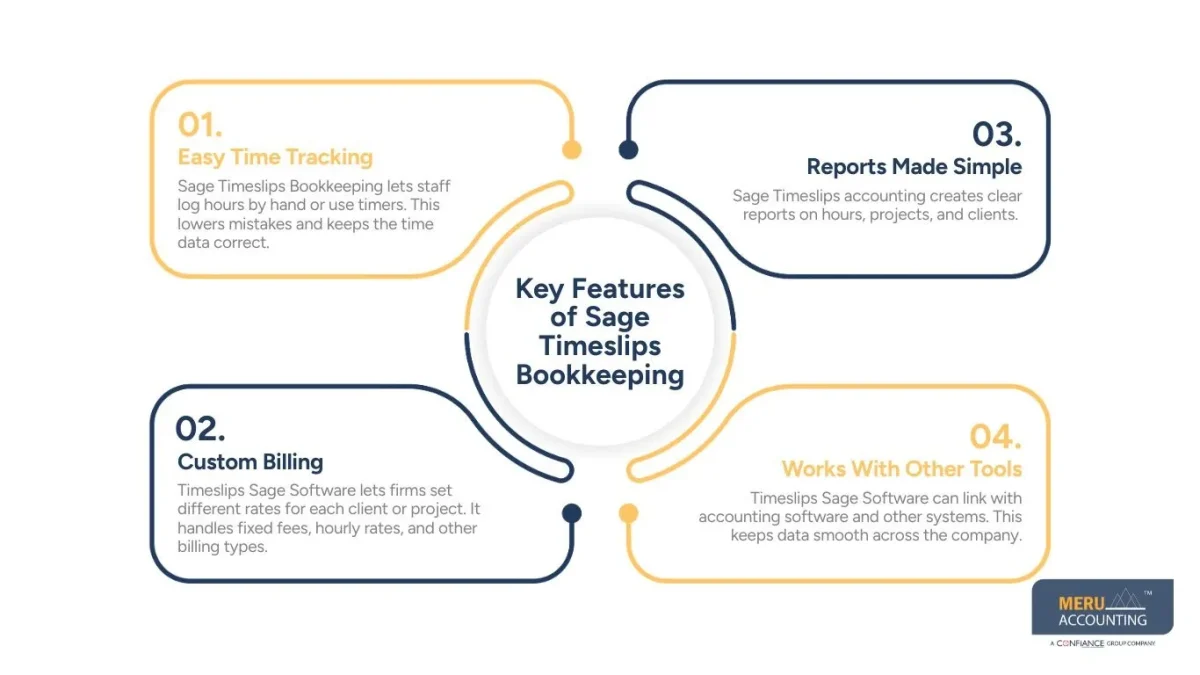
Key Features of Sage Timeslips Bookkeeping
Easy Time Tracking
Sage Timeslips Bookkeeping lets staff log hours by hand or use timers. This lowers mistakes and keeps the time data correct. Notes can be added to explain the work done.
Custom Billing
Timeslips Sage Software lets firms set different rates for each client or project. It handles fixed fees, hourly rates, and other billing types. Custom invoices make the work look professional.
Reports Made Simple
Sage Timeslips accounting creates clear reports on hours, projects, and clients. Managers can see revenue, billable hours, and staff performance easily.
Works With Other Tools
Timeslips Sage Software can link with accounting software and other systems. This keeps data smooth across the company.
How Sage Timeslips Bookkeeping Works
Step 1: Add Clients and Projects
Create client accounts and projects. Set hours, rates, and deadlines for each. This makes billing accurate from the start.
Step 2: Track Time
Staff log hours using timers or manual input. Notes can explain what work was done.
Step 3: Create Invoices
Timeslips Sage Software changes hours into invoices. You can bill many clients at once to save time.
Step 4: Check Reports
Managers can see billable hours, project progress, and revenue. Reports can be sorted by staff, project, or client.
Step 5: Make Decisions
Use reports to see which projects are profitable. Adjust rates, move staff, and plan work better.
Common Challenges
Missing Time Logs
Staff may forget to record their work hours each day. Sage Timeslips accounting uses timers and alerts to track time.
Billing Errors
Manual invoices can have mistakes that delay client payments. Timeslips Sage Software makes invoices fast and correct every time.
Too Much Data
Large projects create many numbers that can confuse staff. Reports can be filtered to show only the key details.
Client Disputes
Clients may question charges that seem wrong or unclear. Clear records and full invoices help avoid client disputes.
Linking Software
Joining different tools and software can feel very hard. Sage Timeslips Bookkeeping links easily with standard accounting tools.
Real-Life Example: Law Firm
A mid-size law firm lost money because staff forgot hours. After using Sage Timeslips Bookkeeping, tracking improved by 90 percent.
Timeslips Sage Software made invoices automatically. Clients got the correct bills and were happy. Reports showed which projects were losing money. Managers could move staff to profitable work. Billing became faster, and the firm made more money.
Tips to Get the Most from Sage Timeslips Bookkeeping
Train Staff
Make sure all staff know how to log hours. Give simple examples and short practice time to boost accuracy.
Clear Billing Rules
Set clear rates, billing dates, and discount terms. Ensure all staff know the rules to avoid billing errors.
Check Reports Often
Review hours, projects, and profits each week. Use report data to shift staff tasks and project focus.
Link Software
Connect Sage Timeslips with accounting tools for smooth work. This cuts manual work and keeps records clean and clear.
Use Alerts
Remind staff about missing timesheets and open approvals. Set auto alerts so no work hours get missed.
Sage Timeslips Bookkeeping Services by Meru Accounting
Meru Accounting helps businesses get the most from Sage Timeslips Bookkeeping. We focus on managing your data, producing clear reports, and improving billing efficiency. Our services reduce mistakes, ensure correct invoices, and keep financial work running smoothly.
Ongoing Management of Timeslips Data
We handle your Timeslips Sage Software data daily to keep it accurate. This includes reviewing client invoices and checking that all hours are recorded properly. By matching hours with client agreements, we ensure billing is correct and reduce missed payments.
Simple Reports and Insights
Meru Accounting creates clear, easy-to-read reports using Timeslips Sage Software. We track hours, project progress, and client billing efficiently. These insights help businesses make smart decisions, spot slow tasks, and improve overall profitability.
Audit Support
We maintain organized records so your business is always audit-ready. Our team checks for errors, fixes inconsistencies, and prepares documents for audits. This ensures your business stays compliant and can handle any review without stress.
Software Integration Support
Meru Accounting ensures Timeslips Sage Software works smoothly with your existing systems. We sync data with accounting tools to provide accurate reports and reduce manual work. This makes your workflow more efficient and lowers the chance of errors.
Improve Billing and Workflow
We help businesses speed up billing and improve workflow. By reviewing invoices, analyzing time tracking, and suggesting workflow changes, we make billing faster and more accurate. This leads to better cash flow, fewer errors, and improved efficiency.
Financial Insights
We provide actionable insights from Timeslips Sage Software to guide business decisions. This includes revenue analysis, cost tracking, and planning staff and projects. With these insights, businesses gain clear finances and better control over operations.
Contact Meru Accounting today to manage your Sage Timeslips Bookkeeping. Get accurate billing, clear reports, and better control over your finances.
Key Takeaways
- Sage Timeslips Bookkeeping tracks time and reduces mistakes.
- Timeslips Sage Software creates correct invoices automatically.
- Automating work saves time and improves efficiency.
- Reports show project and client profitability clearly.
- Professional help ensures the software is used fully.
FAQs
It tracks staff hours and turns them into client bills. It also helps firms handle billing and project time quickly.
It changes logged hours into correct client invoices fast. This speeds up billing and cuts errors for all tasks.
Yes, it tracks multiple clients and tasks at the same time. Owners can view all tasks together to plan resources well.
Yes, small firms can track hours and make correct bills. It cuts manual errors and saves staff time every day.
Yes, it shows hours worked, costs, and task profit. Reports help owners make better choices on projects and staff.


