
Not every profitable-looking law firm is as profitable as it seems. A busy practice may bring in steady fees, but partner draws, staff costs, unpaid invoices, and case expenses can tell a very different story. Xero for law firms offers a way to keep these numbers in view, from client payments and business expenses to monthly financial reports.
The real value comes from how firms use the software. The right setup can help partners review their finances, track unpaid fees, and spot rising costs before they affect the bottom line. In this guide, we’ll explore Xero’s key features, its benefits for legal practices, and the accounting practices that help keep firm finances on track.
What You Will Learn From This Blog
- How Xero works for law firms and legal practices.
- Which Xero tools help with fees, costs, and cash flow.
- How to set up Xero for clear financial records.
- Best practices for daily and monthly bookkeeping.
- Common accounting errors law firms should avoid.
- When to hire an outsourced Xero bookkeeping team.
What Is Xero for Law Firms and How Does It Work?
Xero for law firms means using Xero, a cloud-based accounting tool, to track the income, costs, bills, and payments of a legal practice. It lets firm owners and staff with the right access view key financial data from almost any place.
Xero is not made only for legal work. It is a general accounting tool that firms can set up to match their needs. It can track legal fees, office costs, staff pay, vendor bills, and client payments. It can also link with bank feeds and other apps to cut down on manual data entry.
For example, a law firm can use Xero to send a bill for legal work, track when a client pays, record office rent, and review unpaid bills. The firm can then use its reports to check income, costs, and cash flow.
Still, legal work can involve client trust funds, retainers, and case costs. These need extra care. Firms should use a legal practice or trust accounting system where needed. They should also make sure that any link with Xero keeps the records clear and meets local rules.
Key Xero Features That Help Law Firms Manage Their Finances
Xero has a range of tools that can help legal practices keep their books in order. The best setup will depend on the size of the firm, its work, and the way it bills clients.
1. Bank Feeds and Bank Reconciliation
Xero can pull bank data into the system through bank feeds. This helps firms match bank entries with bills, fees, and other records. Rather than enter each item by hand, staff can review and match the data.
Regular bank checks help spot missing entries, duplicate costs, and errors. They also help keep the books in line with bank records. This gives partners a more up-to-date view of the firm’s cash.
2. Client Invoicing and Billing
Law firms can use Xero to create and send invoices for legal work. They can add fees, costs, and payment terms, then track which bills are paid or still due.
For firms that bill by the hour, invoices can be based on data from a time-tracking or legal practice tool. This helps keep client bills clear and cuts down on manual work. It also gives staff a simple way to track unpaid fees.
3. Expense Tracking and Cost Records
Legal practices may pay for court fees, travel, legal research tools, filing costs, rent, and other business needs. Xero helps record these costs under the right account.
Clear cost records help a firm see where its money goes. They also make it easier to review case costs and spot items that need to be billed back to clients. Staff should keep receipts and notes to support each cost.
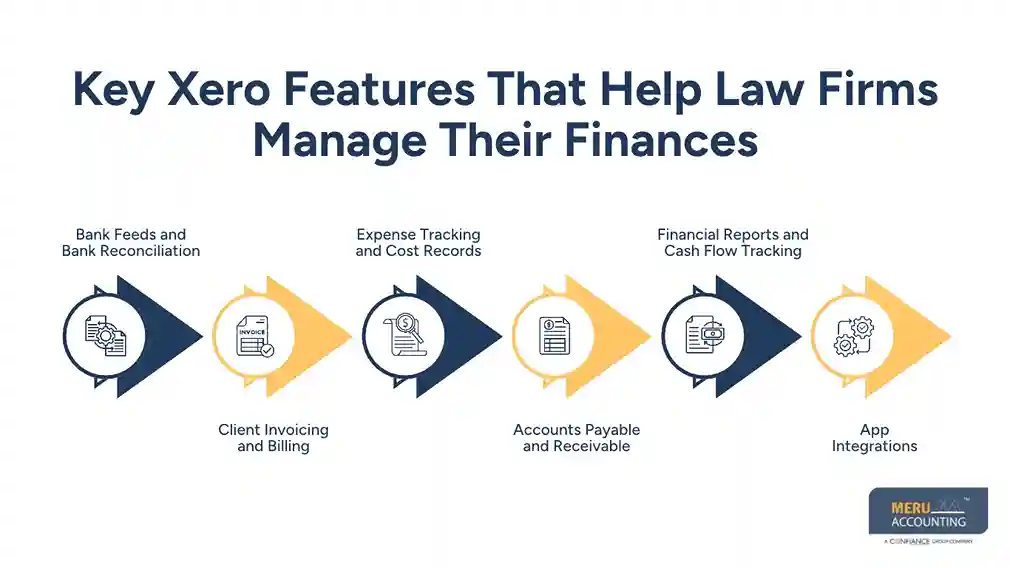
4. Accounts Payable and Receivable
Xero helps firms track bills they need to pay and invoices they need to collect. Staff can review due dates, check open bills, and follow up on late payments.
This can help a firm plan its cash needs and reduce the risk of missed payments. It also gives partners a clear view of money due to the firm and money owed by the firm.
5. Financial Reports and Cash Flow Tracking
Xero offers reports such as the profit and loss statement, balance sheet, and cash flow report. These help firm owners review income, costs, assets, debts, and cash flow.
A monthly review can show if costs are rising, fees are falling, or client payments are slow. This gives partners a sound base for business choices. They can use these reports to plan staff costs, review fees, and set goals for growth.
6. App Integrations
Xero can link with many third-party apps for time tracking, billing, payments, and other tasks. Law firms may use legal practice tools to track matters, time, and client data, then share the right financial data with Xero.
Before linking apps, firms should check what data moves between them and how errors are handled. This helps avoid duplicate entries and gaps in the books.

optional anymore
on running the business
Benefits of Using Xero for Law Firms
Using Xero can help legal practices gain better control over their books and spend less time on routine accounting tasks. Here are some key benefits.
1. Better Control Over Firm Finances
Xero brings key financial data into one place. Partners can review income, costs, unpaid bills, and cash flow without having to check many files or reports. This makes it easier to see how the firm is doing and where it may need to act.
2. Less Manual Data Entry
Bank feeds, invoice tools, and app links can cut down on manual data entry. This saves staff time and can lower the risk of errors. The team can then spend more time on reviews and other key tasks.
3. Faster Client Payment Tracking
Late client payments can put pressure on a law firm’s cash flow. Xero helps staff track open invoices, check due dates, and follow up on unpaid bills. This gives the firm a better view of fees that are yet to come in.
4. Clearer Financial Reports
With up-to-date records, firms can review income, costs, profit, and cash flow. These reports help partners spot trends, plan costs, and make sound choices about hiring, growth, and daily work.
5. Easier Tax and Year-End Work
Well-kept books make tax prep and year-end close easier. When income, costs, bills, and bank data are in order, the firm has less work to do when it is time to review its records or share data with a tax pro.
How to Set Up Xero for a Law Firm
A sound setup helps a firm get more value from Xero. Before adding data, review how the firm earns fees, pays costs, and tracks client funds.
1. Set Up a Chart of Accounts
Start with a chart of accounts that fits the firm’s work. It may include legal fees, court costs, filing fees, staff pay, rent, software, and other costs. Use clear account names so staff can record each item in the right place.
2. Add Bank Accounts and Set User Access
Link the firm’s business bank accounts to Xero where bank feeds are supported. Give each user access based on their role. For example, staff who enter bills may not need the same level of access as a partner or finance lead.
3. Set Up Invoices and Payment Terms
Create invoice templates with the firm’s name, contact details, fee details, and payment terms. Set clear due dates and review how invoices are sent and tracked. If the firm uses a legal billing tool, check how invoice data will flow into Xero.
4. Link the Right Apps
Choose tools that fit the firm’s needs, such as time tracking, payment, or legal practice software. Test the link before using it for all client work. Check that data moves to the right accounts and does not create duplicate entries.
5. Set Rules for Client Funds
Do not treat client trust funds as firm income. Set up a process that keeps trust account records apart from the firm’s own money. Use a legal trust accounting system where required, and check local bar rules before deciding how Xero will fit into that process.
Xero Accounting Best Practices for Law Firms
Good software needs good daily habits. These steps can help firms keep their books clear and useful.
- Reconcile bank accounts each month: Match bank data with Xero records. Look into any gap or item that does not match.
- Keep client and firm funds apart: Never record client trust funds as firm income. Keep clear records for each client and matter.
- Track costs by client or matter: Use a clear method to record costs that may need to be billed back to clients.
- Review unpaid invoices: Check open bills each week and follow up on late payments.
- Check reports each month: Review profit, costs, cash flow, and unpaid bills with the right team members.
- Limit user access: Give staff access only to the data and tasks they need.
- Keep clear records: Save bills, receipts, client cost records, and other support files in an easy-to-find way.
These steps make Xero for law firms more useful as a tool for daily finance work. They also help partners spot issues before they grow.
Common Xero Accounting Mistakes Law Firms Should Avoid
Even with good software, small errors can lead to poor reports and extra work. Law firms should watch out for these common issues:
- Mixing client funds with firm funds: This can lead to serious trust account and compliance issues. Keep the two apart and follow local rules.
- Skipping bank reconciliation: Old unmatched items can build up and make it hard to know if the books are right.
- Using the wrong account codes: Recording costs under the wrong heading can affect reports and tax records.
- Failing to track client costs: Court fees, travel, and filing costs may be missed or not billed back when due.
- Not reviewing open invoices: Late payments can go unnoticed and put pressure on cash flow.
- Relying only on software for compliance: Xero does not replace legal advice, trust accounting controls, or checks required by the local bar.
A regular review of these areas can help firms keep their records in good shape and avoid costly errors.
Meru Accounting’s Outsourced Xero Bookkeeping for Law Firms
A law firm’s books need to tell more than how much money came in and went out. Partners need to know how much they have billed, which fees are still outstanding, what it costs to run the practice, and whether client-related expenses have been recorded correctly. Meru Accounting helps legal practices manage these records through outsourced Xero bookkeeping for law firms, with services built around their day-to-day accounting needs.
Our team can support your firm with:
- Legal fee and billing records: Record fee income, review invoice entries, and track outstanding client payments.
- Client cost and disbursement tracking: Record filing fees, court costs, travel, and other case-related expenses for proper review and billing.
- Bank and credit card reconciliation: Match transactions with Xero records and investigate missing, duplicate, or unclear entries.
- Accounts payable and receivable: Keep vendor bills, payment dates, client invoices, and overdue balances under control.
- Month-end accounting: Review account balances, check entries, and keep financial records ready for monthly review.
- Law firm financial reporting: Prepare profit and loss statements, balance sheets, and cash flow reports to help partners assess the firm’s financial position.
- Bookkeeping cleanup and catch-up: Bring overdue records up to date and correct gaps that affect the accuracy of financial reports.
Whether your firm needs ongoing bookkeeping, help with a backlog, or support for a more organized month-end close, Meru can work with your existing finance team or CPA. We focus on keeping your Xero records accurate, current, and useful for business decisions.
One important distinction: Client trust accounting has its own rules and controls. Our bookkeeping support for business accounts does not replace a dedicated legal trust accounting system or the firm’s duty to meet applicable bar requirements.
Our Expert Insight
One mistake law firms can make is treating all cases as equally profitable. A large case may bring in substantial fees but also require more attorney hours, outside counsel, research, and other costs. A smaller case may generate less revenue but deliver a better return with fewer resources.
We recommend reviewing profitability by practice area, case type, or client where reliable cost data is available. This helps partners see which types of work bring the best returns and where fee arrangements may need to change. Xero can support the review through well-organized expense and income records, while case-level time and cost data can come from legal practice software.
Key Takeaways
- Xero can help law firms manage invoices, expenses, bank records, and financial reports.
- Bank feeds and app links can reduce manual work and help keep records up to date.
- A clear chart of accounts makes it easier to track legal fees and business costs.
- Client trust funds must stay separate from firm funds and follow local legal rules.
- Regular bank checks and monthly reports help partners keep track of cash flow.
- Outsourced Xero bookkeeping for law firms can help manage routine accounting tasks and keep financial records current.
FAQs
Yes. Xero helps law firms manage invoices, expenses, bank transactions, and financial reports. Firms may need separate legal software for case management and trust accounting.
Not on its own. Xero is general accounting software, not a dedicated trust accounting system. Law firms need tools and controls that meet their state’s bar requirements.
Yes. Firms can record legal fees, office costs, and client-related expenses in Xero. Legal billing software may be needed to track billable hours and case-level costs.
Some legal practice management tools offer Xero integrations for billing, payments, and financial data. Check the integration features before choosing a tool for your firm.
Pricing depends on transaction volume, monthly workload, reporting needs, and the services required. Firms that need cleanup or catch-up work may have additional costs.
optional anymore
on running the business