




Farms face many problems when they run out of cash. Keeping records by hand can cause mistakes and mix-ups. Money from sales, tools, and work is hard to track. Farmers can miss small payments or forget key facts.
Changes in seasonal income make it hard to plan money. Without clear records, it is tough to plan crops next. Farmers need a simple way to see all cash. Agriculture accounting software helps farms track cash every day. It records all sales, buys, and work costs fast.
Reports are ready quickly and easily for farmers to read. Mistakes are fewer, and money choices can become better. Farmers get control of cash and cut needless losses. This software also shows trends in cash in and out. It helps plan money for seeds, tools, and work.
Farmers can see profit from crops, livestock, and seasonal sales. Agriculture accounting software saves time that would go to hand labor. With clear money facts, farmers can make smart choices. It gives a clear view of farm cash and spending. Using this software makes farmers feel safe in their decisions.
What You Will Learn From This Blog
- How farm accounting software can help manage farm money.
- The main benefits of using farm accounting software on farms.
- Steps to start and use farm accounting software well.
- How the software shows money clearly and cuts errors.
- Ways farmers can plan costs and save cash.
- Problems farmers may meet and ways to fix them.
- Real farm results from using farm accounting software.
What is Agriculture Accounting Software?
Agriculture accounting software is a tool for farm finance. It records cash, sales, labor, and equipment costs. Unlike normal software, it is made for farm needs. Crop, livestock, and seasonal sales are tracked well.
Makes Financial Records Simple
Agriculture accounting software makes record-keeping fast and clear. Farmers can enter data on sales and costs daily. Reports are ready without any long work. Records stay safe and easy to reach. This helps farmers plan loans or tax reports.
Tracks Money In and Out
Software shows all income and expenses clearly each day. Agriculture accounting software keeps crops, livestock, and service money separate. Costs for seeds, tools, and labor are tracked well. Farmers can see profit or loss at once. This helps plan budgets and save cash.
Gives Quick Financial Insights
Farmers get fast money information with this software. Cash flow, bills, and due payments are shown clearly. Agriculture accounting software makes reports fast at any time. These facts help farmers plan work and spend. Quick insight helps solve money issues fast.
Helps with Tax Rules
Farms must follow tax rules and pay on time. Software keeps track of money and tax rules. Agriculture accounting software shows what is tax-deductible. It makes reports ready for tax officers fast. Farmers save time and avoid fines with help.
Supports Budget and Planning
Software helps plan for crops, labor, and tools. Past data and farm trends are used for forecasts. Agriculture accounting software helps divide funds for tasks. Farmers can plan for crop needs and repair work. Good planning keeps farms safe and money ready.
Works With Other Farm Tools
Software can work with other farm tools easily. Crop records, machine use, and labor logs join finance. Agriculture accounting software shows all data in one place. Farmers save time and avoid mistakes with linked data.
Benefits of Agriculture Accounting Software
Improves Financial Visibility
Agriculture accounting software helps farmers see all their money. It allows farmers to track income and expenses clearly.
Saves Time on Bookkeeping
Manual bookkeeping takes hours every day on farms. Software automates calculations and reports to save time.
Reduces Human Errors
Entering data by hand can often create mistakes. Software ensures records are correct and reduces errors.
Shows Profit and Loss Clearly
Reports display profit, loss, and cash flow fast. Farmers can check which crops or tasks earn more.
Helps Plan Costs and Crop Cycles
Farmers can plan budgets and crop cycles easily. Software gives insights to allocate resources for tasks.
Supports Smart Decision Making
Farmers can make smarter choices with quick facts. It helps to adjust spending and improve farm profit.
Importance of Agriculture Accounting Software
Handles Multiple Revenue Streams
Modern farms deal with many sales and income types. Tracking money manually is slow and often inaccurate.
Tracks Spending Clearly
Agriculture accounting software shows where money is spent. Farmers can identify costly areas and reduce losses.
Helps Plan Loans and Fund Use
Farmers can plan for loans or budget funds better. It gives a clear view of available money and needs.
Identifies Loss Areas
Software highlights areas where costs exceed income. Farmers can act quickly to prevent further losses.
Supports Profit Growth
By tracking income and costs, farmers can increase gains. Software guides farmers to invest in profitable crops wisely.
Step-by-Step Guide to Using Agriculture Accounting Software
Step 1: Set Up Your Account
Create a new account on the software carefully today. Enter farm name, town, and contact details correctly. A correct setup keeps all farm records safe and right.
Step 2: Configure Farm Categories
Add categories for income, like crops and animals, clearly. Include expense categories like labor, tools, and seeds. Clear groups make reports simple and easy to read.
Step 3: Enter Initial Data
Enter starting balances for cash, bank, and farm tools. Add past sales, purchases, and unpaid bills carefully. Correct data keeps all reports accurate from the start.
Step 4: Record Daily Transactions
Write all daily income, like milk, crops, or eggs. Track costs for labor, tools, and farm supplies.
Daily records keep reports current and cash flow clear.
Step 5: Generate Reports
Use software to make profit and loss reports fast. Check the cash flow to see all due and paid. Reports help farmers plan budgets and control farm costs.
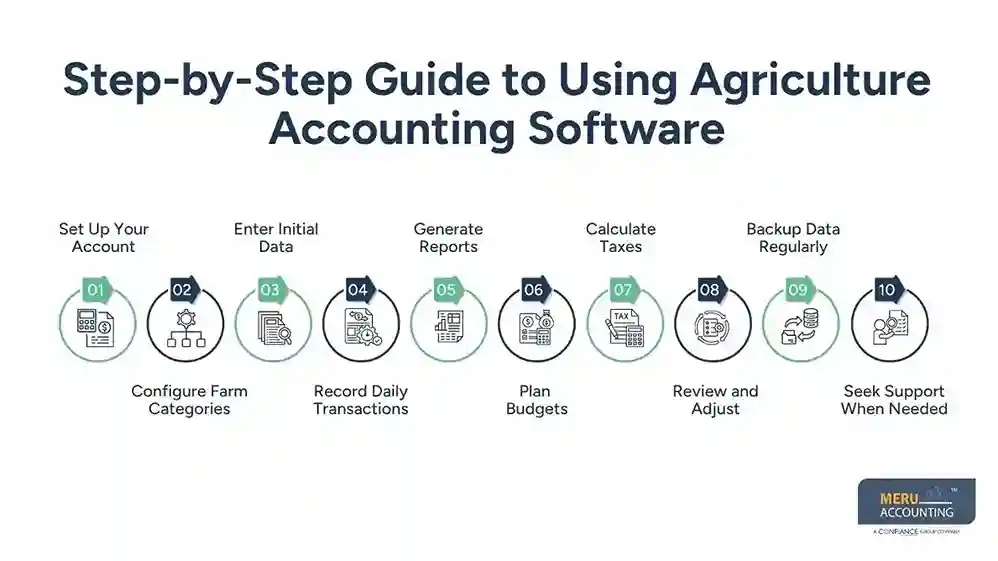
Step 6: Plan Budgets
Use reports to make monthly or seasonal farm budgets. Estimate costs for seeds, labor, and tools next season. Good budgets stop overspending and help save farm money.
Step 7: Calculate Taxes
Software helps find farm taxes fast and easily. Track spent money to find tax deductions quickly. Correct records keep farmers safe from fines or errors.
Step 8: Review and Adjust
Check reports each week to spot errors or changes. Update categories or entries if mistakes appear in reports. Weekly review keeps farm money and reports correctly always.
Step 9: Backup Data Regularly
Always save a backup of all farm data safely. Use cloud or external drives to keep data safe. Backups protect records from mistakes, loss, or damage.
Step 10: Seek Support When Needed
Software teams give guides and help with questions anytime. Join training or online sessions to learn software faster. Support helps farms use software correctly and save time.
Common Challenges & How to Overcome Them
Not Knowing Software
Some farmers may not know how to use tools. Pick simple software or get easy training help.
Wrong Data Entry
Mistakes when typing numbers can affect reports. Check input and let the software calculate sums fast.
Cost of Software
Some farms think software costs too much money. Look at the time and money saved long-term.
Tool Connections
Some farm tools may not work with the software easily. Pick software that links well with all other farm tools. Good links help track data and keep reports correct.
Fear of Change
Some farm owners want old paper methods. Show the quick benefits of clear reports and control.
Case Study / Real-Life Example
A farm had trouble keeping money records. Crop sales, tools, and labor costs were messy. After using agriculture accounting software, reports were fast and correct. Errors went down seventy percent, and farmers saved hours weekly. Profit insights helped plan better spending and growth.
Meru Accounting’s Agriculture Accounting Solutions
Financial Data Support
- Meru Accounting helps farms manage their money records well.
- We check records, income, and costs for accuracy.
- Keeps farm accounts neat, clear, and easy to read.
Real-Time Reports and Insights
- Farmers get financial reports fast for a clear view.
- Reports show cash flow, profit and loss, and budgets.
- Helps make smart choices on crops, livestock, and labor.
Tax and Budget Guidance
- Meru Accounting guides farms on tax and budget plans.
- Supports planning for labor, tools, and seasonal costs.
- Keeps farms ready and avoids mistakes at tax time.
Ongoing Accounting Assistance
- We give regular help to keep accounting smooth.
- Advise on the best ways to manage farm money well.
- Helps farms make smart choices and reduce errors.
Simplifying Farm Financial Management
- Farmers focus on work, while we give money to help.
- Gives a clear view of cash flow, costs, and profit.
- Helps farms keep control and plan growth wisely.
Key Takeaways
- Agriculture accounting software keeps financial records simple.
- Farmers save time and reduce errors quickly.
- Reports give real-time facts for smart planning.
- Tax and cost tracking become simple and clear.
- Software works well with farm tools for smooth work.
- Modern farms need software for profit and control.
FAQs
Start by setting up the account and farm categories correctly. Then enter basic farm details like crops, livestock, and income.
Enter transactions, generate reports, plan a budget, and calculate taxes. Regularly review data to track finances and plan ahead better.
Yes, it records costs for crops, labor, and equipment daily. You can also attach receipts and notes for each transaction.
Use built-in tools to create profit, loss, and cash reports. Reports can be exported for accountants, banks, or farm planning.
Yes, it tracks income and expenses for accurate tax filing. It also highlights deductible costs to reduce tax payment errors.


