A nurse finishes a night shift at one clinic, covers a colleague at another site, and submits hours that include extra shift pay. By Friday, the payroll team has records from six clinics, two missing timesheets, and a manager asking why wage costs have risen. Healthcare payroll software can bring these moving parts into one process, but the right choice depends on how a medical group pays its staff, tracks shifts, and checks each site’s costs.
What You Will Learn From This Blog
- How healthcare payroll software handles staff pay across several clinic sites.
- Which tools are worth comparing for small practices and larger medical groups.
- What to check for night shifts, overtime, tax rules, and staff transfers.
- How to compare software costs, reports, and links with current systems.
- How Payroll Software for Healthcare Businesses fits into a clear payroll process.
Introduction to Healthcare Payroll Management
Manage Staff Across Several Clinics
Picture a group with eight clinics and one central payroll team. Each site sends hours in a different format, so staff spend days checking files before payday. Healthcare payroll software can bring approved hours into one process while keeping each clinic’s wage costs separate.
Set Pay Rules for Each Role
A surgeon on fixed pay, a nurse on hourly wages, and a receptionist who works weekends do not have the same pay needs. The system must apply the right rate to each role and flag cases that need a manager’s review.
Record Staff Who Move Between Sites
When a nurse covers a shift at another clinic, the hours must be linked to the right site and pay rate. Clear records can prevent duplicate entries and missed hours when the central team runs payroll.
Track Labor Costs by Location
A rise in wage costs may come from staff shortages at one site rather than across the whole group. Reports from healthcare payroll software can show where overtime has grown and which roles account for the change.
Keep Payroll Records Ready for Review
If a worker questions a payslip, the team should be able to trace the amount back to approved hours and pay rules. Payroll Software for Healthcare Businesses can keep records in one place, but staff must still check the figures and retain required records.
Key Features to Look for in Healthcare Payroll Software
Multi-Clinic Processing and Central Reports
Payroll Software for Healthcare Businesses should give central teams a single view of payroll while keeping wage records separate for each clinic. Look for healthcare payroll software that can run pay across several sites and report wages by location, role, and pay period.
Shift Differentials, Overtime, and On-Call Pay
A night nurse may earn more per hour than a nurse on a day shift, while an on-call doctor may receive a separate payment. Ask vendors to show these cases in a live demo, including overtime and shifts that cross midnight.
Time Tracking and Attendance Links
A missed clock-in can turn into a pay query if no one catches it before payday. Check whether approved timesheets flow into payroll and whether the system flags missing punches, long shifts, and overlapping hours.
Payroll Tax and Wage Rule Checks
US clinics must follow the tax, wage, and overtime rules that apply to their staff and work locations. Choose healthcare payroll software that can track the required tax details, apply approved pay rates, and flag records that need review. Clinic owners must check payroll results and keep up with changes in the rules.
Links With HR, Accounting, and Scheduling Tools
A staff member’s approved shift should not need to be typed into three systems. Check whether healthcare payroll software can share data with your scheduling, HR, and accounting tools, and ask about extra fees for each link.
Leading Payroll Software for Multi-Location Healthcare Organizations
Gusto for Small and Growing Clinic Groups
Gusto is worth reviewing when a smaller medical group wants payroll and staff records in one place. Test its custom pay rates, time tools, and tax features against your actual clinic needs, then check the current plan limits and fees.
QuickBooks Payroll for Clinics Using QuickBooks
For a clinic that already uses QuickBooks for its accounts, a direct link between payroll and the books may reduce repeat entry. Check whether the selected plan fits your shift rules and sends wage costs to the right accounts. Confirm current features and fees with the vendor.
ADP for Larger Healthcare Groups
A group with many clinics may need healthcare payroll software with detailed reports, varied pay rules, and wider HR services. ADP offers products for healthcare organizations, making it worth a closer look when the payroll process has several layers of review. Ask for a demo using your own shift examples.
Rippling for Connected Staff Records
When staff data changes, the same update may need to reach payroll and HR. Rippling is worth reviewing if your group wants connected staff records and workforce tools. Ask how it handles clinic transfers, custom rates, and links with your existing systems.
Paychex Flex for Payroll and HR Services
Paychex Flex is another option for groups seeking healthcare payroll software and HR services from one provider. Ask the vendor to show multi-site reports, time records, and the steps taken to fix a pay error close to payday. Compare the full quote with other vendors before making a choice.
Healthcare Payroll Software Comparison: Features, Pricing, and Scalability
Software | Best fit | Main points to test |
Gusto | Small and growing groups | Custom pay rates, time records, tax features |
QuickBooks Payroll | Clinics using QuickBooks | Ledger links, time tools, pay rules |
ADP | Larger medical groups | Multi-site reports, HR tools, service |
Rippling | Groups with connected staff systems | Workforce reports, data links, custom rules |
Paychex Flex | Groups seeking payroll and HR services | Time tracking, staff records, reports |
Do not compare systems on the monthly fee alone. Ask each vendor to price the same staff count, number of clinics, and pay schedule. Include setup, training, tax filing, time tools, and extra modules. Payroll Software for Healthcare Businesses should fit the group’s real work and budget, not just look good in a demo.
optional anymore
on running the business
Common Payroll Challenges for Multi-Clinic Healthcare Organizations
Different Pay Rules Across Sites
Payroll Software for Healthcare Businesses must accommodate differences in hourly wages, salaried roles, shift premiums, and overtime rules across clinic locations. Write down the rules for each role and site, then check that the software applies them as expected before the first live pay run.
Last-Minute Shift Changes
A nurse may cover a sick colleague just hours before a shift starts. If the manager does not approve the change in time, payroll may use the wrong hours or rate. Set a clear deadline for changes and a process for urgent cases.
Overtime That Goes Unnoticed
An extra 20 minutes on several shifts may seem minor, but the total can grow across many workers and clinics. Use reports to spot repeat overtime and ask whether it comes from staff gaps, shift plans, or poor time records.
Staff Working Across State Lines
A clinician who works at sites in different states may face extra tax or wage checks. Use healthcare payroll software to record work locations correctly and seek qualified advice on the rules that apply to each worker and site.
Gaps Between Payroll and Accounting
If payroll reports show one total and the books show another, a missing entry or wrong account code may be the cause. Reconcile the figures after each pay run and resolve gaps before they affect monthly reports.
How to Choose Payroll Software for Healthcare Businesses
List Your Staff and Site Needs
Start with the facts: how many clinics, employees, legal entities, and pay schedules do you manage? Include workers who move between sites and staff with more than one pay rate. This list gives vendors a clear basis for their demos and quotes.
Test Real Pay Cases
Do not settle for a polished sales demo. Ask the vendor to process a night shift, overtime, leave, and a worker who covers two clinics. Healthcare payroll software should produce results that match your written pay rules.
Review Security and User Access
Payroll data includes private pay, tax, and bank details. Check who can view or change records, whether the system keeps an audit trail, and how access is removed when an employee or manager leaves.
Check Reports and System Links
Ask to see a report that compares wage costs across clinics and pay periods. Test data links with your time, HR, and accounting tools so you know which tasks will still need manual entry.
Compare Service and Total Cost
Request a written quote that lists setup, monthly fees, training, and add-ons. Ask who handles urgent pay errors, when the team can be reached, and what happens if payroll cannot be completed on time.
Best Practices for Implementing Payroll Software Across Multiple Clinics
Clean Staff Data Before Setup
Before moving records, check names, tax details, pay rates, leave balances, and clinic codes. Fix duplicate profiles and outdated entries first; a new system will not correct bad data on its own.
Set Clear Approval Roles
Name one person at each clinic to check hours and shift changes. A central payroll lead should review the final totals from the healthcare payroll software and confirm that every site has sent its records before the deadline.
Run a Test Payroll
Before launching Payroll Software for Healthcare Businesses, process a sample pay period and compare the results with the approved figures from the current system. Check gross pay, deductions, overtime, taxes, and net pay. Resolve each material difference before the new process goes live.
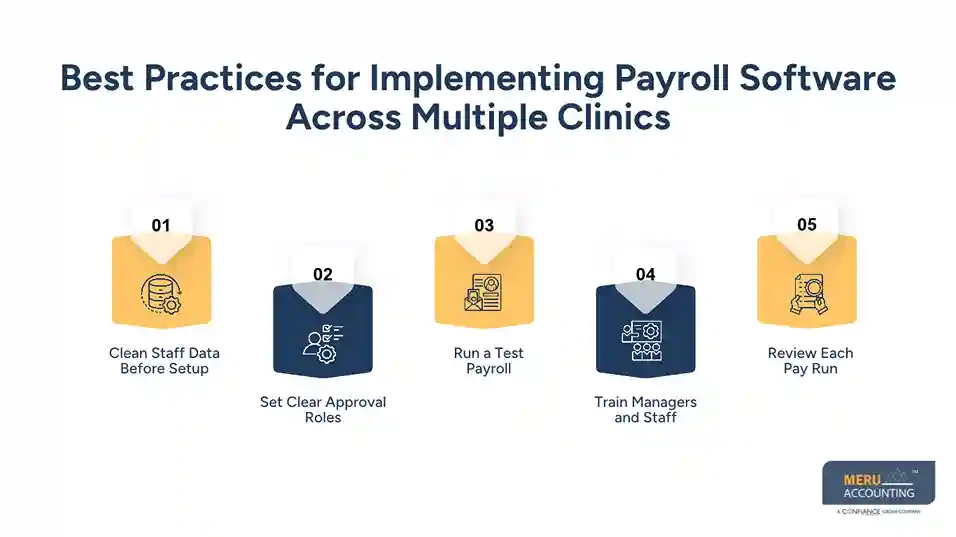
Train Managers and Staff
Show managers how to approve hours, correct missed punches, and report shift changes. Give staff clear steps to check payslips and raise questions before the next pay date.
Review Each Pay Run
For the first few pay periods, track late approvals, corrected payslips, overtime costs, and repeat errors. Use the findings to fix weak steps instead of treating each mistake as a one-off event.
Why Multi-Clinic Healthcare Groups Choose Meru Accounting for Financial Management
Keep Clinic-Wise Financial Records Clear
Meru Accounting provides accounting and bookkeeping services that keep income, expenses, and payroll-related costs organized across clinic locations. Clear records give healthcare owners a better view of each site’s financial performance.
Review Payroll Costs Against Clinic Budgets
Wage costs recorded in healthcare payroll software can rise when clinics rely on extra shifts or temporary staff. Our team can review payroll-related expenses against budget records and flag differences that need further review.
Reconcile Payroll Entries With Accounting Records
Payroll reports and ledger entries should match after valid timing differences are considered. At Meru Accounting, we provide reconciliation services that identify gaps and record differences for review.
Prepare Reports for Better Cost Control
Clinic owners need clear figures to compare staff costs, operating expenses, and monthly results across locations. Meru Accounting can prepare financial reports based on the client’s records and agreed reporting needs.
Set a Regular Financial Review Schedule
Monthly reviews can bring missing entries, unusual costs, and old balances to light before they affect wider reports. Meru Accounting provides accounting services within the agreed scope, while payroll processing and tax compliance responsibilities should be confirmed separately.
Our Expert Perspective
The best healthcare payroll software is not always the one with the longest feature list. A better test is whether it handles the group’s real shift patterns, gives each clinic clear approval steps, and produces figures that match the books. Good setup and regular checks matter just as much as the software choice.
Key Takeaways
- Choose healthcare payroll software that keeps group records clear and clinic costs separate.
- Test shift rates, overtime, on-call pay, and staff transfers before purchase.
- Compare total cost, security, reports, and system links.
- Run a test payroll and fix errors before launch.
- Review each pay run and match wage totals with the books.
- Select Payroll Software for Healthcare Businesses based on clinic locations, shift patterns, reporting requirements, and total operating costs.
FAQs
The best healthcare payroll software depends on staff size, pay rules, clinic locations, and reporting needs. Gusto, QuickBooks Payroll, ADP, Rippling, and Paychex Flex are options worth comparing.
Multi-location payroll systems can process wages for several sites while keeping labor costs separate. Look for custom pay rates, clinic-level reports, staff transfer records, and central approval controls.
Payroll systems can use approved time records to calculate eligible shift rates and overtime. Clinics must set accurate pay rules and check each result against staff contracts and applicable wage laws.
Multi-clinic healthcare payroll software should offer central payroll processing, location-based reports, time tracking, tax calculations, custom pay rates, data security, and links with HR and accounting systems.
Multi-clinic payroll software costs depend on employee count, locations, plan features, and extra services. Request written quotes covering setup, tax filing, time tools, training, and ongoing fees.
optional anymore
on running the business