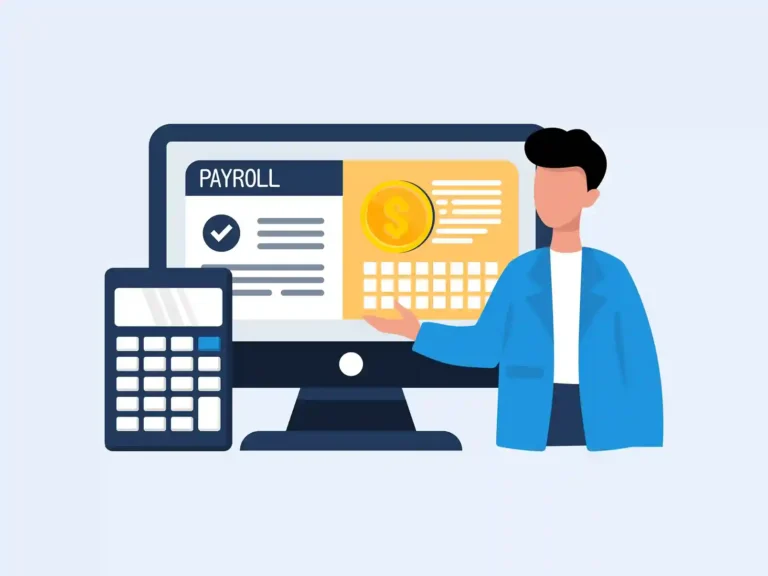
Payroll can look simple from the outside, but the numbers behind each paycheck need to line up with your books. Payroll software for small businesses can bring pay, taxes, deductions, and payroll records into one workflow, so you spend less time entering the same data in more than one place.
The bigger benefit comes when payroll and accounting work together. Instead of recording payroll as a bank payment and sorting out the details later, you can keep wages, payroll taxes, benefits, and other costs tied to the right accounts from the start. That makes it easier to review payroll and keep your books up to date.
In this blog, we’ll look at how payroll software can simplify the day-to-day payroll process, connect payroll with accounting, and reduce common errors that can make month-end work harder.
What You Will Learn From This Blog
- What payroll software does for a small business
- How payroll software can make each pay run easier
- How payroll data flows into accounting records
- Key benefits of using payroll software
- Common payroll and accounting errors to watch for
- How payroll services can support your books
What Is Payroll Software for Small Business?
Payroll software for small business is a tool that helps manage employee pay and payroll tasks. Instead of working out each pay run by hand, a business can use software to store worker data, track pay, make pay runs, and create payroll reports.
Most payroll tools can handle tasks such as:
- Employee pay rates
- Regular and overtime pay
- Payroll tax data
- Deductions and benefits
- Pay stubs
- Payroll reports
- Payroll records
- Payroll data for accounting
The exact tools vary by provider. Some systems also connect with time tracking, benefits, HR tools, and accounting software.
For a small firm, the main gain is less repeat work. Data that is entered once can often be used across more than one payroll task. This can help lower the risk of a typo or missed entry.
Still, payroll software for small business should not be viewed as a set-it-and-forget-it tool. Pay rates, worker data, tax details, and account links still need review. Good payroll starts with clean data and a clear process.
Key Benefits of Payroll Software for Small Business
The value of payroll software for small businesses is not just faster pay runs. It can also improve the way payroll data is kept and used.
Less manual data entry
When payroll and accounting tools connect, the same data does not have to be typed into both systems. Less typing can mean fewer data entry errors.
Faster payroll work
A set workflow can reduce the time spent on repeat tasks. Once employee data and payroll rules are set up, each pay run can follow the same steps.
Better payroll records
Payroll reports give the business a clear record of wages, taxes, and other pay items. This can make it easier to review past pay runs.
Cleaner accounting records
When payroll data is sent to the right accounts, the books can better show labor costs and payroll liabilities. This also helps during month-end close.
Easier review
A good system gives the owner or bookkeeper reports to check before and after payroll. That can make it easier to spot a pay change, unusual amount, or account issue.
Better use of accounting data
Payroll costs can affect cash flow, profit, job costs, and budgets. Clean payroll data gives the business a better base for these reports.
optional anymore
on running the business
How Payroll Software Simplifies the Payroll Process
Payroll has many small steps. When these steps are done by hand, it is easy to miss one. Payroll software for small businesses can place many of these steps in one workflow.
Employee data stays in one place
The system can hold key data for each worker, such as pay rate, pay type, tax details, and other payroll items. This gives the payroll team one place to review worker data before a pay run.
Pay can be worked out faster
The software can use pay rates and hours to work out gross pay. If time data is linked to the system, hours can flow into the pay run without the need to type them in again.
Taxes and deductions are easier to track
Payroll can include tax withholdings, benefits, and other deductions. The software can show these items in the payroll record and reports, which makes review easier.
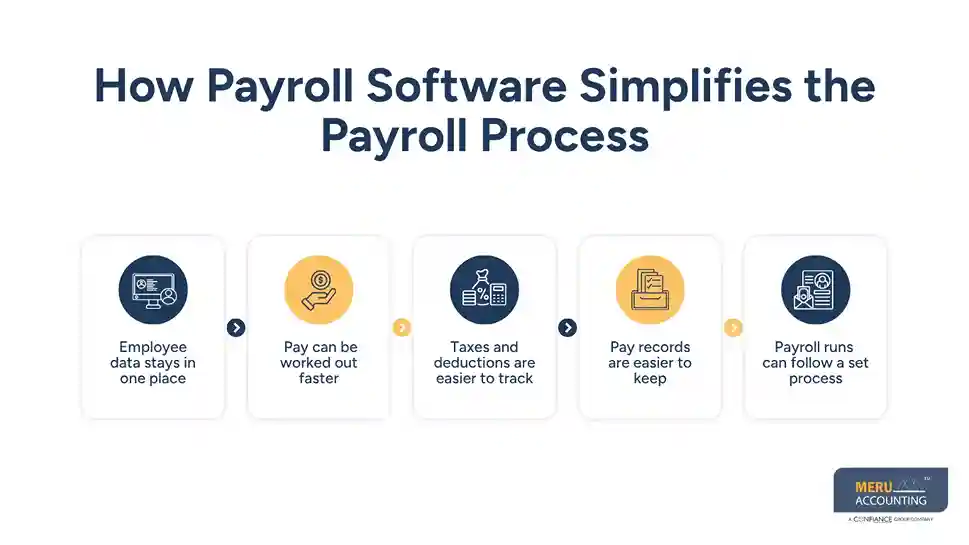
Pay records are easier to keep
Pay stubs and payroll reports give the business a record of each pay run. These records can be useful when checking the books or looking back at past payroll.
Payroll runs can follow a set process
A set payroll flow can help reduce missed steps. A basic process may look like this:
Review employee data → check hours → run payroll → review totals → approve pay → post payroll to accounting → reconcile accounts
This is one reason payroll software for small business can be useful even when a company has only a few workers.
How Payroll Software Connects Payroll With Accounting
Payroll is not just a payment task. It also creates accounting entries. Wages, employer taxes, benefits, and other payroll costs need to reach the right accounts.
Payroll accounting software can help link payroll data with the books. The exact flow will depend on the software and setup, but the goal is the same: reduce the need to enter payroll data in two places.
For example, a payroll run may create amounts for:
- Gross wages
- Employee tax withholdings
- Employer payroll taxes
- Benefit costs
- Net pay
- Payroll tax liabilities
The accounting side then needs to show these amounts in the right accounts.
This matters because the bank payment alone does not show the full cost of payroll. A worker may receive a net check, while the business also owes taxes and may have benefit costs tied to that pay run.
With payroll accounting software, payroll data may flow into the books as journal entries or other accounting records. The accounting team can then review the entries and check that the payroll accounts match the payroll report.
A payroll-to-book check may include:
- Compare the payroll report with the accounting entry.
- Check wage and tax accounts.
- Review payroll liabilities.
- Match payroll payments with the bank.
- Clear or explain any differences.
This check is still needed even when software handles the data flow.
Key Benefits of Payroll Software for Small Business
The value of payroll software for small businesses is not just faster pay runs. It can also improve the way payroll data is kept and used.
Less manual data entry
When payroll and accounting tools connect, the same data does not have to be typed into both systems. Less typing can mean fewer data entry errors.
Faster payroll work
A set workflow can reduce the time spent on repeat tasks. Once employee data and payroll rules are set up, each pay run can follow the same steps.
Better payroll records
Payroll reports give the business a clear record of wages, taxes, and other pay items. This can make it easier to review past pay runs.
Cleaner accounting records
When payroll data is sent to the right accounts, the books can better show labor costs and payroll liabilities. This also helps during month-end close.
Easier review
A good system gives the owner or bookkeeper reports to check before and after payroll. That can make it easier to spot a pay change, unusual amount, or account issue.
Better use of accounting data
Payroll costs can affect cash flow, profit, job costs, and budgets. Clean payroll data gives the business a better base for these reports.
Common Payroll and Accounting Mistakes to Avoid in a Small Business
Even with payroll software for small businesses, mistakes can still happen. The software can process the data, but it cannot always know whether the data is right.
Recording only the bank payment
The bank may show a net payroll payment, but that is not the full payroll cost. Wages, taxes, benefits, and liabilities also need to be recorded.
Failing to check payroll liabilities
Payroll tax and other liabilities can stay on the books until they are paid. If these accounts are not checked, old or wrong balances may remain.
Using the wrong expense account
Payroll costs should go to the right account. For some firms, labor may also need to be split by team, location, job, or department.
Not checking payroll before approval
A pay run should be reviewed before it is sent. Look for new workers, pay changes, large overtime amounts, and unusual deductions.
Skipping payroll reconciliation
Payroll reports and accounting records should be checked against each other. A small gap each month can turn into a large cleanup later.
Treating software as a replacement for review
Automation can make work faster, but it does not replace judgment. A person still needs to check the data, account setup, and reports.
Meru Accounting’s Payroll Services for Small Businesses
Payroll can get messy when the pay run is right, but the books don’t match. Our team at Meru Accounting works on the accounting side of payroll, from recording payroll costs to checking liabilities and reconciling the accounts. We can fit into your current payroll process and work with the accounting software and workflow you already use.
Payroll Accounting and Record Support
- Payroll journal entries
- Wage and payroll expense tracking
- Payroll tax and liability records
- Employee and contractor payment records
- Payroll account setup and review
Reconciliation and Month-End Support
- Payroll-to-book reconciliation
- Bank and payroll account reconciliation
- Payroll report review
- Month-end payroll close support
- Finding and fixing payroll account differences
Ongoing Bookkeeping and Cleanup
- Monthly bookkeeping
- Catch-up and cleanup of payroll records
- Review of old or unmatched payroll balances
- Support with tax-ready accounting records
- Accounting support based on your existing software and process
Our focus is not just on recording the payroll payment. We trace payroll through the books, check that the related accounts make sense, and keep the records ready for month-end and tax work. This hands-on review can be especially useful for small businesses that use payroll accounting software but still need a clear set of books.
Our Expert Insight
One detail worth watching is the timing of payroll. A pay run may cover work done at the end of one month, while the cash leaves the bank in the next month. If those dates are not recorded correctly, payroll costs and liabilities can land in the wrong period.
We also recommend checking the payroll clearing account each month. An old or growing balance can point to a missing entry, duplicate posting, or payment that was not matched. Payroll software for small business can automate the data flow, but a quick account review still helps keep the books accurate.
Key Takeaways
- Payroll software for small business can cut down on manual work and repeat data entry.
- Payroll software can track wages, taxes, deductions, and payroll reports.
- Payroll accounting software can move payroll data into the books.
- Payroll still needs review, even when most tasks are automated.
- Payroll costs, tax debts, and bank pay should be checked in the books.
- Regular payroll-to-book checks can help keep the general ledger clean.
- Payroll and bookkeeping support can help fix gaps between payroll data and the books.
FAQs
Yes, especially if manual payroll takes time or leads to errors. It can automate pay calculations, records, and routine payroll tasks.
Yes. Many payroll systems can sync payroll data with QuickBooks and other accounting platforms. Check the specific integration before choosing a tool.
It can automate tasks such as pay calculations, tax withholdings, pay stubs, payroll reports, and recurring pay runs, depending on the software.
Look for accounting integrations, payroll reports, tax support, employee payment tools, and clear options for posting payroll to your books.
Some systems calculate, file, and pay certain payroll taxes, while others only provide payroll tax data and reports. Check what your plan includes.
optional anymore
on running the business