Managing employee wages, overtime and staff budgets can be difficult for hotels with changing work shifts and employee numbers. Payroll software for hotels gives managers a way to record work hours, calculate wages and review labour expenses. Hotels employ people across housekeeping, front desk, food services, security and maintenance, with each department following different work hours and pay rates.
Unlike regular offices, hotels often operate throughout the day and night. Employees may work rotating shifts, weekends and public holidays. Hotel payroll management software brings employee records, attendance and wage details into one system. It also gives managers reports to review overtime costs and plan staff needs during busy and quiet months.
Choosing suitable payroll software for hotels depends on the property’s size, staff counts, payroll rules and budget. The right system should manage regular wages, extra hours and seasonal hiring without making payroll checks harder.
What You Will Learn From This Blog
- Why hotels need payroll systems that can manage rotating shifts and changing staff numbers.
- Which features to check when choosing payroll software for hotels.
- How six payroll platforms compare in terms of features and pricing.
- How to track overtime and review labour costs by department.
- How to plan budgets for seasonal, part-time and temporary workers.
- Which payroll practices can reduce errors and improve cost control.
Why Hotels Need Specialised Payroll Software
Hotels have employees working at different times of the day, often seven days a week. A single property may have full-time, part-time, contract and seasonal workers. Hotel payroll management software keeps their pay details and work records in one place.
Managing Different Employee Pay Rates
Hotels may pay managers a fixed salary, hourly wages to housekeeping staff and separate rates to temporary workers. Payroll software for hotels can store these pay terms and use the correct rates during wage calculations.
Handling Round-The-Clock Shifts
Front desk, security and guest service teams may work night shifts, weekends and public holidays. Hotel payroll management software records these hours and applies the approved pay rules.
Controlling Labour Expenses
Wages form a major part of hotel operating costs. Reports from payroll software for hotels show how much each department spends, making it easier to compare actual costs with monthly budgets.
Managing Seasonal Staff
Hotels often hire extra workers during holidays, festivals and tourist seasons. Hotel payroll management software keeps their work hours, pay rates and employee records organised.
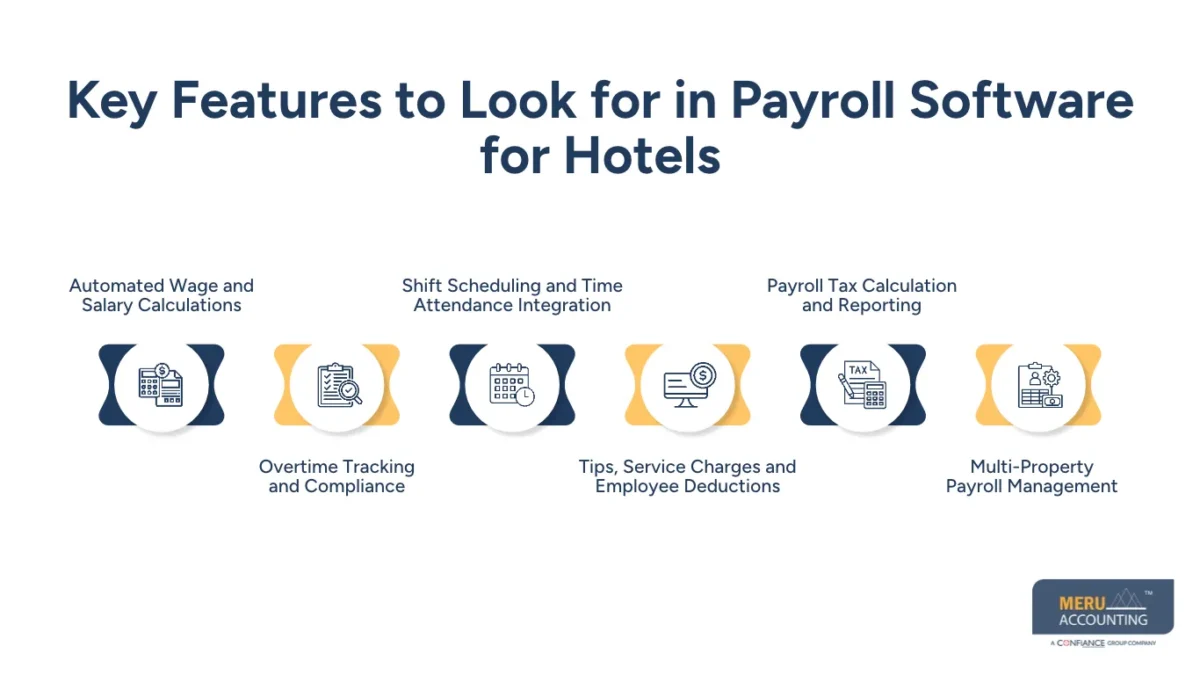
Key Features to Look for in Payroll Software for Hotels
Before buying a system, hotel owners should check whether it can manage their staff structure and pay rules. The following features are important when comparing payroll software for hotels.
Automated Wage and Salary Calculations
The system should calculate hourly wages, fixed salaries, overtime and approved deductions. Hotel payroll management software should also allow different pay rates when employees work across more than one role.
Overtime Tracking and Compliance
The software should record extra hours and apply the correct overtime rules. Managers should be able to review these hours before approving each payroll run.
Shift Scheduling and Time Attendance Integration
The system should connect with attendance tools, time clocks or staff scheduling software. This reduces repeat data entry and makes it easier to compare planned shifts with actual work hours.
Tips, Service Charges and Employee Deductions
Hotels with restaurants may need to record tips and service charges. Payroll software for hotels should also keep clear records of approved deductions and payments made to staff.
Payroll Tax Calculation and Reporting
For US hotels, the system should calculate applicable federal, state and local payroll taxes. Hotel payroll management software should also provide tax reports and payment records for review.
Multi-Property Payroll Management
Hotel groups need to manage staff across more than one property. Payroll software for hotels should allow central reporting while keeping each property’s wage costs and employee records separate.
Top Payroll Software for Hotels: Features, Pricing and Comparisons
Each hotel has different payroll needs. The following six platforms offer payroll and workforce tools for businesses of different sizes. Hotels should compare the features and full cost before choosing a system.
ADP Workforce Now
ADP Workforce Now offers payroll, tax services, HR tools and employee records. Its workforce features can suit larger hotels that need central payroll records and reports across departments. Pricing is customised, so hotels need to request a quote. Hotel payroll management software buyers should confirm whether time tracking and scheduling are included in their chosen package.
Paychex Flex
Paychex Flex offers payroll processing, tax services, employee records and HR features. Hotels can use it to manage wage payments and staff details through one platform. Pricing depends on the selected plan and services. It may suit properties that want payroll services with added HR options.
UKG Pro
UKG Pro combines payroll, HR, time tracking and workforce management. Its tools can suit hotel groups with complex shifts and large teams. Pricing is not listed as a standard public rate and depends on the services selected. Hotels should review its workforce features before choosing it.
Gusto
Gusto offers payroll processing, tax filing and employee payment features. Its higher plans include time tracking and scheduling tools. Its Simple plan starts at $49 per month plus $6 per employee, based on published US pricing. Smaller hotels should check whether the selected plan meets their attendance needs.
QuickBooks Payroll
QuickBooks Payroll offers wage calculations, tax filing, employee payments and payroll reports. It can suit smaller hotels that already use QuickBooks for accounting. Payroll software for hotels should connect payroll data with accounting records to make wage reconciliation easier. Pricing depends on the plan and current offers.
Paylocity
Paylocity offers payroll, HR, time collection and workforce management tools. Its features include mobile time tracking, attendance records and shift management. Hotels can request a quote based on staff count and required services. It may suit businesses that want payroll and employee records in one platform.
How Payroll Software for Hotels Helps Control Labour Costs
Labour costs change with room bookings, food sales and guest demand. Payroll software for hotels gives managers reports to review staff spending and adjust budgets. Hotel payroll management software can also bring wage and attendance records together for regular checks.
Monitoring Payroll Expenses by Department
Group wage costs under housekeeping, front desk, food services and maintenance. This shows which teams use the largest share of the payroll budget and where spending needs review.
Identifying Overtime Spending and Labour Cost Variations
Review monthly overtime reports to find departments with rising extra-hour costs. Managers can check whether staff shortages, busy periods or poor shift planning caused the increase.
Comparing Scheduled Hours with Actual Working Hours
Compare planned shifts with employee attendance records. This can reveal late departures, early arrivals and extra hours that were not approved in advance.
Analysing Labour Costs Against Hotel Revenue
Compare wages with room revenue, occupancy and food sales. For example, if staff costs rise while room bookings fall, managers can review shift plans and staffing levels.
optional anymore
on running the business
Managing Overtime and Complex Hotel Work Schedules
Overtime can raise payroll costs when staff cover vacant shifts or work longer hours during busy periods. Hotel payroll management software records these hours for review, while payroll software for hotels can apply approved pay settings during wage calculations.
Tracking Overtime Across Rotating Shifts
Record work hours across morning, evening and night shifts. Managers can check extra hours by employee and department before payroll approval.
Calculating Holiday, Weekend and Night-Shift Pay
Hotels may follow different pay rules for holidays, weekends and night work. The system should use approved pay settings that match the relevant labour laws.
Preventing Unauthorised Overtime Payments
Set clear approval rules for extra work hours. Managers should check the reason for overtime before adding it to the final wage amount.
Maintaining Accurate Employee Time Records
Keep records of employee names, work dates, shift hours and approved changes. Payroll software for hotels can store these details for future checks and wage reviews.
Budgeting for Seasonal and Temporary Hotel Employees
Staff needs can change during summer holidays, festivals and local events. Hotel payroll management software gives finance teams a record of these changes. Payroll software for hotels can also provide past wage figures for future budget planning.
Forecasting Payroll Expenses During Peak Seasons
Review past wage costs and expected room bookings before busy periods. This gives managers a base to plan extra housekeeping, kitchen and front desk staff.
Managing Temporary, Part-Time and Contract Staff
Keep separate records for temporary, part-time and contract workers. Record their pay rates, work hours and contract dates to avoid errors during payroll runs.
Adjusting Labour Budgets During Low Occupancy Periods
When bookings fall, managers may need to revise shift plans. Payroll reports show the cost of current staffing levels and guide changes within approved employment terms.
Tracking Seasonal Hiring and Employee Turnover Costs
Seasonal hiring also adds recruitment and training costs. Track these expenses along with wages to understand the full cost of temporary staff and employee turnover.
Best Practices for Accurate Hotel Payroll and Labour Cost Management
Software alone cannot ensure correct payroll. Hotels need clear approval rules, regular reviews and accurate employee records. Hotel payroll management software is most useful when managers follow a set review process.
Establishing Department-Wise Payroll Budgets
Set a monthly staff budget for each department based on expected business needs. Managers should review wage costs and report any planned increase before adding extra shifts.
Reviewing Overtime and Payroll Variances Monthly
Compare actual payroll with the approved budget each month. Review extra hours, pay changes and deductions to find the reason for any difference.
Reconciling Payroll Reports with Accounting Records
Compare payroll reports with bank payments, wage expenses and tax liabilities. Payroll software for hotels provides the figures for these checks, while accounting staff review the entries.
Monitoring Seasonal Workforce Expenses
Track seasonal wages, recruitment costs and contract periods. Compare these figures with hotel occupancy and revenue to plan future staff budgets.
Meru Accounting: Hotel Payroll and Accounting Cost Control
Accurate payroll records must match the hotel’s accounting data to give a clear view of staff expenses. Meru Accounting provides accounting and payroll services for businesses that need regular wage records and financial reporting.
Payroll Expense Recording
Record wages, employer taxes, benefits and deductions under the right ledger accounts. Clear entries give hotel owners a better view of monthly staff costs.
Payroll Reconciliation
Compare payroll reports with bank payments and general ledger balances. Regular checks can find missing entries, duplicate payments and differences in wage totals.
Department-Wise Cost Review
Review payroll expenses across housekeeping, front desk, food services and other teams. This gives managers a clear view of where staff spending is above budget.
Seasonal Payroll Budget Review
Meru Accounting provides accounting services that include payroll expense reviews and financial reporting. These figures give hotel management a sound base for future staff budgets.
Our Expert Perspective
Payroll should be reviewed as both an employee payment process and a major hotel expense. Paying staff on time does not always mean labour costs are under control. Extra shifts, poor staff planning and unapproved overtime can raise monthly spending.
Hotel managers should review three figures every month: total wages, overtime costs and labour expenses against hotel revenue. These figures give a clear base for better staff planning and budget control.
Key Takeaways
- Choose payroll software for hotels that can manage hourly wages, salaries, overtime and changing staff numbers.
- Check whether time tracking and shift scheduling are included in the selected plan.
- Review staff costs by department to find areas with high spending.
- Compare planned work hours with actual attendance before approving payroll.
- Plan seasonal staff budgets using past payroll data and expected hotel bookings.
- Match payroll reports with bank payments and accounting records every month.
- Check vendor prices, tax features and local rules before choosing a system.
FAQs
ADP Workforce Now, Paychex Flex, UKG Pro, Gusto, QuickBooks Payroll and Paylocity are popular options for managing hotel wages, overtime and employee records.
Payroll software for hotels tracks department-wise wages, overtime expenses and employee hours, allowing managers to find excess spending and plan staff budgets.
UKG Pro, ADP Workforce Now and Paylocity offer workforce management features that help hotels track attendance, rotating shifts and overtime hours.
Yes, payroll software for hotels can maintain temporary employee records, track working hours, calculate wages and manage payroll changes during peak seasons.
Hotels should look for automated wage calculations, overtime tracking, shift scheduling, tax reporting, attendance integration and multi-property payroll management.
optional anymore
on running the business