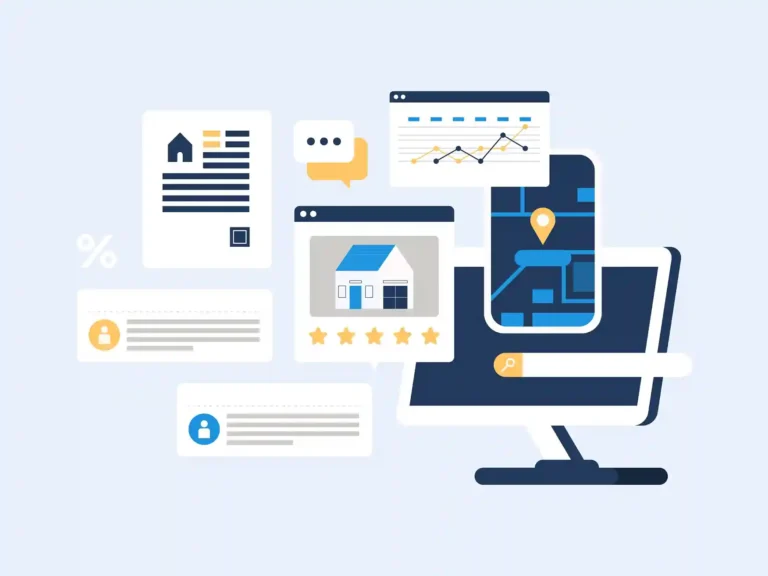
A commercial property can bring in steady rent and still have financial blind spots. Late tenant payments, rising maintenance costs, unpaid bills, and mismatched bank deposits can make it hard to see how a property is really performing. Commercial property management accounting software can bring these numbers together and give owners and managers a clearer view of their finances.
The challenge gets bigger when you manage multiple properties. Each one may have different tenants, leases, vendors, expenses, and reporting needs. The right software can help keep those records organized while making it easier to review income, costs, cash flow, and property-level results.
But software is only as useful as the setup behind it. In this blog, we’ll cover the key features to look for, how these systems handle multiple properties, common accounting issues, and when outsourced commercial property accounting may make sense.
What You Will Learn From This Blog
In this guide, you will learn:
- What commercial property management accounting software does
- Which key tools to look for
- How software can handle more than one property
- How to pick a system that fits your needs
- Common book and data issues in commercial property work
- When outsourced commercial property accounting may make sense
What Is Commercial Property Management Accounting Software?
Commercial property management accounting software is built to help track the money tied to one or more work sites. It can help record rent, bills, costs, vendor payments, bank transfers, and other key items.
A key gain is the way the data can be split by site. For example, an owner may have three office sites. Each site can have its own rent income, repair costs, tax, and other costs. The books can then show the results for each site as well as the full set.
Some tools also link with lease or property tools. This can help move data from rent rolls, tenant records, or bill data into the books. The exact tools vary by plan and vendor.
Good commercial property management accounting software should make key data easy to find and check. It should also help you make clear reports for each site, owner, or legal firm.
Still, software is only one part of the work. If a rent post is wrong, a bank match is missed, or a cost is put in the wrong account, the report may still be wrong. A sound book process is just as key as the tool.
optional anymore
on running the business
Key Accounting Features to Look for in Commercial Property Management Software
When you review commercial property management accounting software, focus on the work your team does each week and each month.
Rent and Lease Income Tracking
The system should let you track rent due, rent paid, and open tenant balances. If rent has more than one part, such as base rent and other charges, the system should let you keep those items clear.
Accounts Payable and Vendor Management
Property teams deal with many bills. These may include repairs, cleaning, power, water, security, and other site costs.
A good system should help track bills by vendor and property. This makes it easier to see what is due and where each cost belongs.
Accounts Receivable and Tenant Balances
You need more than a total cash figure. You also need to know who owes money and how long the balance has been open.
A/R reports can help spot late rent and other open items. They can also help the team take action before old balances grow.
Bank and Credit Card Reconciliation
Bank feeds can save time, but they still need review. Each bank and card account should be matched to the right book entry.
Regular checks help find missing posts, wrong matches, duplicate items, and other gaps.
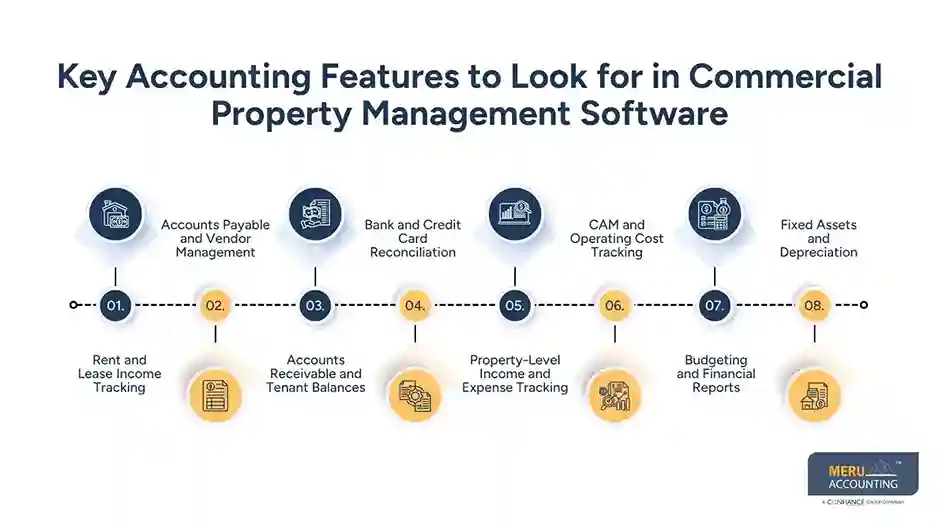
Property-Level Income and Expense Tracking
This is one of the most useful parts of commercial property management accounting software. You should be able to see income and costs by property.
This can help answer simple but key questions: Which site earns the most? Which site has high repair costs? Are costs in line with the plan?
CAM and Operating Cost Tracking
Some commercial leases pass certain costs to tenants. The system should help track these costs and the amounts due from each tenant.
The right setup can also make CAM review less prone to errors.
Budgeting and Financial Reports
A good system should help compare plan vs. actual results. Common reports may include income statements, balance sheets, cash flow reports, A/R aging, and property-level reports.
Fixed Assets and Depreciation
Large property costs may need to be treated as assets rather than current costs. The book system should support fixed asset records and depreciation where needed.
How Commercial Property Management Accounting Software Handles Multiple Properties
A single owner may have several sites, legal firms, or joint ventures. This can make bookkeeping hard if all data sits in one mix.
Commercial property management accounting software can help by using property tags, classes, entities, or separate books. The exact method will depend on the system.
For example, a group with five office sites may track:
- Rent by site
- Repairs by site
- Vendor bills by site
- Bank costs by site
- CAM costs by site
- Property taxes by site
- Loan and asset data by entity
This setup can help the team make both site-level and group-level reports.
It is also useful for owners who need to check one site without losing the full view. A site may show a good cash result but still have high repair costs. A group report may hide that detail, while a site report can bring it out.
The system should also make it clear when funds move between sites or legal firms. These moves need the right account and entity setup so they do not look like sales or costs.
For this reason, commercial property management accounting software should be picked based on the way your group is set up, not just on a list of tools.
How to Choose the Right Commercial Property Accounting Software
There is no one best system for every owner or manager. The right choice depends on the size and type of your property group.
Start with the number of sites and legal firms you need to track. A small owner with two sites may not need the same setup as a group with 30 sites.
Next, review the reports you need. If you need site-level profit reports, rent data, A/R aging, and budget checks, make sure the system can support them.
You should also check:
- Lease and tenant data needs
- Bank feed and reconciliation tools
- A/P and A/R tools
- CAM cost tracking
- User roles and access
- Report options
- Data export tools
- Links with your property system
- Support for more than one entity
- Ease of use for your team
Cost matters, too. But the lowest price may not be the lowest total cost. A low-cost tool that needs a lot of manual work can take more time and raise the risk of book errors.
Before you move to new commercial property management accounting software, review your current chart of accounts, property list, bank accounts, tenant data, and open balances. A clean start can make the new system far more useful.
Common Accounting Problems Commercial Property Managers Face
Even with good commercial property management accounting software, property books can have gaps. Many issues start with poor data flow or weak review steps.
Rent Is Posted, but Cash Does Not Match
A rent post may be made, but the bank deposit may not be matched to it. This can leave old balances on the books.
Costs Are Put Under the Wrong Property
A vendor may work at more than one site. If the bill is booked to the wrong site, the profit report for each site can be off.
Old A/R Balances Stay Open
Tenant balances can sit on the books long after cash has been paid. A/R aging should be checked each month so old items can be traced.
Bank Accounts Are Not Fully Reconciled
A bank feed can bring in data, but it does not prove that the books are right. The team still needs to check the full bank balance against the books.
CAM Costs Are Not Matched to Tenant Charges
CAM work can get hard when costs are spread across many tenants or sites. Poor setup can lead to wrong charges or hard-to-trace balances.
Reports Do Not Match the Owner’s Needs
A report can be right but still not be useful. Owners may need site-level data, while managers may need vendor, tenant, or cash data. The book setup should support both needs.
Meru Accounting's Outsourced Commercial Property Accounting Services
Commercial property books need more than routine data entry. Rent, tenant balances, vendor bills, property expenses, and bank activity all need to tie together. At Meru Accounting, we use a structured review process to keep property-level records clean and make month-end reporting easier for owners and managers.
How We Support Your Property Books
- Daily bookkeeping: Record rent, bills, expenses, and other property transactions.
- Bank and A/R checks: Reconcile accounts and review tenant balances and open items.
- A/P and vendor tracking: Keep bills organized and costs assigned to the right property.
- Property-level reporting: Track income and expenses by property for clearer financial review.
- Month-end close: Review accounts, resolve discrepancies, and prepare monthly reports.
- Cleanup and catch-up: Bring outdated or incomplete property books up to date.
- Tax-ready records: Keep financial data organized for year-end tax and CPA needs.
Our outsourced commercial property accounting support works with your existing setup, including QuickBooks, Xero, or Zoho Books. We can follow your chart of accounts, property structure, and reporting needs rather than forcing you into a new workflow. This gives owners a practical way to keep their books current without building a larger in-house accounting team.
Our Expert Insight
One issue we often watch for is treating every property expense as a current operating cost. A major roof repair, HVAC replacement, or other large improvement may need different accounting treatment than routine maintenance. Posting everything to repairs can make one month’s property profit look much worse than it really is and can also affect the records used for tax work.
We also recommend reviewing property results over time, not just for one month. A spike in repairs, utilities, or tenant costs may be a one-time event rather than a sign of poor property performance. Looking at the reason behind the change helps owners make better decisions than relying on a single monthly report.
Key Takeaways
- Commercial property management accounting software can bring rent, costs, bank data, and reports into one system.
- Choose a tool based on your property count, entity setup, report needs, and daily work.
- Use property-level tracking so income and costs stay tied to the right site.
- Reconcile bank, rent, A/R, and vendor data on a set cycle.
- Good software does not replace sound book checks.
- Outsourced commercial property accounting can help owners who need steady book work, review, or close support.
- The best setup is one that gives owners clear data they can use to manage each property.
FAQs
Look for rent tracking, A/P and A/R, bank reconciliation, property-level reporting, budgeting, and multi-property support.
Yes. QuickBooks can work well when the accounts are set up to track each property, entity, income source, and expense correctly.
Use classes, locations, or separate entities to assign transactions to the correct property and produce property-level reports.
Property management software focuses on leases, tenants, and rent, while accounting software manages financial records, transactions, and reports.
Consider it when multiple properties, month-end work, or daily bookkeeping are taking more time than your team can handle.
optional anymore
on running the business