A Shopify store with a small product range may do well with basic stock tracking. But as orders grow, products spread across sales channels, and new warehouse locations come into play, keeping inventory in sync gets harder. Choosing the right inventory management system for Shopify can help you keep up without adding more manual work.
Shopify offers built-in tools to track stock, manage product variants, and handle inventory across locations. But are these features enough for a growing store, or would third-party Shopify inventory management software be a better fit?
The answer depends on your products, sales channels, and day-to-day needs. Let’s compare both options, look at their key features and limits, and help you decide which one works best for your business.
What You Will Learn From This Blog
- How Shopify’s built-in inventory tools work.
- Which stock tasks you can manage within Shopify.
- Where native inventory features may fall short.
- What third-party inventory tools can add to your store.
- How to choose the right setup as your business grows.
What Is an Inventory Management System for Shopify?
An inventory management system for Shopify helps store owners track products, stock levels, sales, and stock changes. It gives you a clear view of what is in stock, what has sold, and what needs to be bought or moved.
For example, if you sell 10 units of a product, your stock count should drop by 10 after the sale. If a customer sends two units back, your records should show whether those items are fit to sell again. Good stock control keeps these changes clear and helps you avoid wrong counts.
A Shopify inventory setup may include:
- Stock tracking: View the number of units on hand for each product and variant.
- Order updates: Adjust stock as orders are placed and filled.
- Stock transfers: Track goods moved between stores or warehouses.
- Low-stock alerts: Spot items that may need to be restocked.
- Inventory reports: Review stock levels, sales, and product trends.
The right setup helps you keep stock records in line with real sales and stock moves. It also gives you better data for buying, pricing, and cash flow plans.
optional anymore
on running the business
What Inventory Management Features Does Shopify Offer Natively?
Shopify has built-in tools that let merchants manage key stock tasks from the admin panel. These tools can work well for stores with simple stock needs and a small number of sales channels.
Here are some key features.
1. Stock Tracking for Products and Variants
Shopify lets you track stock for each product and its variants, such as size, color, or style. You can view stock counts, set stock levels, and update item details from the admin panel.
This helps you keep a clear record of each item you sell. You can also view stock changes linked to orders and other actions.
2. Inventory Across Multiple Locations
Shopify supports stock tracking across more than one location, based on your plan and setup. You can set stock levels for each location and track where items are held.
For example, a store with a main warehouse and a retail shop can keep separate stock counts for both. This helps staff check where a product is in stock before they fill an order.
3. Stock Reports and Low-Stock Checks
Shopify offers inventory reports that help you review stock levels and sales trends. You can use these reports to spot items that sell fast, slow-moving goods, and stock that may need a fresh order.
You can also use low-stock data to plan your next buy. Still, the depth of reports and the way you view them can vary by plan and setup.
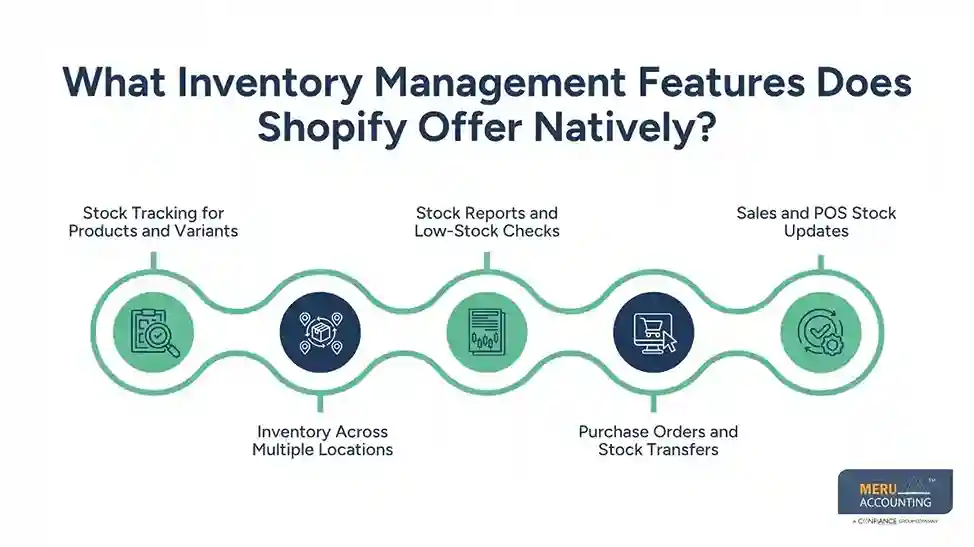
4. Purchase Orders and Stock Transfers
Shopify supports stock transfers between locations and purchase order workflows through its inventory tools and related features. These can help you track goods that are sent from one site to another or due from a supplier.
Clear records of stock moves help reduce errors. They also make it easier to check why the stock count at one site differs from another.
5. Sales and POS Stock Updates
When a sale is made through Shopify, stock levels can update based on the order and its status. Shopify POS also links in-store sales with online stock records when set up to use the same inventory.
This helps reduce the risk of selling the same unit twice. It is useful for brands that sell both online and in person.
What Are the Limitations of Shopify's Built-In Inventory Management?
Shopify’s native tools cover many basic needs. But as a store grows, its stock needs may become more complex. You may need more control over buying, storage, and stock planning than the built-in tools can offer.
1. Limited Stock Forecasting
Shopify reports can help you review past sales and stock levels. But a store may need more advanced tools to plan future demand based on season, sales trends, lead times, and past buying patterns.
Without good forecasts, you may buy too much stock or run out of key items at the wrong time.
2. Complex Bulk Stock Tasks
Stores with hundreds or thousands of products may need to make large stock changes at once. While Shopify offers ways to edit inventory in bulk, more complex tasks may call for extra tools.
For example, you may need to update stock across many SKUs, locations, and sales channels at the same time. Doing this by hand can take time and raise the risk of errors.
3. Advanced Warehouse Needs
A growing store may need bin-level tracking, barcode scans, pick-and-pack steps, or more detailed warehouse controls. These needs go beyond basic stock counts.
In such cases, a dedicated inventory tool can help staff track where goods are stored and how orders move through the warehouse.
4. Limited Control Across Other Sales Channels
If you sell on Shopify, Amazon, eBay, and other sites, you need stock counts to stay in sync across all channels. Shopify can manage its own sales and linked channels, but a wider setup may need a central tool.
Without proper sync, one sale may not update stock on every channel in time. This can lead to overselling and order delays.
5. More Manual Work as the Store Grows
A store with a small product range may find Shopify’s built-in tools easy to use. But more orders, returns, suppliers, and stock sites can add to the daily workload.
If staff spend too much time fixing stock counts or checking records, it may be time to review other options.
What Does Third-Party Shopify Inventory Management Software Offer?
Third-party Shopify inventory management software adds tools for stores that need more control over stock and daily work. These tools can link with Shopify and help manage stock across sales channels, warehouses, and suppliers.
The exact features depend on the tool you choose, but common options include:
1. Real-Time Stock Sync
A third-party tool can link stock data across Shopify and other sales channels. When a unit sells on one site, the tool can update stock across linked channels.
This helps keep stock counts in line and lowers the risk of overselling. Check sync speed and app limits before you choose a tool.
2. Automated Reorder Alerts
Some tools let you set reorder points for each product. When stock drops below a set level, the system can alert your team or help create a purchase order.
This makes it easier to plan new buys and avoid last-minute stock gaps.
3. Multi-Channel Stock Control
If your store sells on more than one platform, a central tool can give you one view of stock across all linked channels.
This can help you manage stock across Shopify, online marketplaces, and retail sites without updating each one by hand.
4. Better Warehouse Control
Some tools offer barcode scans, bin tracking, pick lists, and order packing steps. These features can help teams manage stock in busy warehouses.
They also make it easier to trace stock moves and find items during order fulfilment.
5. Demand Planning and Stock Reports
Some tools use past sales, lead times, and demand trends to help plan future stock needs. They may also offer reports on stock value, sell-through rates, and slow-moving goods.
These insights can help you make better buying choices and avoid tying up too much cash in stock.
6. Supplier and Purchase Order Tools
Many tools let you save supplier details, track purchase orders, and check goods due to arrive. This gives your team a better view of what has been ordered and what is still on the way.
It can also help you plan stock buys around supplier lead times.
Shopify Native Inventory Features vs. Third-Party Inventory Management Tools
Both options can help you manage stock, but they suit different needs. The right choice depends on your store size, sales channels, warehouse setup, and budget.
Feature | Shopify Native Tools | Third-Party Tools |
Basic stock tracking | Built in | Usually available |
Product variant tracking | Available | Available |
Multi-location stock | Available, subject to plan and setup | Often more advanced |
Low-stock checks | Basic tools and reports | More alert options |
Stock sync across sales channels | Shopify and linked channels | Often broader channel support |
Demand planning | Basic sales data | Advanced tools may be available |
Warehouse control | Basic stock tasks | May include bin and barcode tracking |
Supplier management | Basic workflows | More detailed tools may be available |
Setup | Managed in Shopify | May need app setup and data sync |
Cost | Included in Shopify plan | May have extra fees |
Which Option Should You Choose?
Shopify’s native tools may be enough if:
- You sell through one Shopify store.
- You have a small or mid-size product range.
- You manage stock at one or a few sites.
- Your team can handle stock updates with ease.
- You don’t need advanced warehouse tools.
Third-party tools may be a better fit if:
- You sell on many channels.
- You manage a large number of SKUs.
- You hold stock across many warehouses.
- You need more advanced reports and forecasts.
- Your team spends too much time on stock tasks.
You don’t need to add more software just because your store is growing. First, review where your current setup falls short. Then choose a tool that solves those gaps without adding extra work or cost.
Get Expert Shopify Inventory Management Services by Meru Accounting
A Shopify store may have hundreds of orders each week, but keeping track of stock is only part of the job. Purchase costs, supplier bills, customer returns, damaged goods, and stock adjustments all affect your inventory records and profit reports. Missing even one of these details can lead to inaccurate figures.
At Meru Accounting, we combine inventory management and accounting expertise to help Shopify businesses maintain accurate records and gain better control over stock-related costs. Our team supports different stages of the inventory cycle, from recording purchases and tracking stock changes to reconciling inventory and reviewing its financial impact.
Our Shopify Inventory Management Services Include:
- Inventory Tracking and Reconciliation: Review stock records, match inventory data, and identify differences between recorded and actual stock.
- Purchase and Supplier Record Management: Maintain accurate records of stock purchases, supplier bills, and incoming goods.
- Sales and Return Tracking: Record product sales, refunds, returns, and stock adjustments to keep inventory data up to date.
- COGS Management: Track the cost of goods sold to help ensure product costs are reflected correctly in your financial records.
- Inventory Valuation: Review inventory costs and stock values to support accurate financial reporting.
- Inventory Reporting: Prepare clear reports on stock value, product costs, and inventory trends to support better business decisions.
Whether you’re managing a growing product catalog or handling stock across multiple sales channels, Meru Accounting provides dedicated support to keep your inventory records organized and your financial data reliable. Let our team handle the detailed recordkeeping while you focus on growing your Shopify store.
Our Expert Insight
One thing Shopify merchants should consider is whether their inventory is in the right place at the right time. Having enough stock doesn’t always mean you can fulfill orders on time.
For example, a store may have 200 units split between two warehouses, but most orders come from customers near one location. If that warehouse runs low, orders may be delayed even when the other warehouse has plenty of stock.
Before investing in third-party software, review sales by location, order volume, and supplier lead times. You may need better stock allocation rather than a new system. The right inventory setup should solve your actual business problems, not just add more features.
Key Takeaways
- Shopify has built-in tools for basic stock tracking, transfers, and reports.
- Native tools can work well for stores with simple stock needs.
- Growing stores may need more control over warehouses, sales channels, and stock planning.
- Third-party tools can add stock sync, reorder alerts, and advanced reports.
- Choose software based on real gaps in your current process, not just the number of features.
- Keep inventory records in line with your accounting data to get a clear view of stock value and profit.
FAQs
Compare Shopify stock records with physical counts, supplier receipts, sales, and returns. Check high-selling products more often, as small errors can quickly affect available stock.
If inventory tracking is enabled and overselling isn’t allowed, Shopify generally prevents customers from buying unavailable stock. If overselling is enabled, orders may still come through, so check your product settings.
Use a system that links each bundle to its individual components. When a bundle sells, the stock of each component should decrease accordingly. This helps prevent the same units from being counted twice.
Available inventory is stock that can be sold, while committed inventory is stock assigned to orders but not yet fulfilled. Understanding this difference helps merchants avoid treating reserved units as free stock.
Review slow-moving products, avoid excess purchases, and set reorder levels based on sales trends and supplier lead times. This helps prevent too much cash from being tied up in unsold stock.
optional anymore
on running the business