A payroll mismatch rarely stays limited to payroll. It can throw off wage expenses, leave tax balances out of line, and delay a client’s month-end close. For accounting firms managing multiple client accounts, catching these issues early is key. This is where payroll reconciliation software makes a difference.
As client portfolios grow, accounting teams must review more pay runs, tax records, deductions, and ledger entries. Relying on spreadsheets and manual checks can slow down the process and make it harder to spot errors. A missed entry in one client account can also lead to hours of extra work to trace and fix.
The right software helps accounting firms match payroll data with financial records, flag discrepancies, and keep client accounts in order. It also gives teams more time to focus on financial reviews and client needs instead of repeat checks.
What You Will Learn From This Blog
- What payroll reconciliation software does and how it works.
- Why payroll checks get harder as an accounting firm grows.
- How software can help reduce errors and save staff time.
- Which features matter when you choose a payroll tool.
- Best practices for payroll reconciliation for accounting firms.
- How outsourced payroll support can help firms manage more client work.
What Is Payroll Reconciliation Software and How Does It Work?
Payroll reconciliation is the process of checking payroll records against other financial records to make sure the amounts match. It helps confirm that wages, taxes, benefits, and other payroll costs are right before they flow into the books.
Payroll reconciliation software helps firms carry out these checks with less manual work. It can pull data from payroll and accounting systems, compare key figures, and flag any gaps for review.
For example, a firm may check a payroll register against the general ledger. If the payroll system shows $85,000 in gross wages but the books show $82,500, the tool can flag the $2,500 gap. The team can then check whether the cause is a missed entry, a timing issue, or a wrong journal entry.
A typical process includes:
- Import payroll data: The tool pulls payroll reports, wage data, tax amounts, and other key records.
- Match financial records: It checks payroll totals against ledger entries, bank data, and tax records.
- Flag gaps: It marks amounts that do not match or entries that may be missing.
- Review and fix errors: Staff check the flagged items, find the cause, and post any needed changes.
- Save records: The team keeps reports and notes to support future reviews and audits.
The tool does not replace the need for an accountant to review the results. It helps staff find issues faster, while the team still checks the cause and approves any changes.
optional anymore
on running the business
Why Payroll Reconciliation Becomes More Complex as Accounting Firms Grow
Growth brings more work, but it also adds more steps to each payroll review. A firm that once handled five clients may soon manage 30 or more. Each account has its own rules, data, and needs.
Here are some common issues that arise as firms grow.
1. More clients mean more payroll records
Each new client adds employee data, pay runs, tax records, and ledger entries. Staff must keep these records apart and check them with care. A missed file or wrong client entry can lead to errors in the books.
2. Different pay cycles add to the workload
Some clients pay staff each week, while others pay every two weeks or once a month. This means teams must track many due dates and review cycles at the same time.
3. Payroll systems may not work the same way
Clients may use different payroll tools and accounting systems. Data formats, account codes, and report layouts can vary. Staff may need to adjust files before they can compare the figures.
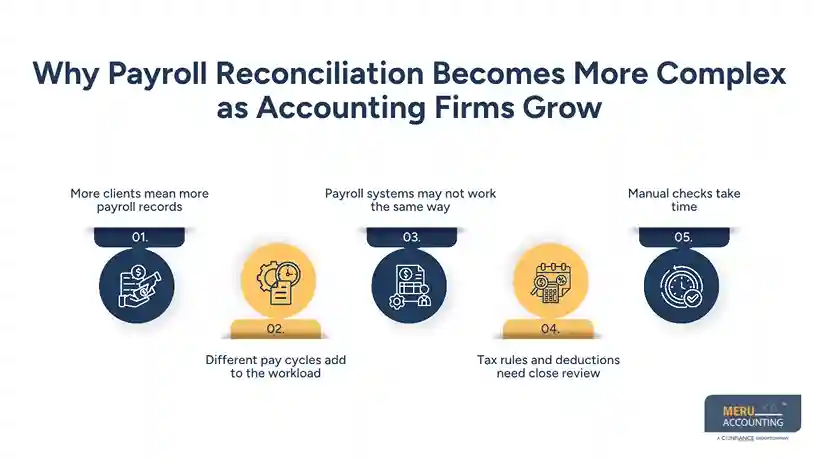
4. Tax rules and deductions need close review
Payroll may include tax withholdings, benefits, pension plans, and other deductions. Each item must be posted to the right account. A small error can lead to wrong balances or tax reports.
5. Manual checks take time
As the client list grows, staff may spend more time matching figures in spreadsheets. This leaves less time for review, client support, and other key tasks.
Why Accounting Firms Need Payroll Reconciliation Software
A growing firm needs a clear way to check payroll data across all client accounts. The right payroll reconciliation software can help teams keep records in order and reduce the time spent on repeat tasks.
1. Reduce manual work
Manual checks often mean opening reports, copying figures, and matching totals in sheets. Software can do many of these repeat tasks, so staff can focus on gaps that need a closer look.
2. Find errors before they affect the books
A wrong wage total or tax entry can affect the general ledger and monthly reports. Reconciliation tools can flag these gaps before the firm closes the books or shares reports with a client.
3. Keep client records in order
When firms handle many accounts, it is easy to mix up files or use an old report. A tool with client-wise views and clear records can help staff review the right data for each account.
4. Speed up month-end close
Payroll costs are part of a firm’s month-end work. If payroll entries are not checked on time, the close may be delayed. Faster checks help teams post correct entries and close the books on time.
5. Support audit and review work
A clear record of payroll checks makes it easier to show what was reviewed, what did not match, and how the issue was fixed. Audit trails and saved reports can also help during client reviews.
6. Take on more clients with the same team
A good tool can help a firm handle more payroll work without adding the same level of admin work. Staff can spend less time on basic checks and more time on tasks that need skill and judgment.
Key Features to Look for in Payroll Reconciliation Software
Not all tools offer the same features. Before you choose one, think about your client base, payroll volume, and current systems. These are some key features to look for.
- Automated data matching: The tool should compare payroll totals with ledger entries and other key records.
- Variance alerts: It should flag gaps in wages, taxes, benefits, and other payroll costs.
- Multi-client support: Staff should be able to manage and review each client account from one place.
- System links: Check if the tool works with the payroll and accounting systems your clients use.
- Custom reports: It should let your team view payroll gaps, tax totals, and open issues by client.
- Audit trails: Look for saved records of changes, reviews, and approvals.
- User access controls: Staff should only see the client data they need for their role.
- Data security: Check how the tool stores data, controls access, and protects payroll files.
Also, ask for a demo before you buy. Test the tool with real work samples, such as a payroll register with a few known errors. This will help you see if it can find the gaps your team needs to catch.
Best Practices for Payroll Reconciliation for Accounting Firms
Software can make checks faster, but firms still need a sound review process. These steps can help keep payroll records clear and correct across client accounts.
1. Set a clear review schedule
Set review dates based on each client’s pay cycle. Do not wait until month-end to check all payroll records at once. Regular checks can help teams find and fix errors sooner.
2. Match payroll registers with ledger entries
Check gross wages, net pay, tax costs, and benefits against the right ledger accounts. Make sure each amount is posted to the right place.
3. Review tax and benefit balances
Check tax withholdings, employer tax costs, and benefit deductions. Make sure the amounts due match the payroll records and that payments are posted in the right period.
4. Check all gaps before closing the books
Do not ignore small gaps just because the total seems low. Check the cause of each variance and note how it was fixed.
5. Keep client-wise records
Save payroll reports, review notes, and correction entries for each client. This helps staff track past issues and makes it easier to answer client questions.
6. Assign clear roles
Set clear duties for data entry, review, and approval. A second review can help catch errors that the person who ran payroll may have missed.
Outsource Payroll Reconciliation for Accounting Firms to Meru Accounting
Managing payroll for a growing client base takes more than running pay cycles. Firms also need to check payroll entries, review tax balances, match records, and keep each client’s books up to date. When these tasks take up too much staff time, outsourced support can help.
At Meru Accounting, we provide payroll and accounting support for accounting firms that need help with day-to-day client work. Our team can assist with payroll record checks, payroll-to-ledger matching, tax and deduction reviews, payroll entries, and related bookkeeping tasks.
We work as an extension of your team and follow your work process, review steps, and client needs. This can help your firm manage a larger work volume without having to hire and train more in-house staff for every new account.
Our support can also help your team:
- Keep payroll records in line with the books.
- Review wages, taxes, and benefit entries.
- Find and report gaps that need client input.
- Keep clear records for month-end and audit reviews.
- Free up time for client advice and core accounting work.
With trained accounting staff, multi-industry experience, and quality review steps, we help firms keep client work on track. You can use our support as needed and scale the work as your client base grows.
Our Expert Insight
Payroll totals don’t always match the general ledger, and that doesn’t mean something is wrong. A voided paycheck, a late payroll adjustment, or a change in employee benefits can cause a difference. Accountants should find the reason before posting a correction.
One common issue is mixing up employee tax withholdings and employer payroll taxes. Employee withholdings come out of wages and create tax liabilities, while employer payroll taxes are an added business expense. Posting them to the wrong accounts can distort payroll costs and leave liability balances inaccurate.
Our advice: Review gross wages, employee deductions, employer taxes, and benefits as separate items. This makes it easier to trace errors and avoid incorrect adjustments.
Key Takeaways
- Growing client lists make payroll checks harder to manage by hand.
- Payroll reconciliation software can match records and flag gaps.
- Multi-client tools can help firms keep each account in order.
- Regular checks help prevent errors from reaching the books.
- Audit trails and clear reports support client reviews.
- A set review process is still key, even when using software.
- Outsourced support can help firms manage more payroll work without adding the same level of staff cost.
FAQs
Accounting firms should compare gross wages, net pay, employee tax withholdings, employer payroll taxes, and benefit deductions with payroll reports and general ledger entries. They should also check bank payments and outstanding payroll liabilities to catch missing or incorrect entries.
Firms should review each discrepancy by client and pay period. Check payroll reports, bank records, and journal entries to find the cause. Common issues include duplicate entries, missed adjustments, and incorrect account coding. Record each correction before closing the books.
Yes, many tools support data imports and integrations with payroll and accounting systems. Before choosing one, check whether it supports your clients’ current systems, allows custom account mapping, and can handle different payroll formats.
Payroll processing calculates wages, taxes, deductions, and employee pay. Payroll reconciliation checks whether those amounts match the payment records and accounting entries. It helps catch errors that may go unnoticed after a pay run.
Outsourcing can make sense when payroll reviews take too much staff time or the firm is struggling to keep up with a growing client base. An outsourced team can handle payroll-to-ledger matching, variance checks, and payroll records, while the firm retains control over reviews and client reporting.
optional anymore
on running the business