A restaurant group can have one location selling out of its signature dish while another struggles to cover its food costs. Yet, when both branches report into the same set of books, those differences can get lost. Xero for restaurants gives owners a way to look beyond total sales and see how each location is actually performing.
The key is to set up the books around how the restaurants operate. Each branch needs clear records for sales, labor, food costs, bills, and shared expenses. With the right tracking in place, you can compare locations, spot rising costs, and make decisions based on what’s happening at each restaurant—not just across the business as a whole.
What You Will Learn From This Blog
- How Xero for restaurants supports multi-location accounting.
- How to set up branch-level tracking and reports.
- How to record daily sales, bills, costs, and bank activity.
- How to use Xero accounting for restaurants to review branch-level results.
- How to track food costs, labor costs, and profit by location.
- How to avoid common accounting errors across restaurant branches.
- When to get help from an expert restaurant accounting team.
How Xero for Restaurants Supports Multi-Location Accounting
When you run more than one restaurant, you need to know how each branch is doing without losing sight of the full business. Xero for restaurants can help you keep key records in one place and review data across your locations. With a clear setup, you can track income and costs by branch and use reports to make better business choices.
Here are some ways it can help.
1. Track Income and Costs by Location
Each branch may have its own sales, rent, food costs, and staff costs. Xero tracking categories can help you tag income and costs by location. For example, you can set up a value for each branch and assign sales and costs to the right site.
This makes it easier to compare results and see which branch has higher costs or lower sales. It also helps you find changes in food costs, wages, and other key expenses.
2. Keep Financial Records in One Place
You can use Xero to record bills, sales, bank activity, and other day-to-day entries. A set process across all branches helps your team keep records in the same way.
For restaurant groups, this can make month-end reviews less time-consuming. Your finance team can also spend less time fixing errors caused by different entry methods.
3. Review Reports Across Branches
Xero offers reports that help you review income, costs, cash flow, and profit. With the right tracking setup, you can use these reports to study branch-level results.
You can also review the full business to see how each location adds to total income and costs. This gives owners a better view of which sites need more focus.
4. Connect Bank Feeds and Business Apps
Xero can connect to bank feeds and a range of business apps. This can help cut down on manual data entry and make it easier to match bank activity with your books.
You may also link your POS system through a direct connection or a third-party app. Still, you should check each match. A bank feed or app link does not mean every entry is correct.
optional anymore
on running the business
How to Set Up Xero for a Multi-Location Restaurant Business
A good setup is key to clean books. Before you start adding data, decide how you want to track each branch and how your team will record sales and costs. The right setup for Xero for restaurants also depends on your legal business structure.
1. Choose the Right Xero Organization Structure
First, decide whether all branches will use one Xero organization or if each site needs its own set of books.
If all locations are part of the same legal business, one Xero organization may work well. You can use tracking categories to split income and costs by branch.
If each location is a separate legal entity, you may need a separate Xero organization for each one. This helps keep the books in line with each entity’s tax and legal needs.
The right choice depends on your business setup, not just the number of sites you run. Speak with your accountant before you decide.
2. Set Up Tracking Categories for Each Location
Tracking categories let you tag entries based on a set value, such as a branch or business unit. For a restaurant group, you could set up values like:
- Downtown Branch
- Westside Branch
- Airport Branch
- North Park Branch
Your team can then assign sales and costs to the right site. This can help you create reports that show how each branch is doing.
Keep in mind that Xero has limits on tracking categories and their options. Plan your setup before adding many locations, and check your plan’s current limits.
3. Create a Consistent Chart of Accounts
A chart of accounts is the list of income, cost, asset, and debt accounts used in your books. Each branch should use the same account names and codes where possible.
For example, all sites should record food purchases under the same food cost account. The same rule should apply to wages, rent, utilities, repairs, and other costs.
This makes it easier to compare results across branches. It also helps avoid errors when staff enter data.
4. Set User Access and Roles
Not every staff member needs access to all financial data. Give each user the level of access they need to do their job.
For example, a branch manager may only need to send bills or view set reports, while the finance team may need wider access to review and update records.
Check user roles on a regular basis, mainly when staff join or leave. This helps protect business data and keeps each person’s tasks clear.
How to Manage Daily Accounting Across Multiple Restaurant Locations
Once your setup is in place, the next step is to build a daily process that each branch can follow. This keeps records up to date and helps your finance team spot errors early.
1. Record Daily Sales From POS Systems
Most restaurants use a point-of-sale (POS) system to track sales. Your team should record daily sales by branch and split them into useful groups, such as food, drinks, online orders, and sales tax.
You may be able to connect your POS system to Xero through a direct link or a third-party app. If not, your team can post daily sales summaries.
Make sure each summary shows:
- Gross sales
- Discounts and refunds
- Tips and taxes
- Cash and card sales
- Online order payments
This helps you match POS data with bank deposits and payment records. It also makes it easier to find missing sales or payment gaps.
2. Reconcile Bank Transactions
Each location may have its own bank account or payment setup. Your team should check bank activity on a set schedule and match it with sales, bills, and other entries in Xero.
Pay close attention to card fees, cash deposits, refunds, and transfers. If a deposit does not match the POS report, find the cause before you mark it as cleared.
Regular bank checks are a key part of Xero accounting for restaurants because they help keep your records accurate and up to date.
3. Track Supplier Bills and Operating Costs
Food and supply costs can vary by branch. Record each bill with the right supplier, date, amount, and location.
For shared costs, such as bulk food orders or group marketing, set a clear rule to split the cost among branches. This helps keep each site’s results fair and useful.
You should also review supplier bills for wrong amounts, duplicate entries, and missed credits. Small errors can add up when you run more than one site.
4. Review Cash and Payment Gaps
Cash sales can lead to errors if teams do not count and record them each day. Set a cash close process for every branch. Compare the cash in the drawer with the POS report and note any gaps.
Do the same for card and online payments. A clear daily close process can help spot missing sales, refunds, and wrong entries before they build up.
Using Xero Accounting for Restaurants to Track Location-Wise Performance
Good books do more than show how much money came in. They help you see which branches are doing well and where you need to act. Xero accounting for restaurants can help owners review results by site and make sound business choices when the data is set up and entered with care.
1. Compare Sales Across Branches
Review sales by branch over the same time frame. Look at daily, weekly, and monthly sales to spot trends. A drop in sales at one site may point to lower foot traffic, a change in local demand, or a need to review the menu.
Do not judge a branch on sales alone. A site with high sales may still have low profit if its food, rent, and labor costs are too high.
2. Track Food and Labor Costs
Food and labor are two key costs in most restaurants. Review food purchases against sales and check labor costs against the hours worked and sales made.
For example, if one branch has a higher food cost rate than the others, check waste, portion sizes, supplier prices, and stock control. If labor costs rise, look at staff hours, shift plans, and busy periods.
With Xero for restaurants, you can record and review many of these costs in your books. For more detailed stock control, you may need a separate inventory tool that works with your accounting setup.
3. Review Profit by Location
Use branch-level income and cost data to build a clear view of profit. Include direct costs, such as food and wages, as well as a fair share of shared costs.
Keep in mind that the way you split rent, head office costs, and group marketing can change how each branch looks on paper. Use the same method each month so the reports remain useful.
This is one of the key benefits of a sound setup for Xero accounting for restaurants. It helps owners compare branches based on the same set of rules.
4. Check Cash Flow and Bills Due
A branch may show a profit but still face cash flow issues. Review cash in the bank, supplier bills due, payroll dates, and other costs that need to be paid soon.
This helps you plan cash needs and avoid late payments. It also gives you a better view of how much cash is free to use for repairs, new staff, or growth.
Common Multi-Location Accounting Challenges and How to Avoid Them
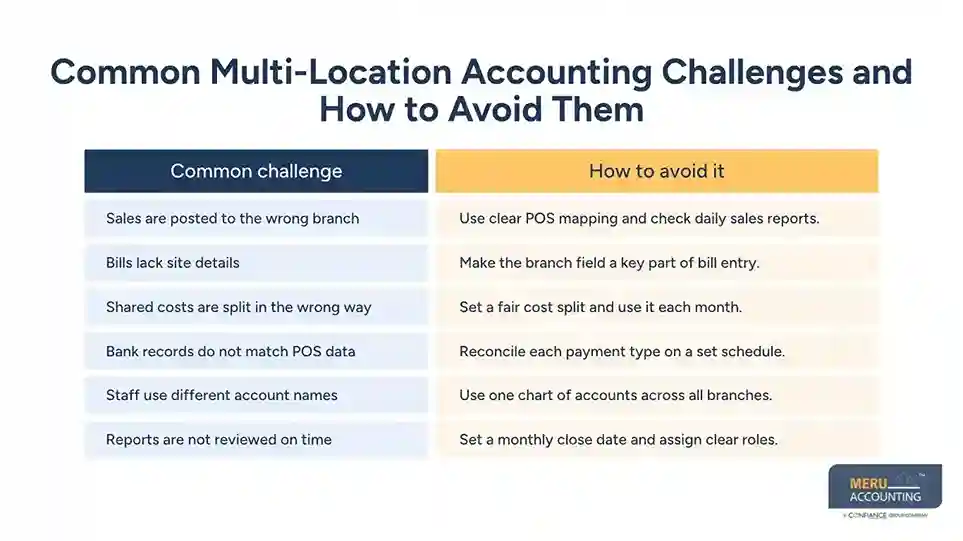
Even with good software, multi-site books can go wrong if teams do not follow the same rules. Here are some common issues and ways to deal with them.
Common challenge | How to avoid it |
Sales are posted to the wrong branch | Use clear POS mapping and check daily sales reports. |
Bills lack site details | Make the branch field a key part of bill entry. |
Shared costs are split in the wrong way | Set a fair cost split and use it each month. |
Bank records do not match POS data | Reconcile each payment type on a set schedule. |
Staff use different account names | Use one chart of accounts across all branches. |
Reports are not reviewed on time | Set a monthly close date and assign clear roles. |
One more point is worth noting: do not use tracking categories as a fix for every issue. They can help with branch-level reports, but they do not replace separate books when sites are different legal entities. Talk with your accountant before you choose a setup.
A clear process is just as important as the software. When each branch follows the same rules, Xero for restaurants becomes more useful for daily records and month-end reports.
Xero Accounting for Restaurants by Meru Accounting
A restaurant group’s overall profit doesn’t always tell the full story. One branch may be spending too much on labor, another may have rising food costs, and a third may be waiting on supplier invoices to be recorded. Meru Accounting helps restaurant groups bring these details into their Xero records so owners can review each location with greater clarity.
Our team provides Xero accounting for restaurants, with support tailored to the way multi-location businesses handle their finances:
- Location-wise bookkeeping and reporting: Record branch sales, operating costs, and expenses so you can compare financial results across locations.
- POS and bank reconciliation: Match daily sales summaries, card settlements, cash deposits, and bank transactions to identify missing or mismatched entries.
- Food and supplier cost tracking: Record vendor bills and purchase costs with the right location details, making it easier to review spending across branches.
- Payroll and labor cost records: Maintain payroll entries and wage expenses so labor costs can be reviewed alongside each location’s revenue.
- Shared expense allocation: Help record and allocate group-level costs, such as marketing, software, and central office expenses, using a consistent method.
- Xero cleanup and catch-up bookkeeping: Review existing records, correct posting issues, and bring overdue accounts up to date.
Whether you already use Xero across several branches or are preparing to bring new locations into your accounting process, we can help keep the records consistent and make branch-level performance easier to assess.
Our Expert Insight
One detail restaurant owners should watch closely is the difference between reported sales and actual revenue. POS systems may show sales that include sales tax, tips, discounts, and refunds. Treating the full POS total as restaurant revenue can overstate income and distort comparisons between locations.
For example, sales tax collected from customers is generally a liability, not revenue. Tips collected for employees should also be recorded separately from the restaurant’s earnings. Discounts and refunds need to reduce sales rather than disappear into a general expense account.
We recommend checking how each POS integration maps these entries into Xero before relying on its sales reports. A small mapping error repeated across several locations can create a significant difference in the books. Accurate restaurant reporting starts with recording each part of a transaction in the right account—not simply matching the daily sales total.
Key Takeaways
- Xero for restaurants can help track sales, costs, bills, and cash flow across sites.
- Tracking categories can help you review income and costs by branch.
- Use one chart of accounts and clear entry rules across all locations.
- Match POS sales, bank deposits, and payment fees on a set schedule.
- Split shared costs in a fair and steady way.
- Review food costs, labor costs, and profit by location each month.
- Use Xero accounting for restaurants with a clear process for data entry and review.
- Get expert help if your books are hard to manage or your business is growing fast.
FAQs
Yes. Xero supports multi-location accounting through tracking categories, allowing you to separate income and expenses by branch.
Create a tracking category for locations and assign each branch to its transactions. This helps keep branch records separate and makes reporting easier.
Yes. You can use tracking categories to view income, expenses, and profit for each location.
Xero connects with several POS systems through its app marketplace. Check that your chosen integration supports the sales and payment data your restaurant needs.
Yes, particularly for groups that need bookkeeping, bank reconciliation, and branch-level reports. Chains with complex operations or multiple legal entities may need additional tools or separate Xero organizations.
optional anymore
on running the business