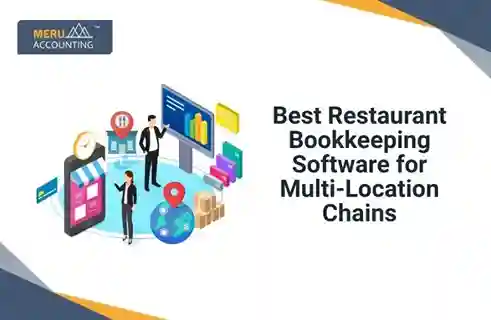
Running a restaurant chain is not something you can manage with simple record keeping. A single mistake can lead to wrong entries, mixing of orders, and incorrect costs. Managing multiple locations, their cash counter, and their records can feel overwhelming for anyone. With the help of restaurant bookkeeping software, you can keep everything in line. In this blog, we will look at the best restaurant bookkeeping software for your multi-location chain and their features.
Why Bookkeeping is essential for Multi-Location Chains
When you run one outlet, a spreadsheet may do the job. But when there are five, ten, or twenty, things turn different. Bills start to overlap. Vendor names multiply. Here’s why bookkeeping is important for multi-location chains:
1. Managing Multiple Cash Flows
Each outlet may earn and spend differently. Some may sell more at lunch, while others may boom at night. A bookkeeping system may track all cash movements in one dashboard, giving a bigger view without the fuss of manual logs.
2. Watching Inventory and Food Costs
Food waste and over-purchase often hide inside numbers. Bookkeeping software may connect with your inventory system to show what goes out, what spoils, and what stays.
3. Smooth Payroll and Vendor Payments
Multi-location chains usually deal with rotating staff, different schedules, and multiple vendors. Software-based bookkeeping can make sure everyone gets paid on time, without messy paperwork.
What Makes Restaurant Bookkeeping Software the Best
Some tools are best suited for restaurant chains. Here are some features that make the software best for restaurant chains:
1. Multi-Location Dashboard
The best restaurant bookkeeping software may show all locations under one roof. You can switch between stores, check their daily sales, and even view profit by branch.
2. Real-Time Data Access
Having data that updates live may stop you from making slow decisions. A system that syncs automatically across locations saves hours of manual updates.
3. Easy Integration with POS and Inventory Systems
When bookkeeping tools connect with your POS (Point of Sale) and inventory, errors drop fast. You can see what was sold and what’s left without flipping through files.
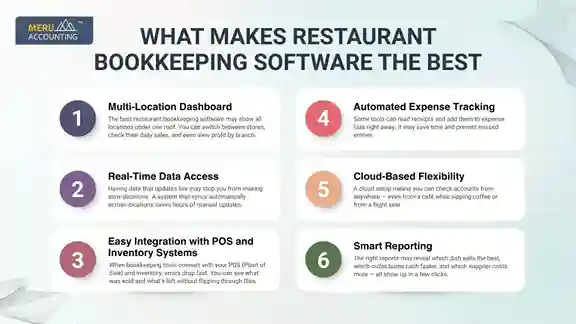
4. Automated Expense Tracking
Some tools can read receipts and add them to expense lists right away. It may save time and prevent missed entries.
5. Cloud-Based Flexibility
A cloud setup means you can check accounts from anywhere — even from a café while sipping coffee or from a flight seat.
6. Smart Reporting
The right reports may reveal which dish sells the best, which outlet burns cash faster, and which supplier costs more — all show up in a few clicks.
Best Restaurant Bookkeeping Software to Explore
Here are some well-loved tools that restaurant chains often rely on. Each comes with its own flavor and strength. Here are some of the best restaurant bookkeeping software you can explore:
1. QuickBooks Online
QuickBooks Online may top the list for many restaurant chains. It fits both small outlets and large groups.
What You May Like:
- Easy to use and cloud-based.
- Syncs with POS systems and payroll tools.
- Custom reports for each branch.
Where It Stands Out:
You can track income, expenses, and sales tax separately for every location, which may help when running multiple restaurants.
2. Restaurant365
This one is made only for restaurants. It blends accounting, inventory, and workforce management into one space.
What You May Like:
- Built for restaurant operations.
- Helps monitor recipe costs and food margins.
- Auto-syncs with POS and payroll.
Why It Matters for Chains:
It can combine data from all outlets, showing how each kitchen performs — from ingredient cost to profit per dish.
3. Xero Accounting Software
Xero is known for its simple setup and neat interface. Many small restaurant chains pick it for its clean design and flexibility.
What You May Like:
- Simple layout, quick navigation.
- Easy invoice and bill tracking.
- Cloud-based and mobile-friendly.
Why It Fits Multi-Location Chains:
You can invite managers from each branch to track their part, without mixing numbers.
4. Wave Accounting
For small or mid-level chains, Wave can be a good start. It’s free for basic accounting and may handle simple books well.
What You May Like:
- No cost for basic use.
- Simple dashboards.
- Ideal for start-up chains.
Where It May Fall Short:
It may lack some advanced reporting and multi-branch tracking tools that large chains need.
5. Sage Intacct
Sage Intacct works well for larger food chains that handle complex finances. It may seem heavy at first but can handle large-scale data smoothly.
What You May Like:
- Deep reporting and automation.
- Multi-entity financial consolidation.
- Custom dashboards for regions or outlets.
Perfect For:
Chains with big budgets and many locations who need robust reporting tools.
6. Zoho Books
Zoho Books may be the quiet, budget-friendly pick. It fits growing restaurant groups that want a balance of cost and features.
What You May Like:
- Simple to learn.
- Connects well with Zoho’s POS or CRM tools.
- Useful automation for invoices and receipts.
Features That Make a Big Difference
Even if the software is good, the right features may make all the difference.
1. Location-Based Reports
You can see which outlet earns more, which one wastes more, and which one needs quick changes.
2. Real-Time Inventory Tracking
Every dish depends on ingredients. When stock levels sync with sales, waste drops.
3. Payroll Integration
Managing salaries, overtime, and tips may get easier when linked with the same bookkeeping platform.
4. Cost Control Alerts
The best restaurant bookkeeping software may alert you when food costs go beyond a set limit.
5. Mobile Access for Managers
Managers can approve expenses, check sales, or upload receipts even on the go.
How Bookkeeping Software Helps Control Costs
Food costs and cash leaks often happen quietly. But bookkeeping software may show what’s draining profit.
1. Spotting Waste Early
When the system connects to inventory, you can see where items are being over-ordered or wasted.
2. Tracking Discounts and Comps
Sometimes staff may overuse discounts or give free items. A bookkeeping tool can track these and flag trends.
3. Supplier Comparison
You may compare which vendor offers better prices and terms.
4. Labor Cost Monitoring
Payroll data shows when labor costs rise beyond sales growth — a big warning sign in restaurant operations.
The Role of Automation in Multi-Location Chains
Automation may save not only time but also sanity.
1. Auto Reconciliation
Instead of checking every receipt, the system matches transactions automatically.
2. Scheduled Reports
Owners can get weekly reports emailed without lifting a finger.
3. Tax Filing Support
Some tools help prepare tax reports by outlet, reducing stress during filing seasons.
How to Choose the Right Software
Picking the best restaurant bookkeeping software depends on your chain’s size, goals, and style.
1. Check Integration Needs
See what tools you already use — POS, HR, or inventory — and find software that connects smoothly.
2. Look at Growth Plans
If you plan to expand soon, pick software that grows with you.
3. Mind the Budget
Some premium tools come at a price. Choose one that offers value without unnecessary extras.
4. Try a Demo First
Most tools offer a free trial. Test it before you commit.
Managing a restaurant chain with the help of a popular restaurant bookkeeping software can make things much easier. Whether it’s QuickBooks, Restaurant365, Xero, or Sage, the right tool can give you control and insights you need to grow your chain. At Meru Accounting, our restaurant accounting services include the use of all the best restaurant bookkeeping software. You won’t need to learn the software or hire someone when you outsource your bookkeeping to us. Contact us now and get the help from the certified industry experts for your multi-chain restaurant.
FAQs
- What is restaurant bookkeeping software?
It’s a tool that helps record, manage, and track a restaurant’s financial data digitally. - Why do multi-location chains need special bookkeeping software?
Because handling multiple outlets manually can lead to errors and missed data. - Can bookkeeping software help reduce food waste?
Yes, it can link with inventory systems to track usage and spoilage. - Is QuickBooks good for restaurant chains?
Many chains use QuickBooks because it’s cloud-based and integrates with POS tools. - What makes Restaurant365 unique?
It’s built purely for restaurants, combining accounting with inventory and staff tools. - Is Xero suitable for small restaurant groups?
Yes, Xero’s clean setup fits well for small to mid-size restaurant teams. - Does Wave work for large restaurant chains?
Not fully; it suits smaller setups better. - Can bookkeeping tools handle staff payrolls for restaurants?
Most do, and they sync with HR or payroll systems for smooth payments. - Can I track each restaurant branch separately?
Yes, most good tools allow branch-wise tracking and reporting. - Do all systems integrate with POS?
Not all, but most major software supports POS integration. - What’s the biggest cost-saving feature in restaurant bookkeeping software?
Inventory and food cost tracking bring the biggest savings. - Can managers in each outlet access their data?
Yes, permissions can be set per branch or user.