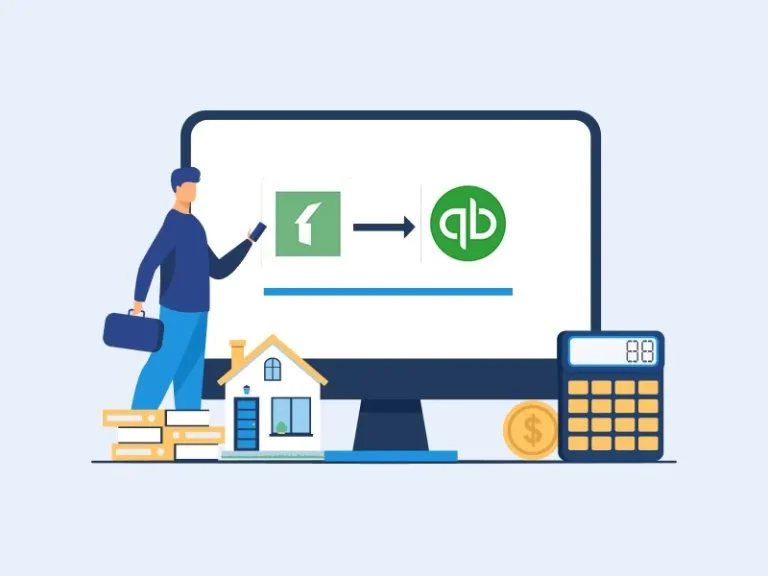
Many property managers start their journey with basic accounting tools, and Buildium and QuickBooks are often the first setup they rely on for bookkeeping and rent tracking. Over time, as rental portfolios grow, the limits of QuickBooks and Buildium become more visible in daily operations. What once felt simple begins to slow down reporting, tenant handling, and financial clarity.
As portfolios expand, property managers start comparing Buildium and QuickBooks with more structured systems designed for larger portfolios. This shift is not just about software preference. It is about handling higher transaction volume, better compliance needs, and clearer financial control. In many cases, QuickBooks and Buildium no longer support the level of detail required for multi-property operations.
This blog explains why this shift happens, what signs to watch for, and how better tools support growth.
What You Will Learn From This Blog
- Why property managers start with simple tools like Buildium and QuickBooks
- Common limits faced as rental portfolios grow
- Signs that show you have outgrown Buildium and QuickBooks
- Why are better systems becoming necessary for scaling operations
- How migration planning works in real property setups
- Role of reporting, rent tracking, and integration needs
- How financial accuracy improves after leaving QuickBooks and Buildium
Understanding Why Buildium and QuickBooks Are Widely Used in Early-Stage Property Management
Easy Setup for Small Portfolios
Small property managers often choose Buildium and QuickBooks because setup is simple and does not require technical skills. It supports basic rent entry and expense tracking for a few units.
Initial configuration can be completed quickly, which helps owners start operations without waiting for technical assistance.
Basic Accounting and Rent Tracking
For early-stage users, QuickBooks and Buildium provide enough structure to record rent payments, vendor bills, and owner statements in one place.
This setup keeps financial activity organized at a basic level, which is usually sufficient in the early growth stage.
Cost-Friendly Option
One reason QuickBooks and Buildium are popular is its lower starting cost. Small landlords prefer not to invest heavily in advanced systems at the beginning.
Subscription pricing models also allow gradual scaling without a large upfront financial commitment.
Familiar Interface
Many users already know QuickBooks basics, so combining it with Buildium feels easier than learning a new system from scratch.
Familiar navigation reduces training time and helps teams adapt faster to property accounting tasks.
Suitable for Low Transaction Volume
When there are only a few properties, Buildium and QuickBooks can manage records without much stress or system slowdown.
This makes it practical for landlords who handle limited tenants and simple monthly transactions.
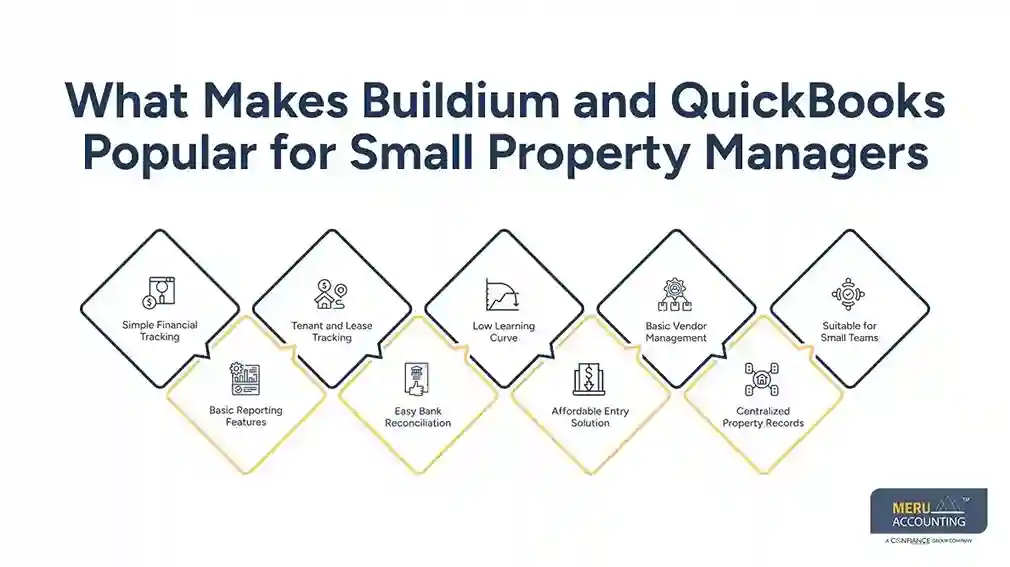
What Makes Buildium and QuickBooks Popular for Small Property Managers
Simple Financial Tracking
Buildium and QuickBooks help track income and expenses without complex setup or training needs.
Daily transactions get recorded in a structured way, which reduces confusion in early-stage property operations.
Basic Reporting Features
Users can generate simple financial reports for rent collection and expenses. Monthly summaries provide enough clarity for small property managers to review performance and cash flow.
Tenant and Lease Tracking
Buildium adds lease tracking features that work well for small portfolios. Tenant details, rent schedules, and lease timelines remain organized within one system.
Easy Bank Reconciliation
Bank feeds and manual reconciliation help keep accounts updated for small volumes. Regular updates reduce mismatches between recorded entries and actual bank transactions.
Low Learning Curve
New property managers prefer Quickbooks and Buildium because they can start quickly without deep accounting knowledge. Buildium and QuickBooks also feel familiar to users with basic bookkeeping experience, making adoption easier.
Affordable Entry Solution
Small property managers often choose these tools due to lower starting costs. Budget-friendly setup allows operations to begin without heavy financial commitment.
Basic Vendor Management
Vendor payments and maintenance expenses get recorded in a straightforward manner. Expense tracking stays simple for repairs, services, and recurring property costs.
Centralized Property Records
Property income, expenses, and tenant details stay stored in one place. Centralized records reduce the need to switch between multiple systems for basic tracking.
Suitable for Small Teams
Small teams can manage daily property operations without complex workflows. Limited user requirements make coordination easier in early-stage property businesses.
Limitations of Buildium and Quickbooks for Scaling Property Businesses
Difficulty Handling Large Portfolios
As properties increase, system performance becomes harder to maintain while managing multiple units and tenants at scale. Data volume growth often leads to slower navigation and reduced operational efficiency in daily accounting tasks.
Limited Custom Reporting
Advanced reports needed by investors are difficult to generate using these tools alone. Property managers often need external spreadsheets to get deeper financial insights.
Manual Workload Increases
Many tasks still require manual updates, which increases errors when using Buildium and QuickBooks. Repetitive data entry also consumes time that could be used for strategic property management decisions.
Integration Gaps
Systems connected through Buildium QuickBooks integration often face sync delays and data mismatch issues. These inconsistencies can create confusion between accounting records and property management data.
Limited Automation
Automated workflows are limited, making the system less suitable for growing firms. This results in higher dependency on manual processes as the business expands.
Signs That You Have Outgrown Buildium and Quickbooks
Delayed Financial Reports
Report generation takes longer when transaction volume increases beyond normal limits. This delay affects timely decision-making and creates gaps in monthly financial review cycles.
Frequent Data Errors
Duplicate entries and mismatched records become common in accounting setups. These errors reduce trust in financial data and require repeated corrections.
Rising Manual Adjustments
Team members spend more time fixing records instead of managing operations. Manual corrections increase workload and reduce overall productivity in property management tasks.
Investor Reporting Pressure
Investor expectations for detailed financial insights increase as portfolios grow. Standard reporting formats start falling short of required financial transparency.
Integration Issues
Buildium QuickBooks integration often shows sync delays and inconsistent data flow. These issues create confusion between property records and accounting reports.
Need for Advanced Property Management Solutions Beyond Buildium and QuickBooks
Strong Multi-Property Management
Advanced systems handle large portfolios better than Buildium and QuickBooks. QuickBooks and Buildium often struggle when the number of units, tenants, and transactions increases beyond basic limits.
Better Automation Features
Tasks like rent reminders and invoice creation go beyond what basic tools offer. Automation reduces manual effort and helps property managers focus on higher-level decisions.
Improved Financial Accuracy
New tools reduce dependency on manual updates compared to older systems. This leads to fewer errors and more reliable financial records across multiple properties.
Scalable Reporting Systems
Detailed dashboards replace limited reporting found in traditional setups. Property managers gain clearer insights into cash flow, occupancy, and performance trends.
Stronger Compliance Support
Regulatory reporting becomes easier compared to managing everything in QuickBooks and Buildium. Buildium and QuickBooks may not fully support evolving compliance requirements as portfolios expand.
Role of Buildium QuickBooks Integration in Transitional Phases
Temporary Data Sync Solution
During migration, the Buildium QuickBooks integration helps transfer financial data between systems. This ensures rent records, expenses, and tenant data move in a controlled way without losing accuracy during transition.
Reduces Migration Risk
Operations continue without major disruption while shifting away from Buildium and QuickBooks. This helps property managers maintain day-to-day stability even while systems are being changed.
Helps Maintain Records
Historical financial data stays accessible during the transition through the Buildium QuickBooks integration. This makes past transactions easy to review for audits, reporting, and verification needs.
Supports Dual System Usage
Both platforms can be used together for a limited time during migration. This allows teams to compare data outputs and confirm consistency before the full system switch.
Improves Data Validation
Cross-checking records helps improve accuracy before the final system switch. Buildium QuickBooks integration supports validation checks that reduce the chance of financial errors later.
How Meru Accounting Supports Property Managers
Structured Migration Planning
Meru Accounting helps businesses move away from Buildium and Quickbooks with clear step-by-step planning. Each stage is planned to reduce disruption in daily property accounting work.
Data Cleanup and Accuracy Checks
Financial records are reviewed before the system transition to avoid errors. This ensures only clean and verified data moves into the new system.
System Mapping Support
Old data structures are aligned with new platforms.
This helps maintain consistency in accounts, tenant records, and financial history.
Reporting Setup for Growth
Custom reports are designed after the system migration for better decision-making. Meru Accounting ensures Buildium QuickBooks integration is properly handled during transition, so financial reports remain accurate and support clear visibility across all property operations.
Ongoing Accounting Support
Financial operations remain stable after system replacement. Continuous support helps property managers focus on growth instead of system issues.
Our Expert Perspective
In our experience working with property managers, over time, a consistent pattern becomes clear. Most teams do not struggle because of a lack of effort but because systems like Buildium and QuickBooks eventually stop aligning with their scale of operations. As businesses grow, they manage more tenants, more transactions, and more complex reporting requirements. At this stage, continued reliance on QuickBooks and Buildium can begin to slow financial visibility and delay decision-making.
We have observed that a structured and planned transition, rather than a sudden shift, is what helps businesses maintain stability during periods of growth while improving overall financial control.
Key Takeaways
- Buildium and QuickBooks work well for small property portfolios
- Growth exposes limits in reporting, speed, and accuracy
- Manual work increases as portfolio size grows
- Buildium QuickBooks integration helps only during transition phases
- Better systems support scaling, automation, and investor reporting
- Early planning reduces disruption during migration
- Professional support improves accuracy and financial control
FAQs
Most managers choose QuickBooks and Buildium because it is easy to use and supports small portfolios without complex setup. It helps manage rent and expenses in the early stage.
As growth happens, Buildium and QuickBooks start showing delays in reporting, manual work increases, and errors become more common in financial data.
Buildium QuickBooks integration helps during transition, but it is not designed for long-term scaling or complex portfolio management needs.
If reporting is delayed, data errors increase, or investors need deeper insights, it is a clear sign to move beyond Buildium and QuickBooks.
Migration involves data cleanup, mapping records, and using the Buildium QuickBooks integration temporarily before shifting fully to a new system.