

Cash coding in Xero is becoming a practical method for many firms that want faster and more accurate bookkeeping. When used inside modern accounting software, it allows users to process bank transactions in bulk and reduce manual entry work. Many small and mid-sized businesses now rely on it to manage daily financial data with better control and less delay.
This blog explains how it works, why it matters, and how it fits into today’s accounting systems used by bookkeepers and finance teams.
We also explore real use cases, errors to avoid, and best practices that make cash coding in Xero more reliable for long-term financial records.
What You Will Learn From This Blog
- Understanding what cash coding in Xero is and how it works inside the Xero platform
- How cash coding improves speed and accuracy in bank reconciliation for businesses and bookkeepers
- Step-by-step process to use cash coding, including sorting, coding, and reconciling transactions
- When to use cash coding and when to avoid it to prevent duplication and reporting errors
- Best practices such as using bank rules, managing contacts, and applying correct tax codes
- Real-world use cases across retail, freelancing, service providers, and accounting firms
- Common mistakes to avoid while using cash coding for better bookkeeping accuracy
- How Meru Accounting helps businesses implement cash coding efficiently
What is Cash Coding in Xero?
Xero cash coding is a feature inside the Xero platform that allows quick reconciliation of bank transactions. It is designed for accountants and bookkeepers who want to process many lines at once. You can assign accounts, add contact names, apply tax codes, and then reconcile all items together.
This feature is especially useful when transactions are simple and follow repeating patterns. Cash coding in Xero gives control and speed at the same time.
Why Use Cash Coding?
Reconciliation means matching your bank feed with your records inside your accounting software system. It confirms the accuracy of your books. Doing this manually takes time and focus. That is why Xero introduced cash coding.
This feature helps you:
- Reconcile up to 200 lines in one session
- Apply bank rules to fill account codes automatically
- Switch between bank accounts easily
- Use keyboard shortcuts to move faster
- Sort and group similar items before coding
The entire point is to complete reconciliation without repeating the same steps again and again. With the cash coding Xero tool, that becomes simple.
How to Use Cash Coding in Xero
If you want to know how to use cash coding in Xero, follow these steps. You can finish bulk reconciliation in accounting software like Xero in minutes by following this method.
Step 1: Open the Cash Coding Tab
Start by opening the bank account you want to work on. Choose the Cash Coding tab from the options. The bank feed appears in a grid format.
Step 2: Sort the Transactions
Use the table headers to sort transactions by date, reference, or amount. Grouping similar items helps you find patterns and assign the same account code easily.
Step 3: Assign the Correct Account
Use the chart of accounts to assign categories. If you have created bank rules earlier, these fields will fill automatically. Otherwise, select the right one manually.
Step 4: Add Contact Names
If a transaction belongs to a customer or vendor, begin typing their name. Xero will show a match from your contact list. Select the correct one to avoid duplicates.
Step 5: Reconcile the Entries
Once all codes and names are added, review the items. Then click Reconcile All. Xero will create receive or spend money transactions based on what you entered.
Key Features Of Cash Coding In Xero For Accounting Software Users
Bulk Transaction Coding
Multiple bank transactions can be processed together in one screen, reducing repetitive manual work in bookkeeping. Faster grouping of entries becomes useful during high transaction periods.
Simple Interface
The interface is easy to understand even for users with basic accounting knowledge. New staff can complete daily bookkeeping tasks with less training time.
Real-Time Bank Feed
Bank transactions update automatically as they occur, keeping financial records current. Bookkeepers can quickly detect missing or duplicate entries.
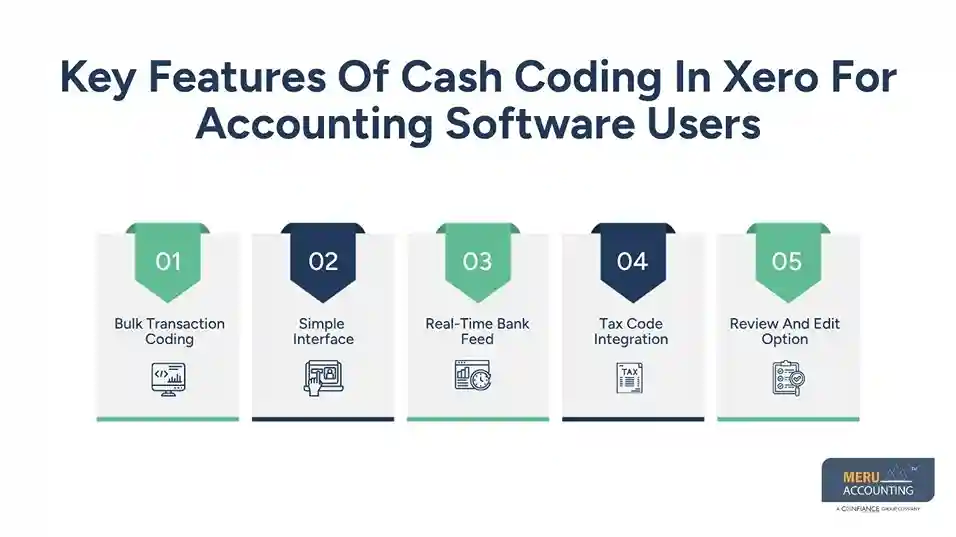
Tax Code Integration
Users can apply tax codes while recording transactions for accurate classification. Month-end closing becomes more controlled with proper tax tagging.
Review And Edit Option
Entries can be checked and corrected before final posting for better accuracy control. Finance teams gain stronger reliability in financial reporting before generating statements.
Best Practices for Using Cash Coding in Xero Effectively
Using cash coding in Xero within your accounting software setup can be very helpful for faster and more accurate bookkeeping. These tips will make it even more effective.
Show Suggested Matches
Tick the option called Show lines with suggested matches. This highlights transactions that already match existing records. Skip those and focus on others.
Reconcile in Small Batches
Even though Xero allows up to 200 lines, work with 100 or fewer. Smaller batches reduce review time and the chance of errors.
Create Bank Rules
If you notice regular payments or receipts, make a rule. The next time they appear, Xero will auto-fill the code and contact.
Use Shortcuts
Keyboard shortcuts make a big difference. They allow quick movement between cells and functions. Learn them if you use this feature often.
Sort by Columns
Always sort data before coding. Sort by reference or description to group repeated items. This helps you process them all at once.
Review Comments
Some lines may have notes from previous users. Always read them. They may provide useful information about the transaction.
When to Avoid Using Cash Coding
Cash coding is good for repeat or simple items. But it should not be used in every case. Avoid using it for:
- Sales invoices
- Bills already recorded in Xero
- Refunds from credit notes
- Prepayments or overpayments
- Transfers between bank accounts
- Expense claims
These should be matched through the regular reconciliation screen. Using cash coding for them may lead to duplicate entries or reporting issues.
Benefits of Xero Cash Coding
Cash coding in Xero provides several practical advantages. These advantages improve both efficiency and accuracy in bookkeeping. The key benefits include:
Speed
Processing multiple transactions at once reduces repetitive manual work. Overall processing time improves significantly.
Accuracy
Proper use of cash coding in your accounting software helps minimize manual data entry errors. Transactions are recorded in a consistent and structured way.
Easy Navigation
Users can switch between different bank accounts with ease. Transactions can also be sorted using multiple fields, making review and management simpler.
Time Saving
Bank rules and contact recognition automatically fill in common details. Users can quickly review and approve entries.
Better Reporting
Accurate allocation of accounts and contacts improves financial reporting quality. Businesses maintain clean records and achieve smoother audit processes.
Improved Decision Data
Clean and well-structured records provide more accurate financial insights, helping business owners make better planning and budgeting decisions with confidence.
Use Cases for Cash Coding in Xero
Cash coding works well for many business types. Here are some real-world examples.
For Retail Stores
Retail businesses handle a large number of small payments every day. Cash coding in Xero helps group these transactions efficiently. It also simplifies the reconciliation process.
For Freelancers
Freelancers often receive repeat payments from clients. Cash coding allows quick sorting of transactions by project or client. This improves organization and tracking.
For Service Providers
Service-based businesses often work with monthly subscriptions or fixed fees. Bank rules combined with cash coding enable faster monthly reconciliation. This reduces manual effort.
For Accountants
Accountants managing multiple client books require speed and efficiency. Cash coding Xero supports bulk transaction processing. This helps complete reconciliations faster and move to the next task.
optional anymore
on running the business
Common Mistakes to Avoid When Using Cash Coding
Do not make these mistakes when using cash coding. Careless usage can lead to errors in reconciliation and reporting.
Coding Existing Entries
Never code transactions that already exist as bills, invoices, or transfers in your accounting software. That creates duplicate data and report issues. Always check the reconciliation screen before entering any coding.
Skipping the Review
Always review all fields before clicking “Reconcile All.” Even small errors can create big issues in reports. A quick double-check helps maintain accurate financial records.
Ignoring Rules
Not using bank rules reduces automation benefits. Regular transactions may need repeated manual entry. Setting up rules improves speed and consistency in processing.
Not Using Contacts
Every transaction should have a contact. This makes it easier to track who money was paid to or received from. Missing contact details can make future tracking and reporting difficult.
Best Practices for Using Cash Coding in Xero
Follow these simple rules for effective use. Reconcile your transactions weekly to avoid long backlogs. Regular reconciliation helps maintain up-to-date financial records and reduces month-end workload.
- Review existing records before cash coding. Checking previous entries prevents duplication and keeps bookkeeping accurate.
- Use meaningful descriptions and comments when needed. Clear notes make transactions easier to identify during audits and reviews.
- Keep your contact list clean and updated. Accurate contact information improves tracking and ensures better reconciliation results.
- Apply correct tax codes to each entry. Proper tax coding supports accurate financial reporting and reduces compliance errors.
Cash coding in Xero is a powerful tool. It reduces the time spent on bank reconciliation. However, consistent and correct usage ensures maximum accuracy and efficiency.
How Meru Accounting Supports Businesses with Cash Coding in Xero
At Meru Accounting, we streamline bookkeeping processes by efficiently implementing tools like cash coding in Xero. Our team of Xero-certified professionals ensures that bank reconciliation is not only faster but also highly accurate and compliant with accounting standards.
We support clients across industries by setting up proper bank rules, optimizing chart of accounts, and training internal teams to use cash coding effectively. This reduces manual workload, minimizes errors, and helps businesses maintain real-time financial clarity. Whether you are a startup, SME, or a growing enterprise, our approach ensures that your accounting software works at its full potential.
Our Expert Perspective
From a professional bookkeeping standpoint, cash coding in Xero is a high-impact efficiency tool when used with proper accounting discipline. It is not a replacement for reconciliation logic but a way to accelerate structured data entry in accounting software.
At Meru Accounting, we recommend using cash coding as part of a hybrid workflow—combining automation (bank rules and smart matching) with manual review for complex transactions. This ensures both speed and accuracy.
Businesses that adopt this balanced approach typically experience faster month-end closures, cleaner financial records, and improved visibility into cash flow trends.
Key Takeaways
- Cash coding in Xero is designed for fast bulk transaction processing and simplified bank reconciliation.
- Best suited for repetitive and structured transactions.
- Bank rules, contact mapping, and proper sorting in accounting software significantly improve accuracy and reduce manual effort.
- Avoid using cash coding for already recorded transactions such as invoices, bills, and transfers to prevent duplication errors.
- Proper usage improves bookkeeping efficiency and enhances reporting quality.
- Strong support for better financial decision-making through clean and accurate records.
FAQs
Xero cash coding is a feature that helps you code and reconcile multiple bank transactions at once using a grid view.
It improves speed, reduces manual data entry, enhances accuracy, and makes bank reconciliation faster and more efficient.
No, it is not a replacement. It is a faster method for bulk processing but still requires proper reconciliation logic and review.
You can process up to 200 transactions in a single session using the cash coding feature.
Basic accounting understanding is helpful, but most of the process is user-friendly and supported by Xero’s interface and bank rules.



