
Running a small business means handling money with care. Many free small business accounting software options can help you track income, control spending, and stay tax-ready. These tools now give you key features like bills, reports, and bank links. With the right pick, you save time and money while staying in full control. The right tool helps you track your cash with ease. This guide shows how to pick software that fits your work and grows with you. Whether you’re just starting or want to switch, good software keeps your business simple and strong.
What You Will Learn From This Blog
By reading this guide, you will learn:
- How to choose the right small business accounting software based on your business size, budget, and accounting needs.
- The key features to compare before selecting the best free accounting software for small business, including invoicing, expense tracking, bank sync, tax reports, and multi-user access.
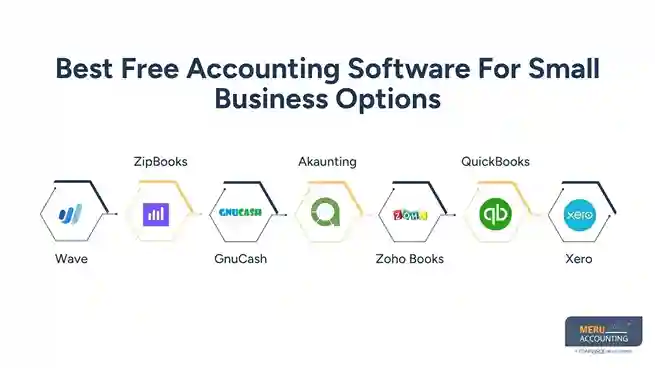
- A comparison of the top free accounting software options, including Wave, ZipBooks, GnuCash, Akaunting, Zoho Books, QuickBooks, and Xero.
- The advantages and limitations of free accounting software and when it makes sense to upgrade to a paid plan.
- Practical tips to set up, use, and get the most value from free accounting software while keeping your financial records accurate and organized.
Key Things to Find in Free Small Business Accounting Software
When choosing the best free accounting software for small business, look for features that cover daily needs:
Invoicing and Billing
The software should let you create, send, and track invoices with ease. You must be able to follow unpaid bills and get alerts on due dates to avoid cash delays. This keeps your cash flow healthy and ensures better client tracking.
Expense Tracking
A good tool tracks your spending in real time. You can upload bills, set expense categories, and get reports on where your money goes. This helps avoid overspending and keeps your budget under control.
Bank Sync
Bank syncing lets the software pull your transaction data directly. It saves time, cuts errors, and ensures up-to-date books. This feature reduces manual entry and keeps your records in sync with your bank.
Tax Reports
The tool must prepare tax-ready reports. It should help you stay compliant by tracking tax amounts, creating summaries, and preparing forms during tax season. This saves you from last-minute stress.
User-Friendly Design
Your accounting software should be easy to learn. A clean interface with simple terms and layouts saves time and avoids mistakes. Small teams without accounting experience benefit from intuitive tools.
Multi-user Access
Give others secure access to your accounting records with role-based permissions. This is useful when working with employees, accountants, or bookkeepers as your business grows.
Best Free Accounting Software For Small Business Options
Many small business owners now use simple and cost-free tools to handle their books. Several trusted names stand out as great picks for those who want to save time and money.
Wave
- Many choose Wave as trusted accounting software for small business for free. You can send bills, check pay, and handle costs with ease. It also lets you scan receipts and build key reports fast.
- Wave fits best for service-based businesses that don’t need stock tracking or advanced payroll. Its clean look and simple steps work well for freelancers and sole owners.
ZipBooks
- ZipBooks gives a strong free plan for new or small firms. It lets users create invoices, send quotes, and track income. You can also tag tasks, get feedback from clients, and view clear report cards.
- The dashboard shows key numbers at a glance. It fits freelancers or small teams who want fast insights with no extra cost.
GnuCash
- GnuCash works best for those who like to keep their records on a desktop. It offers key tools like double-entry tracking, scheduled bills, and full reports.
- GnuCash is open-source, so users can run it offline and stay in full control. While it takes time to learn, it gives deep options and strong results.
Akaunting
- Akaunting is a free cloud tool with a full set of features. It lets you track costs, send bills, handle taxes, and manage items in stock. Teams can use it together since it allows many users.
- It links with apps and gives a clean, modern view. Akaunting works well for firms that plan to grow fast.
Zoho Books Free Plan
- Zoho’s free plan helps small firms with low yearly income. It covers key needs like invoicing, taxes, and bank links. You can also track tasks, use client zones, and work on the go with mobile apps.
- Zoho makes it easy to grow since it links well with other Zoho tools. This plan suits new startups or small shops.
QuickBooks Online Free Trial
- QuickBooks stands out as a top tool for small firms. While it doesn’t give a full-time free version, it does offer a 30-day free trial. That trial gives access to all its tools. This trial version is still valuable as a free small business accounting software for users who want to test features before committing.
- It helps you send bills, track costs, sync your bank, and see all key reports. It also connects to many apps to boost your workflow.
- Many new firms use QuickBooks Online’s free trial as a short-term free small business accounting software. Its clear layout, fast setup, and support help small firms get off to a strong start.
Xero Free Trial
- Xero offers a similar 30-day free trial for small business users. It’s packed with advanced features like real-time cash flow tracking, multi-currency support, payroll, and automated bank feeds.
- Xero integrates with over 800 third-party apps, making it one of the most flexible choices for expanding firms. While it’s not a forever-free tool, the free trial gives small businesses a solid chance to explore if it fits their workflow.
- Many users transition from the free trial to a paid version once they see its benefits. Still, during the free period, it serves well as a free accounting software for users needing robust and scalable features.
Side-by-Side Feature Comparison
Feature | Wave | ZipBooks | GnuCash | Akaunting | SlickPie | Sunrise | Zoho Books |
Cloud-based | ✔ | ✔ | ✘ | ✔ | ✔ | ✔ | ✔ |
Desktop App | ✘ | ✘ | ✔ | ✘ | ✘ | ✘ | ✘ |
Double-entry | ✘ | ✘ | ✔ | ✔ | ✘ | ✘ | ✔ |
Invoice Creation | ✔ | ✔ | ✔ | ✔ | ✔ | ✔ | ✔ |
Expense Tracking | ✔ | ✔ | ✔ | ✔ | ✔ | ✔ | ✔ |
Bank Sync | ✔ (paid) | ✘ | ✘ | ✘ | ✔ (limits) | ✘ | ✔ (limits) |
Reports | Basic | Basic | Advanced | Basic | Basic | Basic | Advanced |
Multi-user Access | ✔ | ✔ | ✔ | ✔ | ✔ | ✔ | Limited |
Mobile App | ✔ | ✘ | ✘ | ✘ | ✘ | ✘ | ✔ |
Extra Add-ons | Paid | Paid | Free | Paid | Paid | Paid | Paid |
Steps to Set Up Free Accounting Software
- Sign up with your business email.
- Enter company name, tax ID, and address.
- Connect your bank or upload CSV manually.
- Set up a chart of accounts (categories for money).
- Link payment options like PayPal or cards.
- Customize invoice templates.
- Invite staff with limited access.
- Upload expense receipts regularly.
- Review profit/loss reports every month.
- Plan for when to upgrade as you grow.
Pros and Cons of Using Free Accounting Software
Advantages
- Free for core tasks: invoicing, expenses, reports.
- No learning curve: built for beginners.
- Cloud access with fast setup.
- Upgrade when needed (pay only if required).
Disadvantages
- Limited features: no payroll or inventory in most.
- Support may be limited to forums.
- Add-ons or integrations may cost extra.
- Data safety depends on the provider — choose wisely.
How to Choose the Best Free Accounting Software for Small Business
Choosing the best free accounting software for small business means checking what your firm needs:
Know Your Needs
Make a list of features your firm needs. If you only want to send invoices, then a simple tool is enough. But if you need full reports, pick one that offers broad functions.
Think About Future Growth
Start with a tool that grows with your business. Check if it allows adding new users, linking with apps, or switching to a paid plan. Avoid tools that limit your growth.
Ease of Use
Test the tool’s dashboard and options. A simple layout will help you get started fast. Choose software that doesn’t need much time to learn or set up.
Support Options
Good support makes a big difference. Look for tools that offer live chat, help guides, or email support. This helps when you face issues during setup or use.
Reviews and Updates
Check what other users say about the tool. Make sure the tool gets updates often to fix bugs and add features. Avoid software with long gaps between updates.
Tips to Maximize the Benefits of Free Accounting Tools
Make the most of your free small business accounting software with these tips:
Keep Records Updated
Record your sales and costs daily or weekly. Delays may cause errors and poor reports. Keeping things fresh saves time at month-end and avoids confusion.
Use Bank Sync
Always turn on bank sync if your software allows it. It auto-feeds your bank data into the system. This ensures your accounts match your actual funds.
Learn the Tool’s Features
Spend some time checking all the menus and functions. You may find helpful tools like payment links or tax rules. Knowing all the features boosts value.
Back Up Your Data
Even free tools need backups. Some tools do this for you, but others don’t. Use cloud or hard drive storage to avoid data loss.
Keep Learning
Watch video tutorials or read blogs from the software brand. You’ll find tricks to save time and work smarter. Learning adds long-term value.
When to Upgrade from Free to Paid Accounting Software
Free tools work well till your firm grows beyond them. You should upgrade when:
You Need More Users
If your team grows, you’ll need more user access. Most free plans are for one user. Paid plans offer team logins and roles.
You Add More Work
Business often brings new services, products, or clients. These need more features like inventory, time tracking, or project billing. Paid tools handle these better.
You Want Expert Support
Free tools offer limited help. Paid plans give you quick support, setup help, and even phone calls with experts. This helps solve issues fast.
You Must Follow Rules
As you grow, rules like audits or tax laws may apply. Paid tools provide full reports and compliance features to meet such needs.
You Need More Storage
Free plans limit how much data you can store. With more sales, bills, or users, space runs out. Paid plans offer more storage.
At Meru Accounting, we help small firms pick the right tools. We study your needs and suggest the best accounting software for small business that fits your stage. We help with setup, training, and even upgrades when you grow. Many clients trust us to keep their accounts in order while they focus on growth. Our team knows what works best for accounting and bookkeeping. Check our outsourced accounting services to know more.
Key Takeaways
- Free small business accounting software provides essential tools such as invoicing, expense tracking, reporting, and bank reconciliation without upfront costs.
- Compare features, ease of use, security, and upgrade options before selecting the best free accounting software for small businesses.
- Wave, ZipBooks, GnuCash, Akaunting, Zoho Books, QuickBooks, and Xero each offer different strengths for different business needs.
- Regularly updating your financial records and using built-in automation features helps improve bookkeeping accuracy and saves time.
- Upgrade to a paid accounting solution when your business requires advanced reporting, additional users, inventory management, payroll, or enhanced customer support.



