

Running a small business is exciting, but managing money can be hard. FreshBooks accounting software makes managing money easy. You can track expenses, send invoices, and handle payments all in one place. It helps you stay organized so you can focus on your business.
Whether you’re just starting or growing fast, FreshBooks for small business is simple and smart. It helps you manage invoices, track costs, and organize clients in one place.
With FreshBooks, you can stay organized, save time, and focus on growing your business. It’s easy to use, so you don’t need to be an expert to get it right.
What You’ll Learn from This Blog
After reading this guide, you’ll understand:
- What is FreshBooks accounting software, and how does it work?
- The main features that help simplify bookkeeping, invoicing, and expense tracking.
- FreshBooks pricing plans and what affects FreshBooks cost.
- How FreshBooks compares with traditional accounting software and other popular options.
- Which types of businesses can benefit most from FreshBooks accounting software?
- How to set up FreshBooks and get the most from its tools.
- Key benefits, mobile features, and cloud capabilities for small businesses.
What is FreshBooks Accounting Software
FreshBooks accounting software helps small business owners manage finances easily. It offers invoicing, expense tracking, and project management tools. FreshBooks makes everyday accounting simple and efficient.
With FreshBooks for small businesses, you can track hours, manage clients, and get paid on time. Access your data anytime with the mobile app for iOS and Android.
It works well with popular apps like PayPal, Stripe, and Shopify. This makes payments and data syncing fast and easy.
Your data is safe with this software. It uses SSL encryption and meets GDPR standards to protect your information.
FreshBooks for small businesses also offers excellent support. Whether by email, phone, or live chat, their team is quick and helpful.
FreshBooks Pricing Plans and Costs
FreshBooks pricing plans and scalability options to match your size and budget. These plans will help you understand the approximate FreshBooks cost:
Lite Plan
This plan is great for solo professionals and freelancers. It allows you to send unlimited invoices to five clients, track expenses, and accept payments online.
Plus Plan
The Plus Plan suits growing businesses. It includes more clients, recurring invoices, scheduled late fees, and double-entry accounting features.
Premium Plan
This plan is best for larger businesses. It allows billing up to 500 clients, advanced reporting tools, and deeper customization for invoices and workflows.
Custom Plan
Designed for companies with complex needs, this plan offers personalized support, a dedicated account manager, and custom integrations tailored to your systems.
Each FreshBooks pricing plan includes core tools, and you can add team members, advanced payments, or integrations as needed.
How FreshBooks Accounting Software Simplifies Small Business Finances
Simple to Use
- FreshBooks accounting software is easy to use, even if you don’t have a background in accounting.
- The dashboard is clean, clear, and helps you understand your business finances at a glance.
- Tasks like invoicing and tracking expenses are quick and simple.
Fast and Easy Invoicing
- Create and send invoices quickly.
- Use professional invoice templates that look great.
- Set up automatic invoices for repeat customers.
- Send payment reminders with just one click.
Smart Expense Tracking
- Link your bank and let FreshBooks track expenses.
- Upload receipts from your phone or desktop.
- See where your money is going with clear reports.
Time Tracking for Better Billing
- Track the time you spend on each task or client.
- Turn hours worked into an invoice in seconds.
- Great for freelancers and service-based businesses.
Seamless Payments
- Accept online payments via credit card or bank transfer.
- Make it easy for clients to pay quickly.
- Get paid faster and improve cash flow.
Financial Reports
- FreshBooks makes financial reports easy to access.
- View profit & loss, balance sheets, and cash flow reports.
- Helps you track business health and make smart decisions.
Easy Tax Preparation
- FreshBooks helps with tax season.
- Keep all financial records in one place.
- Get the reports you need for tax filing.
- Saves time and reduces stress during taxes.
Mobile Access
- FreshBooks has a mobile app for managing finances on the go.
- Send invoices, track expenses, and check reports anywhere.
- Increases flexibility and productivity for business owners.
Features that Make FreshBooks Accounting Software a One-Stop Solution
Clean Dashboard
- One place to view invoices, income, and expenses.
- Easy to check the profit and loss.
- Get quick updates on your business health.
Client Management
- Store client info in one place.
- View payment history, past invoices, and communication.
- Manage multiple clients without confusion.
Reports
- Generate reports like income statements, expense summaries, and tax-time reports.
- Great for keeping books organized for tax season.
- Share reports with your accountant in one click.
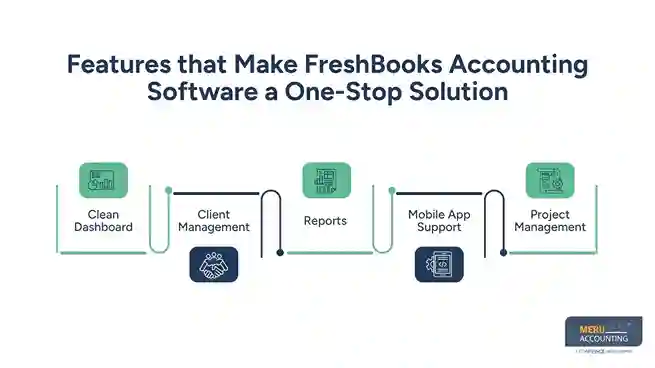
Mobile App Support
- The FreshBooks app works on iOS and Android.
- Track time, send invoices, and capture receipts anywhere.
- Stay in control of your business from anywhere.
Project Management
- Work with your team or clients on projects.
- Share files and messages directly in the software.
- Store all project work and billing in one place.
Use Cases: How Different Businesses Use FreshBooks Accounting Software
Freelancers
Track time, send custom invoices, and get paid faster. Manage projects and expenses from one dashboard.
Consultants
Handle client billing by project or hourly rate. Use FreshBooks to track meetings, log hours, and simplify tax prep.
Online Sellers
Connect FreshBooks to Shopify or Stripe. Sync transactions, track sales tax, and stay ready for quarterly filings.
Creative Agencies
Work with teams, manage client projects, and assign tasks. Share files, message in-app, and convert hours to invoices.
Contractors
Log time, track job costs, and issue invoices per phase. Use mobile access to manage billing from the field.
Traditional vs. FreshBooks Accounting Software for Small Businesses
Many small businesses begin with spreadsheets or old software. These tools can waste time and lead to mistakes. FreshBooks accounting software automates tasks and cuts down on errors, so you can focus on growing your business.
Here’s why FreshBooks for small businesses works better:
Automates Work: FreshBooks does tasks like invoicing and tracking expenses. Traditional tools need more work.
Simple to Use: FreshBooks is easy for anyone. Traditional tools often need extra training.
Works Anywhere: FreshBooks is online. You can use it anywhere. Traditional software is tied to one device.
Instant Updates: FreshBooks gives you live reports. Traditional tools need updates, which can be slow.
Mobile App: FreshBooks has an app. Manage your business on the go. Many traditional tools don’t have this.
Easy to Connect: FreshBooks links up easily with PayPal, Stripe, and more. Traditional tools may be harder to connect.
Faster Payments: FreshBooks lets you invoice and get paid fast. Traditional software often needs more steps.
Fast Support: FreshBooks offers quick help by phone, email, or chat. Traditional tools may not have fast support.
FreshBooks vs QuickBooks vs Wave (Comparison Table)
Feature | FreshBooks | QuickBooks Online | Wave |
Ease of Use | Very simple, intuitive | Moderate | Simple |
Best For | Freelancers, small teams | Growing businesses | Sole proprietors |
Invoicing | Yes, with automation | Yes, with customization | Yes, basic features |
Time Tracking | Built-in | With add-ons | No |
Mobile App | iOS & Android | iOS & Android | Limited |
Price (Starting) | $17/month | $30/month | Free |
Integrations | Stripe, PayPal, Shopify | Many third-party tools | Stripe, limited others |
Customer Support | Phone, email, live chat | Phone & chat (higher plans) | Email & community |
FreshBooks Mobile App and Cloud Integration Benefits
With FreshBooks accounting software, you can work from anywhere. The app and cloud tools help you stay in control.
Mobile App
The FreshBooks mobile app allows you to send invoices, log time, and upload receipts while away from your desk. It syncs instantly, keeping your books up to date.
Cloud Storage
With FreshBooks cloud storage, your data is safe and easy to access. You don’t have to worry about system crashes or losing important documents.
Real-Time Sync
All your data updates across devices in real time. Start a task on your phone, finish it on your laptop, and pick up where you left off without delay.
Secure Access
FreshBooks uses strong encryption to protect your business data. Only you and your team can access sensitive info, ensuring safety and privacy.
No Downtime
The cloud platform is highly reliable. Your books stay available 24/7, even during updates or system maintenance windows.
How to Get Started with FreshBooks accounting software
Getting started with FreshBooks accounting software is quick and easy. You don’t need tech skills; just follow a few simple steps to begin.
Step 1: Sign Up
Go to the FreshBooks site and sign up. Try the free trial to test features.
Step 2: Add Your Information
Enter your business details. Upload your logo and set your currency.
Step 3: Link Your Bank
Connect your account to auto-track income and expenses.
Step 4: Set Up Invoices
Pick a template, add items, and send your first invoice.
Step 5: Explore Features
Try time tracking, reports, and project tools to see what fits your needs.
How FreshBooks Accounting Software Takes the Headache Out of Accounting
Automation of Routine Tasks
- Set up recurring invoices for regular clients.
- Automate late payment reminders.
- Sync expenses and income with your bank.
Saves Time
- No more switching between different tools.
- Everything from time tracking to invoicing is in one place.
- Spend more time growing your business, not doing math.
Reduces Errors
- FreshBooks calculates taxes and totals for you.
- No more manual entry mistakes.
- Easy corrections if something goes wrong.
Built for Non-Accountants
- You don’t need to know accounting terms.
- Simple language and easy-to-follow instructions.
- Great support team ready to help if you need it.
Benefits of Using FreshBooks for Small Business
Affordable Pricing
- Different plans for different business sizes.
- Monthly or yearly options to fit your budget.
- Trial version available to test features first.
Secure and Reliable
- Your financial data is safe with FreshBooks.
- Uses top-level security protocols.
- Regular backups and strong data privacy policies.
Customer Support
- Quick, friendly, and knowledgeable support team.
- Email, chat, and phone support are available.
- Tons of online guides and resources.
Grows with Your Business
- Start small and upgrade features as your business grows.
- Add team members as you need.
- Integrate with other tools you already use.
Why Small Business Owners Trust FreshBooks Accounting Software
Here’s why small business owners trust FreshBooks accounting software:
Proven Track Record
- Trusted by millions of small businesses worldwide.
- Positive reviews and a strong reputation.
- Updated regularly with new features.
Designed for Small Businesses
- Unlike some accounting software, it’s not built for large corporations.
- Every feature is made with small business needs in mind.
- FreshBooks for small business keeps things simple and focused.
Real-Time Updates
- Know your financial situation right now, not weeks later.
- Get alerts when you’re paid or when a bill is due.
- Instant reports anytime you need them.
When is FreshBooks the Right Choice?
You’re a Freelancer or Sole Proprietor
- Need to invoice clients, track time, and get paid fast?
- FreshBooks is perfect for one-person businesses.
You Have a Small Team
- Add team members and track projects.
- Stay organized with shared tasks and project updates.
You Hate Bookkeeping
- Don’t want to deal with spreadsheets and calculators?
- Let FreshBooks handle it for you.
You Want to Save Time and Money
- Automate and simplify financial tasks.
- Cut down on admin time and focus on work that earns money.
Tips to Get the Most from FreshBooks Accounting Software
- Set up bank connections to track income and expenses automatically.
- Use time tracking to bill clients accurately.
- Schedule recurring invoices to save time.
- Explore reports monthly to understand business health.
- Use the mobile app to manage finances on the go.
- Customize invoices with your logo and branding.
- Add payment options to get paid faster.
FreshBooks Accounting Software helps small businesses manage finances easily. It saves time, cuts errors, and keeps things organized. Whether it’s managing clients, tracking costs, or sending invoices, FreshBooks has it all.
Give it a try and see how it simplifies your work. FreshBooks can change how you handle your business finances. Meru Accounting offers services that fit well with FreshBooks, giving you extra support and deeper financial insights.
Our Expert Insight
Choosing accounting software isn’t just about features or price. It should match the way your business works today and support your growth tomorrow. FreshBooks accounting software is a strong choice for freelancers, service businesses, and small teams that want an easy way to manage invoices, expenses, time tracking, and financial reports without a steep learning curve. Before making a decision, compare FreshBooks pricing, the tools included in each plan, and your day-to-day accounting needs to choose the best fit for your business.
Key Takeaways
- FreshBooks accounting software combines invoicing, expense tracking, payments, reporting, and time tracking in one cloud-based platform.
- FreshBooks pricing includes multiple plans, making it easy for businesses to choose a plan that fits their budget and growth stage.
- The software is designed for freelancers, consultants, contractors, agencies, and other small businesses that want simple accounting tools.
- Mobile access, cloud storage, and real-time sync let you manage your books from anywhere.
- Built-in automation helps reduce manual work, improve billing, and keep financial records organized.
- Fresh Books integrates with many payment and business apps to streamline daily operations.



