Growing businesses need accounting software that can keep pace with increasing transactions, expanding teams, and changing financial requirements. Wave cloud accounting offers an easier-to-use and smarter platform that helps businesses manage bookkeeping, along with invoicing and financial reporting, from one location. It provides flexibility while reducing manual work.
As a business grows, financial management becomes highly demanding. Choosing the right accounting solutions helps improve accuracy, helps with decisions, and also strengthens financial control. This blog explains how Wave cloud accounting supports growing businesses with scalable features that are reliable.
What You Will Learn From This Blog
- Understand how Wave cloud accounting supports business growth.
- Learn why scalable accounting systems are important.
- Explore the key features of Wave cloud accounting.
- Related to accounting solutions that improve financial management.
- On how automation improves accounting accuracy.
- Related to best practices for implementing cloud accounting.
- On how businesses can improve financial reporting.
- Learn how cloud accounting supports long-term business expansion.
Why Growing Businesses Choose Wave Cloud Accounting
Simple Accounting That Supports Business Growth
Many businesses begin with spreadsheets or basic accounting software. As transaction volumes increase, difficulties also increase as well. Cloud accounting provides a centralized platform that simplifies bookkeeping and also invoicing with expense tracking. Business owners can access financial information without any dependency on multiple systems.
Growing businesses also benefit from solutions that reduce manual work while maintaining good records. This allows finance teams to spend more time reviewing business performance.
Cloud-Based Access Improves Business Flexibility
Business owners and accountants often work from different locations. It provides secure cloud access that allows authorized users for better reviews not depending on locations. This flexibility supports remote work and improves collaboration, which is useful.
Modern accounting solutions also improve communication because everyone works with the same financial information. This reduces delays with reporting and improves decision-making across departments.
Affordable Accounting for Small and Growing Businesses
Cost management remains important during business growth. Many businesses look for software that offers options with less cost. Cloud accounting provides an affordable option that supports daily activities that are needed.
Instead of investing in expensive software infrastructure, businesses can shift to cloud-based solutions that need less or minimal technical maintenance.
Key Features That Make Wave Cloud Accounting Scalable
Automated Bookkeeping Improves Accuracy
Manual bookkeeping often leads to duplicate entries and delayed reporting. Cloud accounting automates many routine accounting activities, including transaction recording and expense categorization. Automation improves accounting accuracy while reducing other issues.
Reliable solutions also help businesses maintain organized financial records in the entire yearly cycle.
Easy Invoicing And Payment Tracking
Cash flow depends on timely customer payments. Cloud accounting allows businesses to create professional invoices, along with monitoring outstanding balances from one platform. Faster invoicing improves collection efficiency and strengthens management.
Growing businesses use accounting solutions to monitor receivables more effectively, helping management identify various aspects as well.
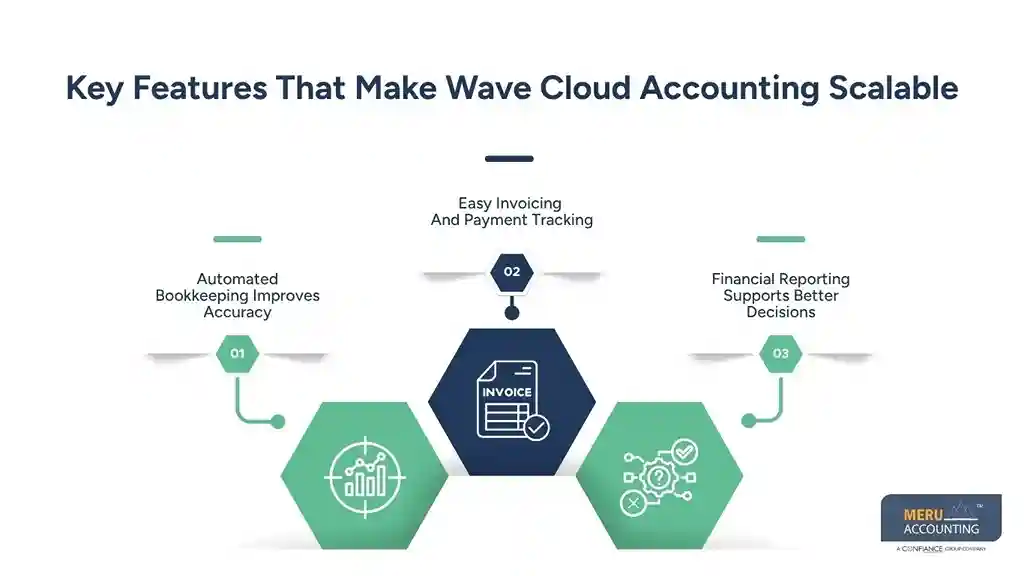
Financial Reporting Supports Better Decisions
Business decisions depend on reliable financial information. Cloud accounting generates reports such as profit and cash flow reports, and expense summaries. These reports provide business owners with better information and good performance.
Well-designed solutions also simplify business planning because financial reports remain consistent and easy to understand.
How Wave Cloud Accounting Improves Daily Financial Management
Better Expense Management Across The Business
Tracking expenses becomes more challenging as businesses expand. Cloud accounting allows businesses to organize expenses into appropriate categories while maintaining supporting records. Proper expense tracking improves budgeting and simplifies tax preparation.
Businesses using solutions also gain better visibility into operational spending, helping management identify opportunities to reduce unnecessary costs.
Bank Reconciliation Becomes Faster
Reconciling bank accounts manually requires significant time and attention. Cloud accounting connects with business bank accounts to simplify reconciliation and identify unmatched transactions quickly. Faster reconciliation improves financial accuracy and helps businesses close their books on schedule.
Accurate solutions also reduce reconciliation errors that may affect financial reporting and compliance activities.
Better Collaboration Between Business Owners And Accountants
Growing businesses often work with external accountants or accounting firms. Cloud accounting allows authorized professionals to access current financial information without exchanging multiple spreadsheets or reports. This improves collaboration while reducing communication delays.
Using cloud-based solutions enables accountants to provide timely advice based on current financial information instead of outdated reports.
Why Scalable Accounting Matters For Growing Businesses
Supports Increasing Transaction Volumes
Business growth usually brings higher sales, additional vendors, and more financial transactions. Wave cloud accounting helps businesses manage increasing accounting workloads with good solutions. This supports continuous business growth with better financial processes.
Improves Financial Control
Accurate financial information helps businesses monitor profitability that is needed, control expenses, and manage cash flow. Cloud accounting provides better visibility into daily financial activities, for quicker responses.
Growing businesses that implement reliable solutions often experience stronger financial control and improved operational efficiency.
Reduces Administrative Work
Manual accounting consumes valuable employee time. Cloud accounting automates repetitive accounting activities and helps simplify financial management. This allows business owners and finance teams to focus on strategic activities that are useful for growth-oriented decisions.
Businesses that invest in modern solutions improve productivity while maintaining reliable financial records that support future growth.
Best Practices For Implementing Wave Cloud Accounting
Plan Your Accounting Structure Before Implementation
A successful accounting system starts with proper planning. Businesses should define their chart of accounts, reporting requirements, tax settings, and user permissions before using Wave accounting. A well-planned setup improves reporting accuracy and supports future business expansion.
Many organizations adopt solutions without reviewing their existing accounting processes. This often creates reporting inconsistencies. Careful planning helps businesses gain the full value of Wave accounting from the beginning.
Keep Financial Records Updated Regularly
Accurate accounting depends on timely record-keeping. Businesses should record transactions, review bank reconciliations, monitor receivables, and update expenses regularly. It makes these tasks easier through automation and centralized financial information.
Consistent accounting practices improve reporting quality and help management make informed business decisions. Reliable solutions also reduce the effort required during month-end and year-end financial closing.
Train Employees And Monitor System Usage
Even the best accounting software requires proper user knowledge. Employees responsible for invoicing, expense management, bookkeeping, and reporting should understand how to use cloud accounting correctly. Regular training improves efficiency while reducing data entry mistakes.
Businesses should also review accounting processes periodically to identify opportunities for improvement. As organizations expand, solutions should continue supporting operational and financial requirements without creating unnecessary complexity.
Choosing the Right Partner for Wave Cloud-Based Accounting
Select Professionals With Cloud Accounting Experience
Software alone cannot guarantee accurate accounting. Businesses benefit from working with accounting professionals who understand cloud accounting platforms and financial reporting, along with compliance. Experienced advisors help organizations use cloud accounting effectively, which helps with good records management.
When selecting solutions, businesses should evaluate technical expertise and industry experience rather than focusing only on software features.
Prioritize Compliance And Data Security
Financial information contains sensitive business data. Organizations should ensure that accounting providers follow secure data handling practices and comply with applicable accounting and tax regulations. Wave accounting supports secure cloud access, but internal controls are also equally important.
Reliable accounting solutions combine secure technology with established accounting procedures that protect information and support compliance.
Choose Services That Support Future Growth
Business requirements continue changing as organizations expand. The right accounting partner should provide services that adapt to increasing transaction volumes and changing compliance obligations. Wave accounting offers flexibility that supports long-term growth with professional support.
Scalable solutions allow businesses to strengthen financial management with reduced complexity.
optional anymore
on running the business
Why Choose Meru Accounting For Wave Cloud Accounting?
Growing businesses need more than just accounting software. They require experts who understand accounting and compliance well. Meru Accounting offers support and useful financial advice for Cloud accounting.
Our skilled team helps with bookkeeping and reconciliations. We handle financial reports, payables, receivables, and payroll support. We follow clear procedures to keep financial records accurate and organized.
We know the challenges startups and small businesses face. Our solutions improve efficiency and ensure compliance. Whether starting with Wave accounting or updating systems, Meru guides your growth with flexible, professional services.
From Our Expert Perspective
Many growing businesses wait too long to upgrade their accounting systems. This often makes managing finances harder and slows growth. Using Wave cloud accounting at the right time supports smoother business growth and helps with the clarity required. We also notice that many businesses only focus on picking software.
However, success depends on more than just software choice. Clear, standardized accounting procedures are essential with growing changes. Regular financial reviews help catch issues early. Experienced accounting support ensures productivity and smoothness in processes. Choosing the right solutions improves reporting accuracy, which helps to strengthen controls. It helps make better decisions.
Key Takeaways
- Wave cloud accounting offers flexible, cloud-based tools for growth.
- Automated bookkeeping improves accuracy and reduces manual work.
- Cloud access enables better collaboration between owners and accountants.
- Financial reports support smarter budgeting and planning.
- Regular accounting reviews enhance report quality.
- Scalable solutions handle growing transaction volumes.
- Secure practices protect sensitive financial information.
- Professional guidance helps with smooth software implementation.
- Standardized processes strengthen financial control.
- Wave accounting builds a reliable financial foundation for growth.
FAQs
Wave cloud accounting is software in the cloud. It helps businesses manage bookkeeping, invoicing, expenses, reports, and bank reconciliation all in one place.
Wave cloud accounting helps growth by automating tasks. It improves financial reports and lets users securely access data from anywhere.
Accounting solutions organize records and automate tasks. They improve report accuracy, ensure compliance, and help make smart business choices.
Yes. It is popular with startups, freelancers, and small businesses. It has key features and grows with the business while staying easy to use.
Accountants help set up Wave correctly. They keep records accurate, ensure rules are followed, and give advice for steady business growth.