
Filing IRS Tax Form 720 is a key task for firms that pay excise tax to the U.S. government. This form must be filed each quarter for goods and services like fuel, air travel, and indoor tanning. Many business owners are not sure where and how to file IRS Form 720. Should you send it online or by post? What is the right address? How do you avoid errors when you file it? This blog gives you all you need to know to file IRS Form 720 with ease. We will guide you through the full process, step by step. If you are new or need a quick review, this guide will help.
What You Will Learn From This Blog
After reading this guide, you will understand:
- What is IRS Form 720, and which businesses are required to file it?
- When to file IRS Tax Form 720 and the quarterly filing deadlines.
- Where to mail Form 720 and how to file Form 720 online using IRS-authorized e-file providers.
- What information, schedules, and tax categories must be included with your return?
- Common filing mistakes that can lead to penalties or processing delays.
- The benefits of e-filing and the consequences of missing Form 720 filing requirements.
What is IRS Form 720?
Quarterly Federal Excise Tax Return
IRS Form 720 is used to report and pay federal excise taxes. These are extra taxes on items and services like fuel, air travel, and indoor tanning. Firms that sell or use these must file the form.
Quarterly Return
IRS Form 720 is generally filed quarterly by businesses that owe federal excise tax or have another Form 720 filing requirement for that quarter. It reports excise taxes for the applicable three-month period.
Used by Businesses
Form 720 is not for individuals. Only businesses that deal in excise-taxed products or services must use it.
Covers Many Taxes
It includes multiple types of federal excise taxes, such as fuel, environmental, communications, air transportation, indoor tanning, foreign insurance, and certain manufacturers’ taxes. You must select the applicable categories for your business.
IRS Requirement
Businesses that are subject to applicable federal excise taxes or have another Form 720 filing requirement must file this return for the relevant quarter.
Can Be Filed Online
You can e-file IRS Form 720 using IRS-approved software providers. Online submission is faster and easier.
Different Schedules Attached
Depending on the tax type, you may need to attach Schedules A, T, or C. These schedules provide more detailed information.
Why You Need to File IRS Form 720
Stay Legal
Filing IRS Tax Form 720 ensures you meet federal tax laws and stay compliant. It helps your business comply with federal excise tax laws and reduces the risk of penalties for noncompliance.
Avoid Fines
Not filing or filing late can result in hefty IRS penalties. These fines can accumulate and affect your finances.
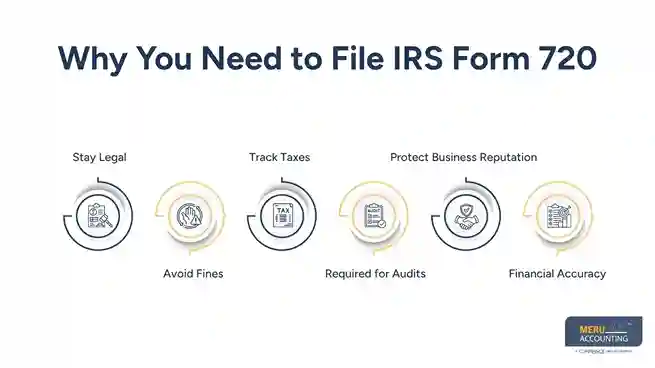
Track Taxes
Form 720 helps you track and record your excise tax liabilities. This makes accounting easier and more accurate.
Required for Audits
Proper filing creates accurate records that can support your business if the IRS reviews your excise tax returns. It provides documentation needed during tax audits.
Protect Business Reputation
Regular compliance shows customers and partners that your business is responsible. This can improve trust and credibility.
Financial Accuracy
Filing this form helps in keeping your financial records accurate. This is helpful in reporting and future planning.
When to File IRS Form 720
Quarterly Filing
IRS Form 720 is filed four times a year, each quarter. Each filing must include the taxes for the 3-month period.
Due Dates
It is due on the last day of the month following each quarter.
Quarter | Period Covered | Form 720 Due Date
Quarter | Period Covered | Form 720 Due Date |
Q1 | Jan – Mar | April 30 |
Q2 | Apr – Jun | July 31 |
Q3 | Jul – Sep | October 31 |
Q4 | Oct – Dec | January 31 |
File Even with No Tax Due
File Form 720 for any quarter in which your business has a filing requirement. Businesses without a filing requirement for a quarter generally do not need to file. The IRS still expects the form as part of compliance.
Know Your Schedule
Plan ahead to meet the deadlines. Mark the due dates to avoid missing them.
Late Filing = Penalty
The IRS imposes penalties for late filing. These can include both fines and interest on unpaid taxes.
No Extensions
There are no automatic extensions for Form 720. Form 720 generally does not have an automatic filing extension. In limited situations, the IRS may provide relief because of federally declared disasters or other special circumstances.
File Using the U.S. Postal Service (USPS)
Mail your completed Form 720 to:
Department of the Treasury
Internal Revenue Service
Ogden, UT 84201-0009
If Using a Private Delivery Service
If you use an IRS-designated private delivery service (such as FedEx, UPS, or DHL), use the current IRS street address listed for private delivery services. These carriers cannot deliver to IRS P.O. Box addresses.
Double-Check Before Mailing
Always verify the latest mailing instructions before sending your return, as IRS filing procedures and addresses may change.
Mail Before the Deadline
Mail your return early enough to ensure it is postmarked by the filing deadline.
Use Certified Mail
If mailing through USPS, consider using Certified Mail or another tracking service to obtain proof of timely filing.
Keep a Copy
Retain a copy of your completed Form 720, supporting schedules, and mailing receipt for your records.
Include Required Schedules
Attach all applicable schedules and supporting forms before mailing your return to avoid processing delays.
How to File IRS Form 720 Online
Choose IRS-Approved Software
Use software approved by the IRS. These platforms are secure and reliable.
Create an Account
You will need to create an account with the e-file provider. Enter your business name, EIN, and contact details.
Enter Tax Details
Fill in all applicable excise taxes. Make sure you report the right amounts and tax codes.
Review and Verify
Check all your entries before submitting. Small errors can lead to issues or rejection.
Pay Taxes Online
You can pay via EFTPS, debit card, or bank transfer. Ensure payment is completed by the due date.
Submit and Save
Submit the form through the platform. Save your confirmation number and digital receipt.
Track Status
Some providers allow you to track submission status. This helps confirm it was accepted by the IRS.
Benefits of Filing IRS Form 720 Online
Faster Submission
Online filing is fast. The IRS gets your form right away. There is no wait for mail or risk of lost forms. It helps you meet key tax due dates with ease.
Real-Time Error Checks
IRS e-file tools spot mistakes as you file, so you can fix them. The system flags blank fields or wrong codes. This helps avoid rejections or back-and-forth later.
Confirmation Receipt
You get a receipt once you file. It proves your form was sent on time. You can save or print the proof for your records. It’s useful if you ever need to show you filed.
Paperless Process
No need to print or store papers. You save time and space. This also means less risk of lost or damaged forms. It’s better for the planet and for your office.
Easy to Amend
Made a mistake? You can fix the form more easily online. If you discover an error after filing, follow the IRS instructions for correcting or amending Form 720. Your software provider may help prepare the corrected return. You don’t need to mail a new form each time.
Details to Include When You File IRS Form 720
Business Info
Enter your full business name and EIN. Make sure these match IRS records.
Quarter Covered
State which quarter you’re filing for. Enter the correct year and time period.
Tax Categories
Choose the correct tax codes for your business. These are listed in the instructions.
Schedules A, T, C
Attach these if they apply to your tax type. They give more detail on tax activity.
Total Tax Due
Add up all excise taxes owed. Ensure accuracy to avoid balance due notices.
Signature
Paper returns must be signed before mailing. Electronic filings use an approved electronic signature process through your e-file provider.
Contact Info
Provide your phone and email. This helps if the IRS needs to reach you.
Common Excise Taxes on IRS Form 720
Fuel Tax
Gasoline, diesel, and aviation fuels are taxed. Businesses selling or using fuel must report it.
Communication Tax
Federal excise taxes include separate taxes on certain communications services and on air transportation. Providers must include this in their filings.
Environmental Tax
Businesses handling certain chemicals must pay this tax. Certain environmental excise taxes apply to specific chemicals and petroleum products under federal tax law.
Tanning Services
Indoor tanning providers pay a 10% excise tax. This is included under Part II.
Vaccines
Manufacturers of certain vaccines may be subject to federal excise tax under IRS rules. The manufacturers report these using IRS Form 720.
Tire Tax
Heavy tires for trucks and equipment are taxed. Manufacturers, producers, and importers of certain heavy highway vehicle tires may be required to report this tax.
Foreign Insurance
U.S. policies underwritten by foreign insurers are taxed. These must also be reported.
Who Must File IRS Form 720?
Businesses with Excise Tax Liabilities
- If your firm sells goods like fuel, tires, or vaccines, you may owe excise tax and must file IRS Form 720.
- This form tracks taxes on goods that have a federal charge.
- Even small firms must file if they deal in taxed items.
Air Transportation Companies
- Airlines and charter flights must report the tax on each ticket they sell.
- The excise tax also applies to cargo and fees.
- All ticket-based services must be tracked and reported.
Indoor Tanning Providers
- Firms that give indoor tanning services must pay a 10% excise tax and report it with Form 720.
- The tax applies to each service sold.
- It does not apply to spray tans or other non-UV options.
Manufacturers and Importers
- If you make or bring in taxed goods, use this form to report what you owe.
- Manufacturers and importers of certain taxable products may be required to report and pay federal excise taxes using Form 720.
- The IRS checks these filings during tax reviews.
Environmental and Communication Taxes
- Firms that pay green or phone service taxes must also send Form 720 on time.
- Businesses that owe certain environmental or communications excise taxes must report them on Form 720.
- Phone service taxes apply to both landlines and mobile phones.
What Happens If You Don’t File IRS Form 720?
IRS Penalties
- Not filing or paying your excise tax on time can lead to fines and interest.
- The IRS may assess failure-to-file penalties, failure-to-pay penalties, and interest on unpaid taxes.
- The IRS may send you a letter asking for quick action.
Business Delays
- Delays may occur for permits, refunds, or tax credits if forms are missing.
- Failure to file or pay on time may lead to additional IRS notices and increased tax liabilities.
- It may harm your firm’s record and cash flow.
Legal Action
- In rare cases, not filing may bring IRS steps or court action.
- Continued noncompliance may lead to IRS collection actions, including tax liens, levies, or other enforcement measures permitted by law.
- Court costs may add up and hurt your firm more.
Tools That Help You File IRS Form 720 Online
IRS E-File System
Use an IRS-authorized e-file provider that supports Form 720 through the Modernized e-File (MeF) system. These tools are built to match IRS rules and tax codes. You’ll find guides and steps to help you file right.
Tax Software
Tools like Drake, Lacerte, or ProSeries help you file with ease. They include tips, built-in checks, and auto updates. These tools work well for firms with many tax needs.
Help from Tax Preparers
Tax pros and CPAs offer filing help for a small fee. They know the rules and can help you stay on track. This is great for firms that want less stress and risk.
Secure Upload Portals
Many sites let you upload and send files safely with full data care. These portals use locks and codes to guard your info. You can also track the form after you send it.
Filing IRS Form 720 is key for excise tax rules. Whether you file by mail or online, being on time and correct is a must. E-filing is fast, safe, and helps avoid mistakes. Be sure to meet each due date, send all forms, and pay your taxes on time. Filing accurately and on time helps your business remain compliant with federal excise tax requirements and reduces the risk of penalties. At Meru Accounting, we help firms file IRS Form 720 the right way. Our team keeps you on track with all IRS tax needs. We make sure you stay safe, meet all rules, and avoid costly errors. Let us take care of your excise tax with skill and care.
Our Expert Insight
Federal excise tax filing is different from filing regular business income tax returns because Form 720 applies only to specific taxable goods and services. One of the most common mistakes businesses make is assuming they must file every quarter even when they have no Form 720 filing requirement, or using outdated mailing addresses and filing instructions. Before you file Form 720, confirm that your business has a filing obligation for the quarter, use the latest IRS instructions, and verify that all applicable tax categories and schedules are included. Filing accurately and on time helps reduce the risk of IRS notices, penalties, and unnecessary processing delays.
Key Takeaways
- IRS Form 720 is the Quarterly Federal Excise Tax Return used to report and pay certain federal excise taxes.
- File IRS Tax Form 720 only if your business has a Form 720 filing requirement for the quarter.
- Form 720 is generally due on the last day of the month following each calendar quarter.
- You can file IRS Form 720 online using an IRS-authorized e-file provider or mail a paper return to the current IRS filing address.
- Include the correct tax categories, business information, and any required Schedules A, T, or C.
- Review your return carefully before submitting to avoid errors, penalties, or processing delays.
- Keep copies of your filed return, payment confirmation, and supporting documents for your business records.