
A law firm may close a major case, send invoices worth thousands of dollars, and still struggle to answer one simple question: how much money has the firm actually earned? Unpaid bills, client retainers, case expenses, and trust balances can make this harder than it seems. When each figure sits in a different system, even a routine financial review can take hours. This is where NetSuite for law firms becomes relevant.
Rather than treating accounting as a separate task, an ERP system brings financial records, billing, expenses, and reports into one place. Partners can review firm income, while finance teams can track payments and costs without relying on scattered spreadsheets.
However, software alone cannot fix poor accounting practices. The real value comes from selecting the right setup, defining financial controls, and planning implementation around the firm’s actual work. Here is what law firms should consider before making that decision.
What You Will Learn From This Blog
- How NetSuite works and which features matter to legal practices.
- How NetSuite for law firms manages trust accounts, retainers, and client funds.
- Which factors matter when selecting an ERP setup.
- How to plan implementation without disrupting daily operations.
- How to measure financial results after implementation.
- How law firm accounting solutions fit into a wider ERP strategy.
What Is NetSuite for Law Firms and How Does It Work?
NetSuite for law firms is an ERP-based financial management system that brings accounting, billing, expenses, vendor payments, and financial reporting into one platform.
Consider a firm handling 40 active cases. Each case may involve filing fees, travel costs, expert charges, and client payments. Without proper records, the finance team may spend hours matching these transactions. With a suitable NetSuite setup, costs can be assigned to relevant matters, while income and expenses remain visible in financial reports.
The system can also exchange data with legal practice management software. This means time entries, client details, and billing records can flow into the finance process without repeated manual entry.
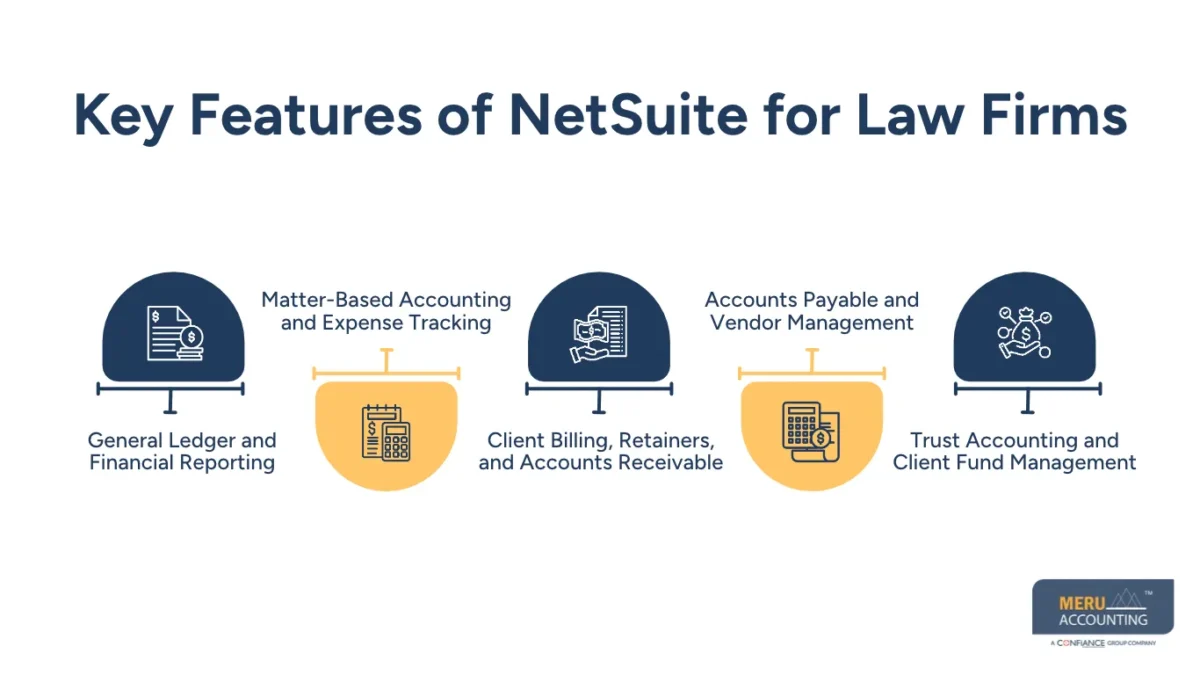
Key Features of NetSuite for Law Firms
The right ERP setup and law firm accounting solutions should reflect how a legal practice earns, spends, and records money. These are the main features worth reviewing when considering NetSuite for law firms.
General Ledger and Financial Reporting
The general ledger records income, expenses, assets, and liabilities. Partners can review balance sheets, income statements, and cash flow reports to understand the firm’s financial position.
Matter-Based Accounting and Expense Tracking
A case can involve several costs before the firm receives payment. Matter-level tracking records filing fees, travel costs, and expert charges against the relevant case, making cost reviews more useful.
Client Billing, Retainers, and Accounts Receivable
Firms using NetSuite for law firms can manage hourly fees, fixed charges, advance payments, and unpaid invoices. Ageing reports show which clients have overdue balances and where collection efforts need attention.
Accounts Payable and Vendor Management
Supplier bills, payment dates, expense claims, and approval records can be managed through one process. For example, a large expert witness invoice can go through partner approval before payment.
Trust Accounting and Client Fund Management
Client money needs separate records and careful handling. A suitable configuration must account for individual client balances, trust bank accounts, deposits, withdrawals, and reconciliations. Standard ERP features alone should not be treated as proof of legal compliance.
How to Choose the Right NetSuite Setup for Your Law Firm
A small legal practice and a multi-office law firm do not have the same accounting needs. Before purchasing NetSuite for law firms, assess the following factors instead of selecting every available feature.
Evaluating Firm Size, Practice Areas, and Financial Complexity
Count the firm’s offices, employees, active matters, and practice areas. A firm handling corporate, property, and litigation work may need separate financial reports for each area.
Identifying Essential ERP Modules and Features
Start with general ledger, billing, accounts payable, accounts receivable, expense tracking, and reporting when evaluating law firm accounting solutions. Add further modules only when there is a clear need.
Assessing Integration With Legal Practice Management Software
Check whether NetSuite for law firms can exchange client details, time entries, matter costs, and invoice data with existing legal tools. Poor integration can create duplicate entries and incorrect reports.
Comparing Customization and Scalability Requirements
List the reports, fields, and approval steps that need custom settings. Too many changes can raise project costs, so focus on features that serve a real business purpose.
Evaluating Vendor Experience and Implementation Expertise
Ask vendors about past legal-sector projects, financial data migration, and trust accounting requirements. A practical demonstration using real firm workflows is more useful than a generic sales presentation.
Understanding Software Licensing and Implementation Costs
Review licence fees, user charges, setup, training, integrations, and annual maintenance. Compare the full NetSuite for law firms implementation cost rather than judging the software by its subscription price alone.
Financial Controls and Compliance Requirements for Law Firms
Financial errors in a law firm can affect more than its profit. Incorrect client balances or unauthorised withdrawals may create serious professional and legal risks. Therefore, NetSuite for law firms must be configured around clear financial duties and local trust accounting rules.
Maintaining Client Trust Account Separation
Client funds must remain separate from the firm’s operating money. Maintain separate bank accounts and individual client ledgers so that money belonging to one client is never used for another client’s expenses.
Implementing Trust Account Reconciliation Controls
Compare bank statements with trust account records and individual client balances at regular intervals. Investigate every difference, even a small one, and retain proof of the correction.
Establishing Role-Based Access and Approval Workflows
Not every employee needs access to every financial record. In NetSuite for law firms, a bookkeeper may enter transactions, while a partner approves payments. Separate duties reduce the chance of unauthorised changes.
Maintaining Audit Trails and Transaction Records
Every payment, adjustment, and journal entry should have a clear record. Keep invoices, bank proofs, approval details, and transaction histories so that unusual activity can be traced.
Managing Retainers and Deferred Revenue
An advance payment does not always mean the firm has earned that amount. Record retainers according to the fee agreement and applicable rules, then track how much has been earned and how much remains due to the client.
optional anymore
on running the business
NetSuite ERP Implementation Process for Law Firms
A poor implementation can create more work than the old accounting system. A planned rollout of NetSuite for law firms should move through clear stages, with financial checks at each point.
Step 1: Assess Existing Accounting and Operational Workflows
Map how the firm records bills, receives payments, manages expenses, and prepares reports. Identify repeated work, delays, and gaps in approval.
Step 2: Define ERP Implementation Goals and Requirements
Set targets such as shorter month-end closing time, fewer billing errors, and better matter cost reports. Each target should have a clear way to measure success.
Step 3: Select Modules and Configure Financial Workflows
Choose the required NetSuite for law firms modules and set up account codes, matter fields, billing rules, and approval limits. Test the planned workflow before moving ahead.
Step 4: Clean and Migrate Existing Financial Data
Remove duplicate client and vendor records, check opening balances, and review unpaid invoices. A sample migration can reveal errors before the full transfer.
Step 5: Integrate NetSuite With Legal Practice Management Tools
Map the data shared between both systems. Test client records, time entries, expenses, and invoices to confirm that information reaches the correct accounts.
Step 6: Configure Security, Permissions, and Approval Controls
Set access according to employee duties. Test payment limits, sensitive records, and approval steps before giving staff access to the live system.
Step 7: Test Financial Processes and Reporting Accuracy
Test NetSuite for law firms with sample transactions for client deposits, vendor payments, retainers, and expenses. Compare the results with source records before approving the system for use.
Step 8: Train Employees and Launch the ERP System
Give finance staff and partners role-based training. Start with clear process notes so employees know how to enter, review, and approve transactions.
Step 9: Monitor Performance and Optimize System Configuration
Review system errors, user feedback, reports, and processing time after launch. Make changes when the firm identifies a genuine gap in its financial workflow.
Best Practices for Getting the Most From NetSuite for Law Firms
Buying software is only the first part of the process. Firms must also set daily rules for using NetSuite for law firms so that records remain accurate as the business grows.
Standardize Accounting and Billing Workflows
Use common rules across law firm accounting solutions for invoices, expense entries, account codes, and matter records. Different methods across teams can make financial reports hard to compare.
Establish Clear Financial Approval Responsibilities
Set payment limits and name the people who can approve bills, refunds, and journal entries. Keep payment creation and final approval separate wherever practical.
Schedule Regular Trust Account Reconciliation
Set a fixed reconciliation schedule and assign a responsible reviewer. Record every difference and keep proof of the action taken to resolve it.
Monitor Matter-Level Financial Performance
Review fees earned, case expenses, unpaid invoices, and collection status through NetSuite for law firms. These figures show whether a matter is meeting its budget or costing more than expected.
Review ERP Reports and Internal Controls Regularly
Check ageing reports, payment records, financial statements, and user access. Regular reviews can reveal errors before they affect month-end reporting.
Plan for Future Firm Growth and System Scalability
Consider new offices, staff, practice areas, and reporting needs when planning changes to NetSuite for law firms. The system should be able to handle higher transaction volumes without repeated redesign.
How to Measure the ROI of NetSuite Implementation
The cost of an ERP project should be compared with measurable business results. Firms evaluating NetSuite for law firms can use these measures to judge whether the investment is paying off.
Reduction in Manual Accounting Work
Compare the hours spent on data entry, reconciliations, and report preparation before and after implementation. Lower processing time can reduce routine administrative work.
Improvement in Billing and Collection Efficiency
Track the time between work completion, invoice issue, and payment. Review overdue balances to see whether the firm is collecting fees on time.
Better Financial Visibility Across Practice Areas
Check whether partners can review income, expenses, and unpaid fees by practice area. Timely figures make budget reviews more useful.
Lower Administrative and Operational Costs
When evaluating NetSuite for law firms, compare software, training, staffing, and maintenance costs with savings from reduced manual work. Include both setup costs and recurring expenses.
Improved Reporting Accuracy and Financial Control
Track duplicate payments, reporting errors, late reconciliations, and audit findings. A fall in these issues can indicate stronger financial control.
How Law Firm Accounting Solutions Fit Into a Complete ERP Strategy
NetSuite for law firms records financial activity within a unified ERP environment, but the accuracy of those records still depends on the accounting processes behind it.
Law firm accounting solutions bring bookkeeping, billing checks, bank reconciliation, expense reviews, and financial reporting into a planned routine.
For example, NetSuite may record a client invoice, while the legal practice system holds the related time entry and matter details. The finance team must check that the data matches before closing the accounts. This is where law firm accounting solutions become an important part of the wider ERP plan.
Why Choose Meru Accounting for Law Firm Accounting Services?
Law firms need accurate financial records, timely reports, and clear control over daily transactions. At Meru Accounting, we provide accounting and bookkeeping services, including accounts payable, accounts receivable, bank reconciliation, payroll, and financial reporting, to maintain organised financial records and consistent accounting processes.
Our approach focuses on financial accuracy, proper record management, and regular review of accounting activities. Law firms can maintain better oversight of vendor payments, outstanding client invoices, operating expenses, and account balances through well-defined accounting procedures.
By combining our accounting services with an appropriate ERP system such as NetSuite, law firms can maintain reliable financial data, improve reporting accuracy, and make informed decisions about their financial operations.
Our Expert Perspective
One common mistake in ERP projects is spending too much time on software features and too little time on financial rules. A system may record every transaction correctly, but that does not mean the payment was approved or the client balance was handled properly.
Our view is that firms should test real cases before launch. Use a client deposit, an unpaid invoice, a vendor bill, and a matter expense to check whether the full process works. This practical test can reveal gaps that a standard software demonstration may not show.
Key Takeaways
- NetSuite brings accounting, billing, expenses, and financial reports into one ERP platform.
- Trust funds need separate bank accounts, client ledgers, and regular reconciliation.
- ERP selection should reflect firm size, practice areas, and reporting needs.
- Data migration, integration, and staff training need proper planning.
- Clear approval duties reduce the risk of unauthorised transactions.
- ROI should be measured through time saved, collection results, and reporting accuracy.
- Law firm accounting solutions remain important for sound financial records and regular reviews.
FAQs
NetSuite for law firms manages general ledger, client billing, matter expenses, accounts payable, and financial reports through one ERP platform.
NetSuite ERP gives law firms a central view of income, expenses, unpaid invoices, vendor payments, and financial performance across practice areas.
NetSuite can record trust-related transactions and retainer balances when configured with separate client ledgers, bank records, and proper reconciliation controls.
A law firm should compare accounting features, legal software integration, trust accounting requirements, customisation, licensing fees, and implementation experience before selecting NetSuite.
Law firm accounting solutions during ERP implementation may include bookkeeping, matter expense tracking, client billing, bank reconciliation, accounts payable, and financial reporting.
optional anymore
on running the business