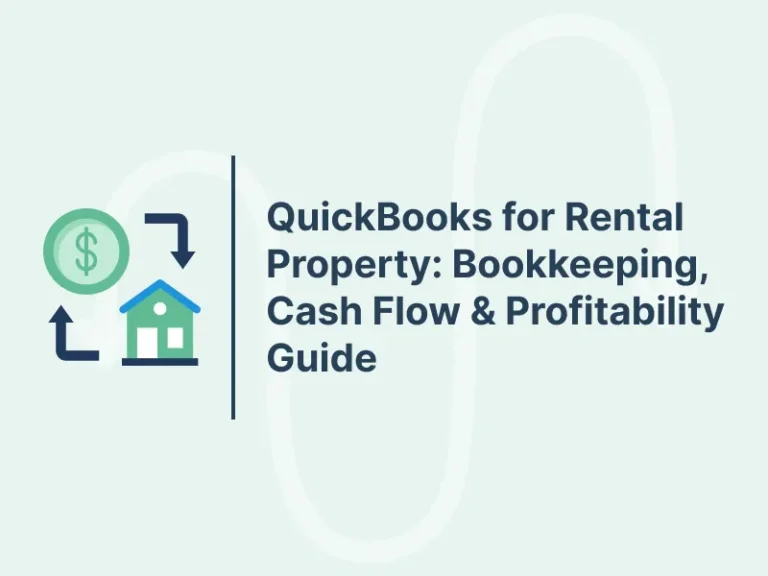
QuickBooks for rental property gives landlords a clear way to track rent, record costs, review cash flow, and measure profit. When owners manage several units, scattered bills and spreadsheets can make it hard to know which property earns more or where money goes each month. A clear bookkeeping system keeps these records in one place and makes financial reviews easier.
With QuickBooks for rental property, landlords can sort income, record repair costs, match bank entries, and review reports. A proper setup also makes it easier to compare units, plan for future bills, and prepare records for tax review. However, accurate results depend on correct entries and regular checks.
What You Will Learn From This Blog
- How QuickBooks for rental property organizes rental income and costs.
- How to set up accounts and track each rental unit.
- How QuickBooks for property management keeps financial records clear.
- How to review cash flow and measure rental profit.
- Which reports landlords should check each month.
- When professional bookkeeping may be useful.
How QuickBooks for Rental Property Helps Landlords Manage Finances
Keep Financial Records in One Place
QuickBooks for rental property lets landlords record rent, repairs, insurance, property tax, and other costs in one accounting file. Clear records make it easier to review income and see where rental funds go.
Track Each Rental Unit
Owners using QuickBooks for property management need to compare income and costs for each rental property. Use classes, locations, or other tracking tools available in your plan to see which unit earns more and which has higher running costs.
Monitor Rent Payments
Record each rent payment against the right tenant or income account. Review unpaid rent each month so you can follow up on late payments and keep your rental records current.
Record Repairs and Upkeep
Use QuickBooks for rental property to track plumbing, paint, cleaning, and routine repair bills. Add clear notes and save receipts to make repeat costs easier to review.
Prepare for Tax Time
Organized books make it easier to gather rental income and expense records for tax review. A tax professional should confirm which costs qualify as deductions and whether major upgrades need different treatment from routine repairs.
How to Set Up QuickBooks for Rental Property Bookkeeping
Choose a Suitable Plan
Compare QuickBooks plans based on the number of users, reports, and tracking tools you need. Features can vary by plan and region, so check current product details before choosing one for your rental business.
Create Income and Expense Accounts
Set up accounts for rent, late fees, repairs, insurance, utilities, property tax, and management fees. A clear chart of accounts keeps similar transactions together and makes reports easier to read.
Separate Records by Property
Set a consistent method in QuickBooks for property management to track each building or unit. For example, an owner with three flats can use available class or location tracking to compare the income and costs of each flat.
Connect Bank Accounts
Connect the right bank account or import bank statements into QuickBooks for rental property. Check each entry before accepting it because a bank feed may not show whether a payment is rent, a transfer, or a loan payment.
Add Opening Balances
Enter verified opening balances for bank accounts, loans, and other relevant accounts. Keep lease details, purchase records, loan statements, invoices, and receipts in an organized folder for future checks.
optional anymore
on running the business
How to Track Rental Income and Expenses in QuickBooks
Record Rent Correctly
Enter each rent payment against the correct account and note the period it covers. If you record rent through invoices, apply each payment to the right invoice to avoid counting the same income twice.
Track Other Rental Income
Record parking fees, late fees, laundry income, and other receipts under suitable income accounts. Keeping these amounts separate from base rent gives owners a clearer view of total earnings.
Categorize Every Expense
QuickBooks for rental property can group expenses such as insurance, repairs, utilities, and property tax. Record each cost under the correct account and property to avoid errors in monthly reports.
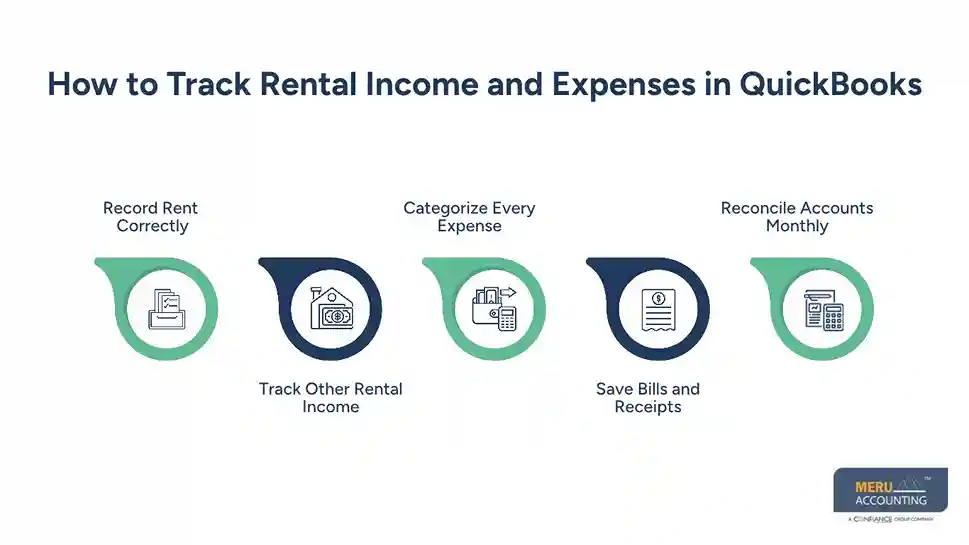
Save Bills and Receipts
Keep proof of payments, supplier bills, and repair invoices. In QuickBooks for property management, add a short note that names the property and explains the work so you can check each entry later.
Reconcile Accounts Monthly
Compare the QuickBooks balance with the bank statement each month. Check for missing entries, duplicate payments, bank fees, and uncleared transactions before marking the account as reconciled.
How QuickBooks for Property Management Improves Bookkeeping Accuracy
Follow the Same Entry Rules
QuickBooks for property management works best when all properties follow the same account names and entry rules. Consistent records make it easier to compare costs and spot unusual changes.
Find Duplicate Transactions
When using QuickBooks for rental property, review bank feed transactions carefully to identify payments that you have already entered manually. Review suggested matches before adding new entries, as duplicate income or costs can distort your reports.
Review Unpaid Rent and Bills
Check overdue rent and unpaid supplier bills each month. QuickBooks for property management can make these reviews easier when invoices, payments, and due dates are entered correctly.
Control Access to Records
Give each user access only to the records and tasks needed for their role. Review access when a staff member or bookkeeper leaves, and use strong passwords and available security settings.
Check Entries Before Closing the Month
With QuickBooks for rental property, reviewing large payments, unusual expenses, and account changes before closing the month can help prevent errors in financial reports. These checks can catch common errors before they affect financial decisions.
How to Monitor Rental Property Cash Flow Using QuickBooks
Compare Income With Costs
Cash flow shows the cash that comes in and goes out during a set period. Use QuickBooks for rental property to compare rent collected with loan payments, repairs, insurance, utilities, and other cash costs.
Plan for Annual Bills
Property tax, insurance, and some service costs may fall due once or twice a year. Estimate these bills in advance and set aside enough cash to avoid a shortage when payment is due.
Follow Up on Late Rent
Review unpaid rent each month and contact tenants about overdue balances. A property may show income on paper but still face a cash shortage if rent has not been collected.
Build a Cash Reserve
Set aside funds for repairs, empty units, and unexpected bills. The right reserve depends on property age, local costs, loan terms, and the risk of lost rent.
Review Monthly Cash Trends
Compare cash flow across several months to spot changes in rent collection or running costs. For example, if a unit brings in $2,000 and has $1,500 in monthly cash outflows, $500 remains before any costs not yet included.
How to Calculate Rental Property Profitability in QuickBooks
Calculate Total Rental Income
Add rent and other rental income for the period. Keep your accounting method consistent because rent earned and rent received may fall in different periods.
Add Operating Expenses
Include routine costs such as repairs, insurance, property tax, and management fees. Keep loan principal separate from operating expenses because principal repayment reduces cash but is not usually an income statement expense.
Work Out Net Operating Income
Net operating income (NOI) equals rental income minus operating expenses, before loan payments and income tax. For example, $24,000 in annual rental income minus $8,000 in operating costs gives an NOI of $16,000.
Review Profit and Cash Separately
QuickBooks for rental property can show income and expenses, but profit is not the same as cash flow. Loan principal, major purchases, and payment timing can change the cash available to the owner.
Compare Returns Across Units
Compare properties over the same period using the same method. Measures such as capitalization rate and cash-on-cash return can add insight, but they need accurate property values, costs, and financing details.
QuickBooks Reports Every Rental Property Owner Should Review
Profit and Loss Report
Review income and expenses for a set period. The report can show whether rent has grown, repair costs have risen, or a unit earns less than expected.
Cash Flow Report
Use QuickBooks for rental property to check how cash moves through the business and compare the report with bank balances and upcoming bills. Positive profit does not always mean enough cash is available for payments.
Balance Sheet
The balance sheet shows recorded assets, liabilities, and equity on a set date. Review bank balances, loan balances, and other amounts to check that the books reflect current records.
Accounts Receivable Report
When rent is recorded through invoices or receivables, this report can show unpaid balances. Use it to identify overdue rent and follow up on payments.
Expense and Property Reports
Review expense details and property-level reports in QuickBooks for property management where your plan allows them. Compare similar periods and investigate unusual increases in repairs, utilities, or other costs.
Meru Accounting’s QuickBooks Bookkeeping Services for Rental Property Owners
Rental Income and Expense Bookkeeping
At Meru Accounting, we record rental income, repair costs, insurance, property taxes, and other expenses through QuickBooks bookkeeping services. Our team tracks transactions for each rental unit, giving you a clear view of your income and costs.
QuickBooks Bank Reconciliation Services
We match bank statements with QuickBooks entries to identify missing payments, duplicate transactions, and account errors. Meru Accounting keeps your rental accounts accurate and up to date through regular bank reconciliation.
Rental Property Financial Reporting
Our financial reporting services show rental income, operating expenses, net operating income, and outstanding balances. Meru Accounting provides clear reports so you can compare property performance and review changes in rental costs.
Rental Accounting and Tax Records
We organize rental income records, expense details, repair bills, and supporting documents for tax preparation. Our bookkeeping services give your tax professional clear financial records to review deductions and filing requirements.
Ongoing QuickBooks Bookkeeping Services
Meru Accounting provides ongoing QuickBooks bookkeeping services, including transaction entry, expense categorization, bank reconciliation, and monthly account reviews. We keep your rental records current so you can review results and plan future costs.
Our Expert Perspective
Rental property owners should review their books each month instead of waiting until tax time. QuickBooks for rental property gives a clear view of rent, expenses, cash flow, and profit when records stay accurate and each unit is tracked separately. Regular checks of bank records, unpaid rent, repair costs, and property-wise reports can reveal errors early, improve cost planning, and help owners make sound financial decisions.
Key Takeaways
- QuickBooks for rental property records rent, repairs, bills, and other financial activity in one system.
- Set up clear accounts and separate records for each rental unit.
- Record payments correctly, save receipts, and reconcile bank accounts each month.
- Review cash flow as well as profit because loan principal and major purchases can affect available cash.
- Check profit and loss, cash flow, balance sheet, and unpaid rent reports on a regular schedule.
- QuickBooks for property management works best when owners keep accurate records and check reports before making financial or tax decisions.
- Seek qualified accounting or tax advice when a cost or tax rule is unclear.
FAQs
QuickBooks for rental property tracks rent, repair costs, property taxes, and other expenses to keep rental accounts organized.
Landlords can record rent payments, categorize expenses, reconcile bank accounts, and review property-level reports in QuickBooks.
Yes, landlords can track multiple properties using available class or location features to compare income, expenses, and profits.
Rental property owners can review profit and loss, cash flow, balance sheet, and accounts receivable reports to assess their finances.
Yes, US landlords can use QuickBooks to manage rental income and expenses, maintain financial records, and prepare data for tax review.
optional anymore
on running the business