Every business needs to pay its workers. But doing payroll is not always easy. You have to count work hours, deduct taxes, add benefits, and give payslips. If you don’t do it right, workers can get upset, and the tax office can charge you extra money. That’s why many businesses turn to SaaS payroll software or managed SaaS payroll solutions to handle payroll with ease and accuracy. There are two common ways to do this. One way is to use SaaS payroll software, and the other is to use managed saas payroll solutions.
Each way has its good points and bad points. This article will help you learn more about both. It will explain SaaS payroll software, how it works, and how it is different from managed payroll.
What is SaaS Payroll Software?
SaaS payroll software means “Software as a Service” for payroll. This is a kind of computer program you don’t need to install. You open it on the internet, log in with your ID, and do your payroll work there.
You can:
- Add employee names
- Track hours
- Count pay
- Deduct taxes
- Print payslips
- Send payments
The software is in the “cloud.” That means it stays on the company’s servers, not your computer. You pay a fee each month or year to use it. This type of tool is called one of the saas payroll solutions because it helps solve payroll tasks using online software.
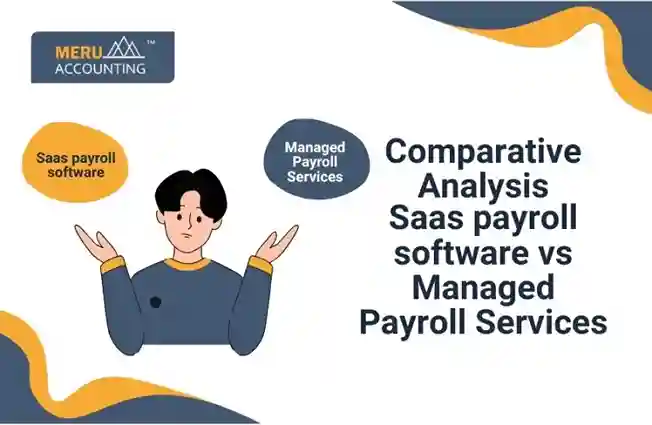
SaaS Payroll Software vs Managed Payroll
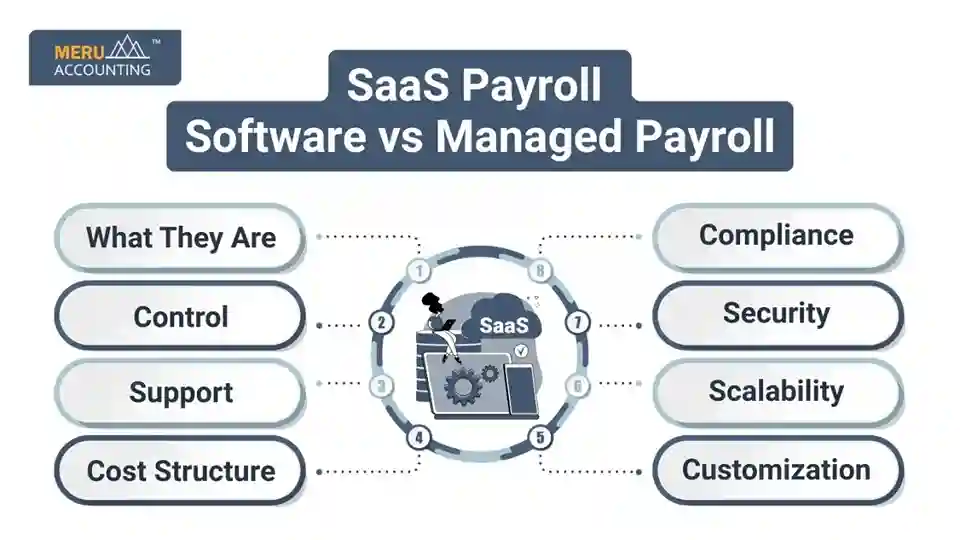
Choosing the right payroll system is important for your business. Some companies use SaaS payroll software, while others choose managed payroll services. Below is a simple comparison using easy points to help you decide.
1. What They Are
- SaaS Payroll Software:
A cloud tool your business uses on its own to do payroll. You log in and run everything online. This is a smart option in saas payroll solutions. - Managed Payroll:
A full-service payroll company takes care of the entire payroll process; you provide the data, and they handle the rest.
2. Control
- SaaS Payroll Software:
You keep full control. You run payroll, track hours, and file taxes yourself. - Managed Payroll:
Less control. The provider handles everything from start to finish.
3. Cost Structure
- SaaS Payroll Software:
You pay a monthly or yearly fee. This has a lower starting cost. A great choice for small businesses. - Managed Payroll:
Higher upfront costs. You pay for the full service, which grows with your business size.
4. Scalability
- SaaS Payroll Software:
Easy to grow. You can add more users or staff as your business grows. - Managed Payroll:
Also scalable, but it depends on what the payroll company can handle.
5. Compliance
- SaaS Payroll Software:
You must know the rules. You are in charge of following tax laws and staying up to date. - Managed Payroll:
They follow the rules for you. The service keeps your payroll legal and correct.
6. Support
- SaaS Payroll Software:
You get basic help from the software company, like tech support. - Managed Payroll:
You get help from payroll experts. Support is personal and detailed.
7. Security
- SaaS Payroll Software:
Security depends on the software company’s cloud system. - Managed Payroll:
Often safer. These companies have strong rules and teams for data safety.
8. Customization
- SaaS Payroll Software:
You can only do what the software allows. Less room to change how things work. - Managed Payroll:
More options. They can change their service based on your business needs.
SaaS Payroll Software Benefits and Drawbacks
Benefits of SaaS Payroll Software
1. Cost-Effective for Small Businesses
SaaS payroll software is good for small and medium businesses. It offers low monthly fees, which helps with planning and saving money.
2. Cloud Access for Remote Use
You can use the software from anywhere because it is cloud-based. This makes it easy to manage payroll even if you work from home or while traveling.
3. Automates Payroll Tasks
SaaS payroll solutions can do tax calculations, direct bank payments, and reports automatically. This saves time and reduces mistakes.
4. Employee Self-Service
Workers can log in to see their own pay slips and tax forms. This means fewer questions and faster access to payroll info.
5. Connects With HR and Accounting
SaaS payroll software can work with your HR tools and accounting programs. This makes your business work smoother.
Drawbacks of SaaS Payroll Software
1. Needs Payroll Knowledge
You or your team must know how to handle payroll. The software does not come with a payroll expert.
2. Not for Complex Payroll
If your payroll has many rules, job types, or tax setups, SaaS payroll software may not be enough.
3. Data Speed and Security Risks
There may be delays in how fast data moves. If the setup is weak, there may be safety risks with worker data.
4. Fewer Options for Custom Changes
SaaS payroll solutions only do what the software allows. You cannot change or add features as you would with a custom system.
Managed Payroll Benefits and Drawbacks
Benefits of Managed Payroll
1. Full Payroll Service
Managed payroll teams handle everything like pay, taxes, rules, and reports.
2. Experts Handle Complex Payroll
If your payroll has many details or special rules, the experts in managed payroll know how to do it right.
3. Saves Time for Your Staff
Since the service team does the work, your staff can focus on other tasks. This saves time and effort.
4. Fewer Risks and Mistakes
The payroll team checks their work, which means fewer mistakes and less chance of tax trouble.
5. Great for Big or Global Businesses
If you have many workers or teams in other countries, managed payroll is the best solution.
Drawbacks of Managed Payroll
1. Higher Costs
Managed payroll services cost more than SaaS payroll software. You pay for the full service and expert team.
2. Less Internal Control
You don’t manage the payroll steps yourself. You must trust the outside team to do it the way you want.
3. You Rely on Another Company
If there is a problem, you need the service team to fix it. You may have to wait for their help.
4. Data Safety Must Be Managed
You must be sure the payroll service protects your worker data. Without strong safety, there may be privacy issues.
Comparative Table: SaaS vs Managed Payroll
Feature | SaaS Payroll | Managed Payroll |
Cost | Lower recurring fees | Higher service-based fees |
Control | High – self-managed | Medium – limited flexibility |
Compliance Support | Minimal to moderate | High – expert-driven |
Time Requirement | Requires internal effort | Minimal internal involvement |
Scalability | Easy with add-ons | Usually scalable with cost |
Technical Knowledge Needed | High | Low |
Integration with Tools | Excellent | Varies by provider |
Customization | DIY customization | Tailored to business needs |
Doing payroll the right way is very important. Paying your team on time and filing taxes is a big part of running a business. You now know the two main choices: SaaS payroll software and managed payroll services. Each one has pros and cons.
SaaS tools give you more control and cost less. Managed payroll takes work off your plate but costs more.
Both are helpful saas payroll solutions. Pick the one that fits your needs. And if you’re not sure where to start, Meru Accounting can help. We have the right team and tools to guide you through every step.
FAQs
- What is SaaS payroll software?
SaaS payroll software is a tool you use online to run payroll. You can use it anywhere and do all payroll work by yourself. - How is managed payroll different?
In managed payroll, you hire a team to do all the work. They handle everything from pay to tax filing. - Is SaaS payroll better for small businesses?
Yes, many small businesses choose SaaS payroll. It costs less and gives full control. - Can I switch from SaaS to managed payroll later?
Yes. You can start with SaaS and move to managed payroll when your team grows or when you need more help. - Who can help me choose the right payroll option?
Meru Accounting can help. We offer both types of payroll help and can guide you based on your business size and goals.