
Picking the right accounting software is one of the top steps for any business. The right tool helps you track cash in and cash out, send bills, watch cash flow, and get set for tax time. With so many tools to pick from, it can be hard to know which one will work best for your team.
Each business has its own needs based on its size, line of work, cost plan, and growth goals. A tool that fits one firm may not fit the next. This is where a professional bookkeeping service can help. Skilled bookkeepers know how many accounting tools work and can help you pick one that fits your goals and day-to-day accounting tasks.
This blog shows how a professional bookkeeping service helps firms pick the right accounting software, what to look for when you make your choice, and how the right tool can make day-to-day accounting work much more easily.
What You Will Learn From This Blog
In this blog, you will learn:
- Why choosing the right accounting software is important for your business.
- How a professional bookkeeping service helps you evaluate and select the best software.
- The key features to look for before investing in accounting software.
- Practical tips to get the most value from your accounting system.
- The differences between cloud-based and desktop accounting software.
- How the right software can improve bookkeeping, financial reporting, cash flow management, and business growth.
What Is Accounting Software?
Accounting software is an online tool that helps firms keep, sort, and track financial data. It takes the place of many manual tasks, so bookkeeping is much faster, more accurate, and far less hard to do.
Most software can help with jobs such as:
- Make bills
- Track cash in and cash out
- Keep track of bills payable and receivable
- Run pay for staff
- Watch cash flow
- Build financial reports
- Help with tax work and rule checks
Years ago, most firms kept track of sales and payments manually. That took a lot of time and led to many errors. Now, most software does much of this work on its own. This helps firms save time, cut down on errors, and keep their financial data more accurate.
A professional service can also help set up the tool the right way, sort your financial files, and make sure your team gets the best use from day one.
Why Picking the Right Accounting Software Is So Key
Not all accounting software gives you the same tools. Picking one that fits your needs can make day-to-day work much easier and help your firm grow with less stress.
The right software can help your firm:
- Save time by doing day-to-day bookkeeping jobs
- Reduce manual entries and fewer errors
- Build the right financial reports for smart choices
- Help keep cash flow on track by watching bills and costs
- Make tax work and rule checks much easier
- Link with bank tools, pay tools, payroll, and more
- Grow with your firm as your needs grow
Picking accounting software with no help can lead to high costs, poor tools, and more work down the road. A professional bookkeeping service looks at your needs first and then helps you pick the best fit. This helps make sure the tool works well now and still fits your firm as it gr
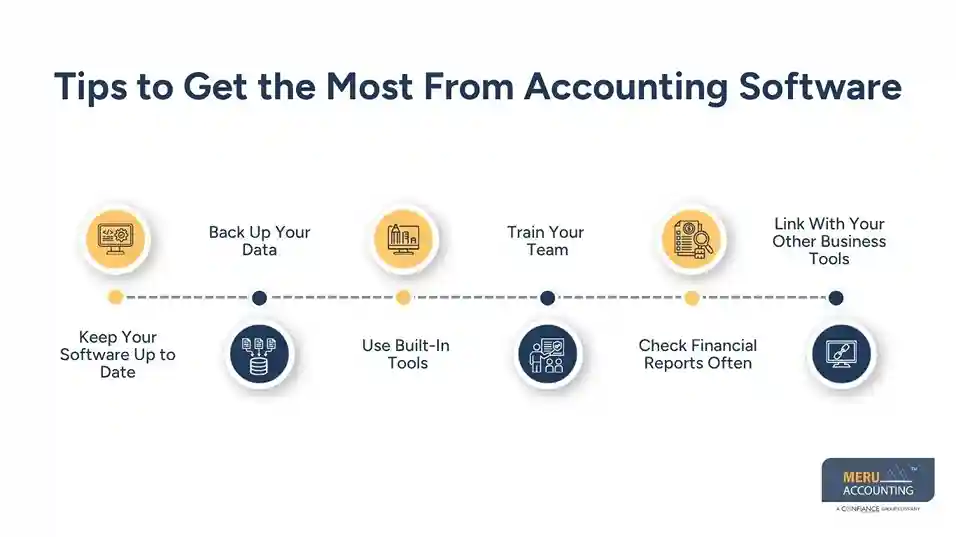
Tips to Get the Most From Accounting Software
Picking the right accounting software is just the first step. To get the best use from it, you need to set it up the right way, keep it up to date, and use its tools each day. A professional service can help you set up the system, keep your books right, and make sure you get the most from your software.
Keep Your Software Up to Date
Keep your software up to date to get new tools, fix bugs, and keep your data safe. New updates help the system run well and cut the risk of errors.
Back Up Your Data
Make sure you back up your financial data on a set plan. Most cloud-based software saves data on its own, but it is still smart to check that your backups are up to date. This helps keep your files safe if data is lost.
Use Built-In Tools
Make full use of tools such as repeat bills, bank feeds, pay notes, and cost tracking. These tools save time, reduce manual work, and help keep your books more accurate.
Train Your Team
Make sure all staff who use the software know how it works. Good training helps them key in data the right way, use the same steps, and stay away from costly errors. A professional bookkeeping service can also train your team and help them use the software with ease.
Check Financial Reports Often
Build and check your financial reports on a set plan. Reports such as profit and loss, balance sheets, and cash flow reports help you see how your firm is doing and help you make smart business choices.
Link With Your Other Business Tools
Link your software with your bank, payroll, pay tools, stock tools, or other apps when you can. These links cut the need to key in the same data more than once, help keep your books right, and keep all your financial data in one place.
By using these tips, firms can get the best use from their accounting software. A professional service also helps keep your books neat, your financial data right, and your software ready to meet your needs as your firm grows.
How to Choose the Right Accounting Software
Picking the right accounting software is one of the top steps for your business. The right tool makes bookkeeping much easier, keeps your financial data right, and helps your firm grow. With so many tools to pick from, you need to look at your needs first. A professional service can help you and help you pick the best fit for your business.
Easy to Use
Pick software that is easy to learn and easy to use. A clear system helps you and your team get day-to-day work done with less time and fewer errors.
Works on the Devices You Use
Make sure the software works on the phones, PCs, or other tools your team uses each day. Some tools run in the cloud and work from most places, while some stay on one PC. Pick the one that best fits the way you work.
Fits Your Cost Plan
Accounting software comes with many price plans. Some give you the key tools at a low cost, while some give more tools for firms that are still on the rise. A professional service can help you look at each plan and pick the one that gives the best value for your money.
Has the Tools You Need
Write down the tools your firm needs most. These may be bills, payroll, cost tracking, stock, tax work, bank match, or financial reports. Picking software with the right tools helps you work well and keeps you from paying for tools you may not use.
Keeps Data Safe
Your financial data must stay safe at all times. Look for software with safe data storage, user sign-in rules, data lock tools, and auto backups. These tools help keep your files safe.
Grows With Your Firm
Your needs will grow as your firm grows. Pick software that can take on more staff, more sales, more sites, and more reports as your work grows.
Lets More Than One User Work
If more than one staff member works on your books, pick software that lets many users sign in. User rights help each staff member see only the data they need while still keeping key data safe.
Good Help and Support
Now and then, you may need help with your software. Pick a tool with good phone, email, or live chat help so you can get fast support when you need it.
Works Well With Other Business Tools
Many firms use payroll tools, pay apps, CRM tools, stock apps, or web store tools. Pick software that works with these apps to reduce manual work, keep data right, and help day-to-day work move with ease.
Work With a Professional Bookkeeping Service
If you are not sure which accounting software is right for your business, talk with a professional bookkeeper. Skilled bookkeepers know the strong points of many accounting tools and can help you pick the best one for your field, cost plan, and long-term goals. They can also help with setup, data move, team training, and day-to-day help so you get the most from your new software.
Cloud-Based vs. Desktop Accounting Software
Feature | Cloud-Based Accounting Software | Desktop Accounting Software |
Use | Work from most places with the web | Runs on one PC or a local setup |
Updates | New updates load on their own | You load updates manually |
Data Safety | Data stays safe online with auto backups | Data stays on your own PC or server |
Web Need | Needs web access | Can work with no web link |
Best For | Firms that need work from more than one place | Firms that want full local data control |
Both cloud-based and desktop software have good points. The best pick will depend on how your firm works, your cost plan, your data needs, and your long-term goals. A professional bookkeeping service can look at your needs and help you pick the best fit for your business.
Picking the right accounting software is about more than just looking at tools or going with the most well-known name. Each business has its own needs, and the right software should help with day-to-day work, keep financial data right, and grow with your firm.
A professional bookkeeping service makes the choice much easier by first learning how your business works. Bookkeepers help you pick the right software, set it up, move your data, and give help as your needs grow. This cuts the risk of picking the wrong tool and helps you get the best use from your money.
At Meru Accounting, we help businesses pick, set up, and run accounting software that fits the way they work. From software setup and bookkeeping to financial reports and day-to-day help, our team gives you the support you need to keep your books in good shape and help your business move ahead.
Our Expert Insight
Choosing accounting software should never be based only on price or popularity. The best solution is the one that fits your business processes, reporting needs, budget, and future growth plans. A professional bookkeeping service brings practical experience with multiple accounting platforms, helping you avoid costly mistakes, simplify implementation, and ensure your software supports your business as it grows. Investing time in selecting the right system today can save significant time, money, and effort in the future.
Key Takeaways
- The right accounting software improves bookkeeping accuracy, reporting, cash flow management, and tax preparation.
- Every business has unique accounting needs, so software should be selected based on business requirements rather than brand popularity.
- Professional bookkeeping services help businesses choose, implement, and optimize accounting software for long-term success.
- Features such as automation, security, integrations, scalability, and ease of use are essential when comparing software options.
- Regular updates, team training, data backups, and proper software setup help businesses get the maximum return from their accounting system.
- Whether you choose cloud-based or desktop accounting software depends on your workflow, accessibility needs, and data management preferences.
FAQs
A professional bookkeeping service looks at your business size, line of work, cost plan, and accounting needs before helping you pick the best accounting software. Bookkeepers can also help with setup, data move, team training, and day-to-day help.
Look for software that is easy to use, fits your cost plan, has the tools you need, keeps data safe, works with your other business tools, and can grow with your business.
Both have good points. Cloud-based accounting software gives you web access from most places and loads new updates on its own. Desktop software gives you more control over data kept on your own system.
Yes. A professional bookkeeping service can move your data, set up the new software, check your books, and help make the move smooth with as little delay as possible.
The right accounting software helps keep financial data accurate, reduces manual work, makes tax time less hard, builds clear reports, and helps you make smart business choices while saving time and costs.