

Running a small business today needs clear money tracking, timely records, and simple reporting. Many owners now choose digital tools to reduce errors and stay updated with financial data. Xero accounting software for small businesses is one such tool that gives a simple way to manage accounts without complex steps.
In daily business work, billing, payroll, and expense tracking can take a lot of time if done manually. This is where cloud-based accounting tools become useful. Many users also refer to Xero software for accounting as a trusted system that reduces manual effort and keeps financial records in one place.
This blog explains how Xero works, its key features, pricing, and why it is widely used by small firms. It also shares real use cases and expert insights from a practical accounting view.
What You Will Learn From This Blog
- How Xero works for small businesses
- Key features and functions of the platform
- Benefits compared to manual accounting systems
- Pricing plans and cost factors
- Common mistakes users should avoid
- Cash flow management techniques using Xero
- How Meru Accounting can support setup and use
Introduction To Xero Accounting Software For Small Businesses
Xero accounting software for small businesses is built on cloud technology, which allows users to access financial data at any time from anywhere. This removes the need for traditional desktop software and manual backups, making record-keeping more flexible and easier to manage.
With cloud access, business owners can stay connected to their accounts even when they are away from the office. The system is designed with a simple interface so that even users without strong accounting knowledge can understand reports, dashboards, and key financial details. It also supports multi-device access, which means users can log in through laptops, tablets, or mobile phones.
This makes Xero software for accounting especially useful for business owners who travel or manage work from different locations. Another important advantage is real-time data updates. Every invoice, bill, or payment entry is recorded instantly, which reduces confusion and keeps financial tracking accurate.
Along with this, the platform uses secure data storage with encryption and backup systems, offering stronger protection compared to local files. The setup process is also quick and simple, allowing small businesses to start using Xero accounting software for small businesses within a short time without complex installation steps.
Key Features of Xero Software For Accounting
Bank Reconciliation
Bank transactions automatically match with records, improving accuracy and efficiency. Automated matching reduces errors in financial record-keeping processes.
Invoice Management
Users can create and send invoices quickly. Xero software for accounting also tracks unpaid invoices. Reminder alerts help follow up on customer payments on time.
Payroll Processing
Salary calculation and payments can be managed in one place. Employees receive accurate salaries on scheduled payment dates consistently.
Expense Tracking
Every business expense can be recorded with receipts for control. Business owners gain clear visibility of monthly spending patterns.
Inventory Control
Stock levels can be tracked in real time accurately. Better stock planning reduces waste and improves purchasing decisions.
Financial Reporting
Profit and loss reports are created automatically, helping with better decision-making with Xero accounting software for small businesses. Reports can be shared easily with accountants for review.
What Makes Xero Software a Reliable Choice For Small Business Accounting
Strong Data Accuracy
Automated calculations in Xero accounting software for small business reduce human errors in financial records, ensuring better financial control and reporting consistency.
Integration With Other Tools
It connects with apps like payment systems and CRM tools for better workflow. Smooth integration reduces manual data entry across multiple business systems.
Regular System Updates
The platform receives updates that improve features and security. Frequent updates keep accounting processes aligned with modern business needs.
Support For Accountants
Many professionals prefer Xero software for accounting due to its structured reporting format. Clear reporting formats make audits and reviews easier for accountants.
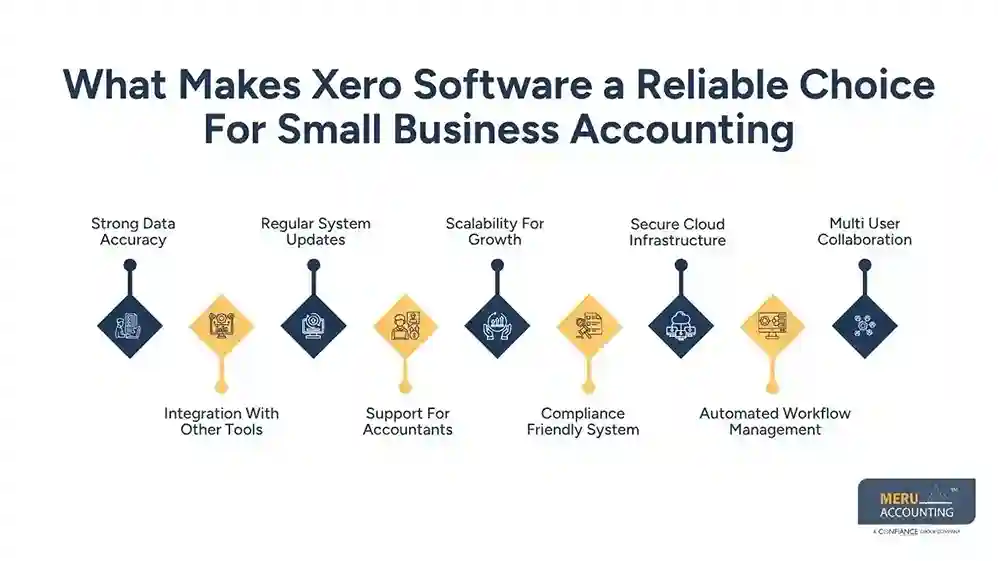
Scalability For Growth
Businesses can upgrade features as they expand without changing systems. Growing companies can manage higher transaction volumes without system changes.
Compliance Friendly System
It helps maintain records needed for tax and audit purposes. Proper record-keeping supports smooth tax filing and regulatory compliance.
Secure Cloud Infrastructure
Xero accounting software for small business stores financial data using encrypted cloud systems. Strong security layers reduce the risk of data loss or unauthorized access.
Automated Workflow Management
Routine accounting tasks get automated through smart workflow features. Automation reduces manual effort and improves overall operational consistency.
Multi User Collaboration
Xero accounting software for small business allows multiple users to access financial data securely, while role-based access controls ensure data security across team members and departments.
Benefits Of Using Xero Software For Accounting Over Traditional Systems
Less Manual Work
Automation reduces paperwork and manual ledger entry. Digital processes save time during daily bookkeeping tasks.
Faster Financial Reporting
Reports are generated instantly compared to manual systems. Quick reporting allows faster financial decisions for businesses.
Better Cash Tracking
Owners can see income and expenses clearly at any time. Real time visibility improves control over business cash flow.
Reduced Human Errors
Xero accounting software for small business limits mistakes caused by manual entry. Automated calculations ensure higher accuracy in financial records.
Improved Collaboration
Accountants and business owners can work on the same data. Shared access improves communication and reduces reporting delays.
Xero Pricing And Plans For Small Businesses
Starter Plan Overview
Xero accounting software for small business starter plan is designed for very small firms with basic accounting needs. Limited features suit freelancers and micro-business operations effectively.
Standard Plan Features
Includes invoicing, bank reconciliation, and reporting tools. Mid level plan supports growing small business financial requirements.
Premium Plan Benefits
Supports multiple currencies and advanced financial tools. Suitable for businesses handling international clients and transactions regularly.
Add-On Services
Extra features like payroll or project tracking may cost more. Optional add-ons allow customization based on business requirements.
Monthly Subscription Model
Xero software for accounting follows a monthly pricing structure, making budgeting easier. Flexible billing helps small businesses manage monthly expenses effectively.
Value For Money
Xero accounting software for small business is often cost-effective compared to traditional accounting systems. Better automation reduces dependency on expensive manual accounting processes.
Common Mistakes To Avoid While Using Xero Software For Accounting
Incorrect Data Entry
Wrong input can affect reports and financial accuracy. Small mistakes in entry may lead to major financial mismatches later.
Ignoring Bank Reconciliation
Skipping reconciliation can lead to mismatched records. Xero software for accounting bank matching should be completed regularly for accuracy.
Poor Invoice Tracking
Unpaid invoices must be monitored regularly. Delayed tracking of invoices can affect overall business cash flow.
Not Using Reports
Many users ignore the financial reports available in accounting software, even though these reports provide clear insights for better business decisions.
Regular review of reports also helps identify cash flow issues and improve long-term financial planning.
Weak User Permissions Setup
All users should have proper access levels for data safety. Incorrect access control may increase the risk of data misuse.
Irregular Data Review
Regular checks are needed to maintain clean records in Xero accounting software for small business. Consistent review ensures accurate financial records throughout the year.
How Does Xero Software For Accounting Improve Cash Flow Management
Real-Time Cash View
Businesses can see their cash position anytime, which helps with planning. Live dashboards show updated financial positions for better decision-making.
Faster Invoice Payments
Digital invoicing speeds up customer payments. Xero software for accounting helps reduce payment delays through faster billing cycles.
Expense Monitoring
All spending is tracked to avoid cash leaks. Clear expense records help control unnecessary business costs.
Forecasting Tools
Accounting software provides data to help predict future cash flow, enabling better planning for business stability. Future cash projections also help businesses prepare for seasonal changes and avoid liquidity issues.
Payment Reminders
Automatic reminders reduce late payments from customers. Xero accounting software for small business improves collection rates through timely alerts.
Better Financial Control
Xero accounting software for small business gives clear control over money movement. Improved visibility supports stronger control over daily financial decisions.
How Meru Accounting Supports Xero Implementation
Setup Assistance
Meru Accounting helps businesses set up Xero accounting software for small businesses correctly from the start. Our team ensures proper configuration so accounting workflows run smoothly from day one.
Data Migration Support
Existing records from other systems can be safely moved into Xero. We take care of migration steps while protecting the accuracy of historical financial data.
Training For Teams
Users are trained to use Xero software for accounting with simple guidance. Our training sessions help teams build confidence in daily accounting operations.
Ongoing Accounting Support
Experts manage accounts and ensure accurate reporting. We provide ongoing support to keep financial records updated and reliable.
Compliance Handling
Tax and reporting rules are followed with professional support. Our compliance handling reduces risks during audits and tax filing processes.
Business Advisory
Meru Accounting provides insights based on real financial data from Xero systems. We help businesses use data-driven insights for better financial planning and decisions.
Our Expert Perspective
From real client experience, small businesses often struggle with delayed reporting and manual errors. After switching to Xero accounting software for small business, many firms report faster invoice cycles and clearer cash tracking. However, the tool works best when data is entered regularly and reviewed weekly.
We also observe that businesses using Xero software for accounting with professional support gain better control over tax filing and financial planning. The software is strong, but correct setup and discipline are key to getting accurate results.
Key Takeaways
- Xero is a cloud-based accounting system for small firms
- It reduces manual accounting work and errors
- Real-time data gives better financial control
- Pricing is flexible for different business sizes
- Proper setup is important for the best results
- Professional support improves accuracy and compliance
FAQs
Xero is used for managing invoices, expenses, bank transactions, payroll, and financial reporting in one organized system.
Xero accounting software for small businesses works well for beginners because of its simple dashboard and easy navigation for daily accounting tasks.
Invoices can be created, sent, and tracked easily, while payment status updates automatically for better control of receivables.
Bank accounts can be linked to Xero, allowing automatic import of transactions and easier reconciliation with accounting records.
Financial data is protected using encryption, secure servers, and regular system monitoring to maintain strong data safety.



