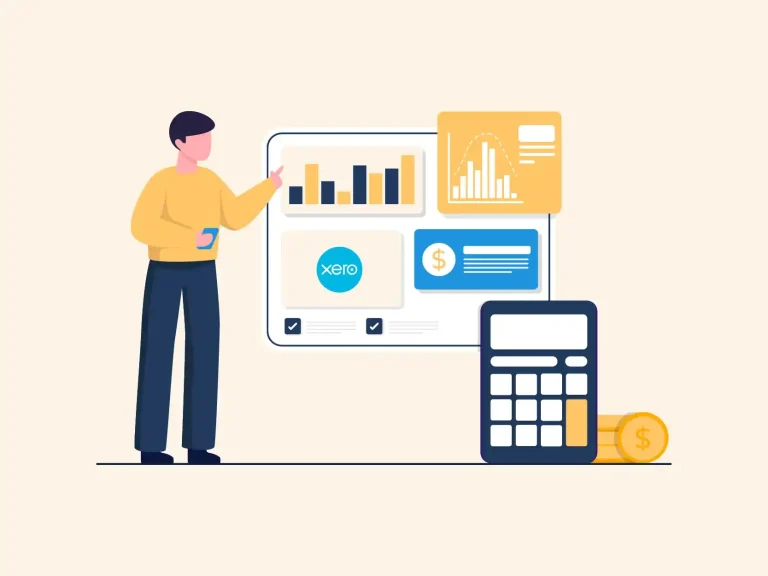
Managing business accounts is one of the most important parts of running a successful company. Choosing the right Xero accounting software can make daily accounting work easier, keep financial records well organized, and give you a clear view of your overall business performance.
Whether you run a small business, a growing firm, or a well-set company, the right accounting system can save time, reduce errors, and make financial tracking more accurate and consistent.
Many business owners also compare QuickBooks accounting software before making a final choice, since both platforms offer strong accounting features for different business needs. However, the best option always depends on factors such as business size, industry type, budget, reporting needs, and future growth plans.
This blog will help you understand key features, selection steps, comparisons, and migration points so you can confidently choose the right Xero accounting software that fits your business goals and financial needs.
What You Will Learn From This Blog
- Understand what Xero accounting software is and how it works.
- Learn why businesses choose cloud-based accounting software for their daily accounting needs.
- Explore the key features that matter before selecting an accounting platform.
- Know the factors to review before making your decision.
- Compare Xero accounting software with QuickBooks accounting software.
- Learn the basic steps for moving from QuickBooks accounting software to Xero.
- Explore how Meru Accounting can guide your business through setup, migration, and ongoing accounting services.
What is Xero Accounting Software and How does It Work?
Xero accounting software is a cloud-based accounting system that helps businesses manage financial records online. It allows users to access accounts from anywhere with an internet connection. This makes accounting more flexible and easy to manage for business owners and accountants.
The software records all key business transactions such as sales, purchases, expenses, payments, and receipts in one centralized system. This reduces manual effort and minimizes errors in data entry.
One strong feature of this cloud-based accounting platform is bank integration. It automatically imports transactions from connected bank accounts, making reconciliation faster and more accurate.
The system also provides essential financial reports like Profit and Loss, Balance Sheet, Cash Flow, and Accounts Receivable reports. These reports support better financial decision-making and business planning.
Additionally, it allows multi-user access, enabling business owners, accountants, and bookkeepers to collaborate efficiently with defined access permissions.
It also connects with many third-party tools, including payroll systems, CRM applications, inventory management tools, and payment platforms. These integrations help businesses manage all key operations in one connected system through a cloud-based accounting platform.
Why Businesses Prefer Xero Accounting Software
Easy To Use
Simple dashboard design helps business owners understand finances quickly. Clean layout reduces confusion while handling daily accounting tasks. Even users without an accounting background manage basic work with ease.
Real-Time Financial Information
Financial records update automatically as transactions occur. Income, expenses, invoices, and cash flow stay visible throughout the day. Business owners do not need to wait for monthly reports to check performance.
Suitable For Growing Businesses
Xero accounting software handles growing transactions and multiple users without system issues. New features and users can be added as business expands. Switching to a new system becomes unnecessary during growth.
Better Collaboration With Accountants
Accountants and business owners work on the same live data. Changes reflect instantly for both sides. Communication becomes faster and financial review becomes more accurate.
Strong Security Standards
Encrypted systems protect financial data from unauthorized access. Secure cloud storage keeps records safe. Regular backups and automatic updates maintain system reliability.
Global Business Support
Multi-currency support helps businesses operate in different countries. Tax settings adjust for different regions. Integration with global tools supports smooth international operations.
Xero is used by millions of businesses worldwide for managing accounting and financial records, making it one of the most widely adopted cloud-based accounting platforms.
optional anymore
on running the business
Key Features to Look For in Xero Accounting Software
Automatic Bank Reconciliation
Automatic bank feeds reduce manual data entry by importing banking transactions directly into the software. Businesses can quickly match transactions with accounting records.
Invoice Management
Businesses can create professional invoices, send them electronically, monitor payment status, and send payment reminders to customers. Faster billing cycles improve the cash collection process and reduce delays in payments.
Expense Tracking
Every business expense can be recorded, categorized, and monitored. This gives business owners better control over spending throughout the financial year.
Financial Reporting Tools
A good accounting system should provide clear financial reports that allow owners to understand profitability, business performance, and cash flow without complicated calculations. Reports support better decision-making with real data.
Inventory Management
Businesses that sell products should choose accounting solutions that integrate with inventory applications. This ensures inventory records and financial data stay connected and updated in real time.
Mobile Accessibility
The mobile application allows business owners to approve invoices, record expenses, check reports, and monitor business finances while away from the office. Financial control remains accessible even during travel or field work.
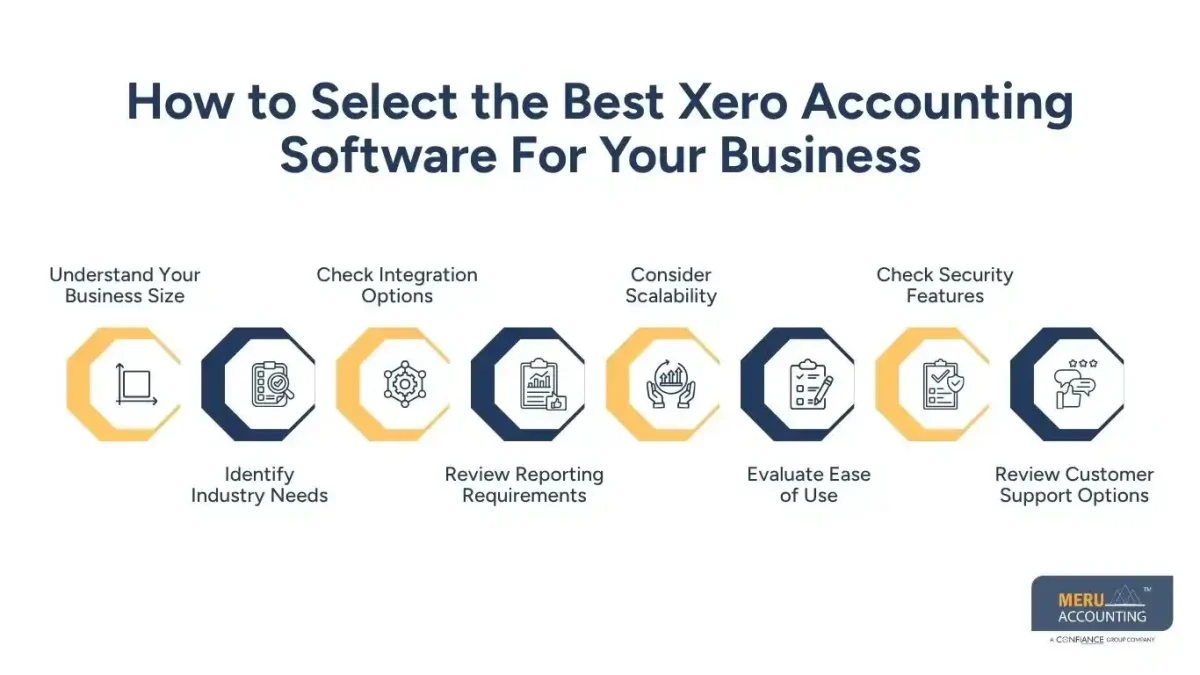
How to Select the Best Xero Accounting Software For Your Business
Understand Your Business Size
The first step in selecting Xero accounting software is understanding your business size and transaction volume. A small business may need basic invoicing and expense tracking, while a growing company may need payroll, inventory, and advanced reporting.
Identify Industry Needs
Different industries require different accounting functions. Retail businesses need inventory tracking and sales management. Service firms focus more on billing and project tracking for clients. Selecting the right system based on industry requirements ensures better financial control.
Check Integration Options
Before selecting a plan, review whether the system connects with existing business tools such as CRM systems, payment gateways, and payroll platforms. Strong integration reduces manual work and improves accuracy in financial records.
Review Reporting Requirements
Financial reporting plays an important role in business decisions. Reports such as cash flow, profit and loss, and balance sheets should be easy to generate and understand. Clear reporting helps in better planning and performance tracking.
Consider Scalability
Your accounting system should grow with your business. A scalable Xero accounting software setup allows you to add users, features, and business locations without switching platforms later.
Evaluate Ease of Use
Simple interface reduces training time for staff. Easy navigation helps teams manage daily accounting tasks without confusion. User-friendly design increases work efficiency.
Check Security Features
Strong security protects sensitive financial data. Encryption, backups, and secure cloud storage reduce risk of data loss. Reliable security builds trust in financial management.
Review Customer Support Options
A good support system helps during technical issues. Email, chat, and help guides should be easily available. Quick support reduces downtime in accounting work.
Factors to Consider Before Selecting Xero Accounting Software
Pricing Structure
Understand subscription costs, add-on features, and hidden charges. While Xero accounting software offers flexible pricing, choosing the right plan depends on your business size and usage needs.
Ease Of Migration
If you are already using another system like QuickBooks accounting software, check how easy it is to move your data, including invoices, ledgers, and tax records.
Data Security
Security is crucial when managing financial information. Ensure the cloud-based accounting platform uses strong encryption, reliable data backup systems, and secure cloud access protocols.
User Access Control
A good system allows role-based access. This ensures employees, accountants, and managers can only access data relevant to their responsibilities.
Customer Support Availability
Reliable support is important when technical issues arise. Choose a system that offers help through chat, email, and knowledge resources.
Xero Accounting Software Vs QuickBooks Accounting Software: Key Differences
Feature | Xero Accounting Software | QuickBooks Accounting Software |
Interface And Usability | Simple dashboard with easy navigation. Suitable for beginners and small teams. | More detailed menus. May take longer time for new users to learn. |
Pricing Flexibility | Flexible pricing plans suitable for small and growing businesses. | Higher-tier pricing required for advanced features. |
Integration Ecosystem | Large app marketplace with a wide range of business tool integrations. | Strong integrations, but the ecosystem is comparatively more structured. |
Reporting Structure | Focus on simple, real-time financial reports that are easy to read. | Offers more advanced and detailed reporting formats for deep analysis. |
Global Usability | Used widely across multiple countries with strong international support. | Strong presence in specific regions, with some variation in global features. |
Collaboration Features | Real-time collaboration between business owners and accountants with shared access. | Collaboration available but may not feel as real-time in workflow updates. |
How to Migrate From QuickBooks Accounting Software to Xero Accounting Software
Step 1: Prepare Financial Data
Before starting migration, financial records in QuickBooks accounting software should be cleaned. Duplicate entries need removal. All accounts must be fully reconciled for accurate transfer.
Step 2: Export Data
Important files such as invoices, bills, chart of accounts, and tax details should be exported from QuickBooks accounting software. Data should be saved in supported file formats for smooth import.
Step 3: Import Into System
All exported data should be uploaded into the new accounting platform using its import tools or migration services. Proper mapping of accounts ensures correct financial transfer.
Step 4: Verify Data Accuracy
After import, balances, reports, and transaction records must be checked carefully. Any missing or incorrect entry should be corrected before going live.
Step 5: Set Up Bank Feeds
Bank accounts should be connected to Xero accounting software to enable automatic transaction updates. This improves reconciliation speed and keeps records updated.
Step 6: Train Your Team
Accounting staff should be trained on the new system. Proper training ensures smooth daily operations and reduces confusion during the transition phase.
Why Choose Meru Accounting?
Meru Accounting provides expert support for businesses that want to adopt Xero accounting software or switch from QuickBooks accounting software. Our team helps with setup, migration, bookkeeping, payroll, and financial reporting.
We ensure smooth transition, correct data mapping, and accurate financial setup so your business does not face disruptions during migration. Whether you are a startup or an established company, our accounting professionals guide you step by step with practical support.
We also provide ongoing advisory support to help businesses use the cloud-based accounting platform more effectively after setup, ensuring better financial clarity, smoother operations, and improved decision-making across daily accounting tasks.
Our Expert Perspective
In our experience working with global clients, Xero accounting software is often preferred by businesses that want simple financial control and real-time visibility. However, QuickBooks accounting software is still widely used by companies that require deeper traditional reporting structures.
We have observed that businesses switching from QuickBooks accounting software to Xero accounting software usually seek better collaboration and easier access to cloud-based financial data. The decision should always be based on transaction volume, reporting needs, and internal accounting skills.
Key Takeaways
- Xero accounting software is suitable for cloud-based financial management.
- QuickBooks accounting software is still strong for detailed reporting needs.
- Business size and industry should guide software selection.
- Migration must be planned carefully to avoid data errors.
- Real-time access and automation are key advantages of modern accounting systems.
- Professional support can reduce risk during setup and transition.
FAQs
Xero accounting software is used for managing business finances such as invoicing, expenses, payroll, and financial reporting in one system.
Both are strong tools. One is known for its ease of use in cloud environments, while the other offers more detailed traditional reporting features.
Yes, businesses can migrate data from one system to another using built-in import tools or professional migration services.
Yes, it is widely used by small businesses because it is simple, affordable, and easy to use.
While not mandatory, having an accountant helps ensure accurate records, better financial management, and compliance with regulations.