

A Shopify store can show $10,000 in sales and still put much less than $10,000 into your bank account. Payment fees, refunds, payout timing, and tax can all change the final amount. That is where Xero for Shopify becomes useful. It brings Shopify sales data into Xero so you can see what was sold, what was paid out, and what was recorded in your accounts.
A Shopify-Xero connection can reduce manual work, but it does not remove the need for accounting review. Payouts can still be missed, refunds can be posted to the wrong account, and tax data may require a separate check before it is used for reporting.
So, the real question is not whether Xero for Shopify can connect with Shopify. It can. The better question is whether the connection gives you enough detail to keep sales, payments, and tax data in line.
What You Will Learn From This Blog
- How Xero for Shopify moves sales data from your store into your accounts.
- What happens to Shopify Payments, fees, refunds, and other payment methods.
- How Shopify payment reconciliation works when sales and bank deposits do not match.
- What Shopify tax reports can show and where Xero fits into the process.
- Which financial reports are worth checking each month.
- When Shopify accounting with Xero may need extra review.
How Xero for Shopify Connects Shopify Sales and Accounting Data
Shopify Sales Data
Think of your Shopify store as the place where orders happen and Xero as the place where those transactions become part of your accounts. Xero for Shopify connects these two parts of the process.
Instead of entering every sale by hand, Shopify data can flow into Xero based on the integration setup. This gives sellers less routine data entry and more time to review the figures.
Daily Sales Flow
A store can have dozens or thousands of orders in a day. Entering each one by hand would take time and create more room for errors.
With Xero for Shopify, sales data can be brought into Xero on a daily basis. Xero says its Shopify integration can send sales as daily summaries or individual sales, depending on the setup.
Fees and Refunds
A $100 order does not always mean $100 reaches your bank. A payment fee may be taken first, and the customer may also return the item later.
Sales and payment-related data can be brought into the accounting process, giving you a way to track more than the final bank deposit. That matters when you want your income and costs to match the activity shown in your Shopify store.
Multiple Payment Gateways
Many sellers use more than one way to collect money. Shopify Payments may handle cards, while PayPal or another gateway handles other orders.
Xero for Shopify can provide sales data linked to different payment gateways. This is useful when one bank account receives money from several payment sources, and the deposits do not look the same.
What Still Needs Review
Automation can move data. It cannot tell you whether every number makes sense.
You still need to check sales totals, fees, refunds, payout dates, and bank deposits. This is where Shopify accounting with Xero becomes more than a connection between two apps. It becomes a review process.
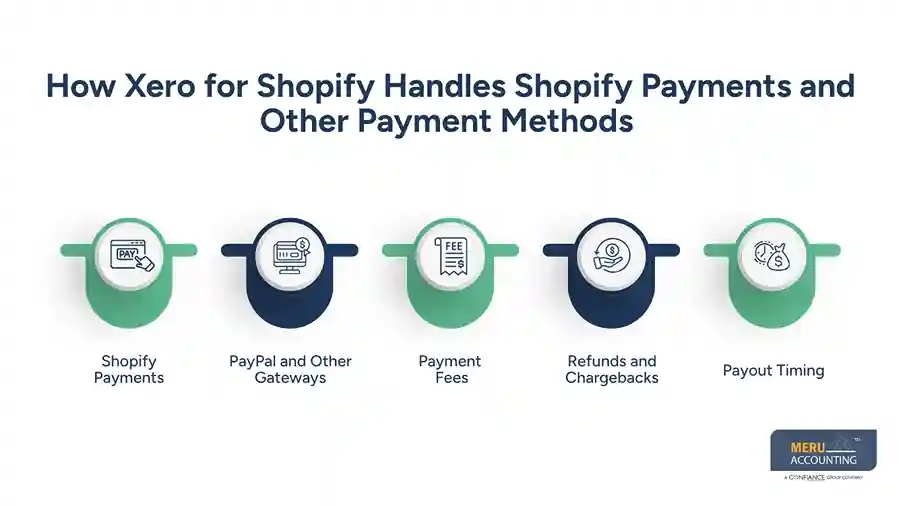
How Xero for Shopify Handles Shopify Payments and Other Payment Methods
Shopify Payments
Shopify Payments creates more than a simple “paid” status. A payout can include sales, fees, refunds, and other activity.
Xero for Shopify can bring payment information into your accounting records, while Shopify remains the place where you can inspect the detailed payment activity. Shopify provides payout and transaction reports for this purpose.
PayPal and Other Gateways
Now imagine that Monday’s Shopify sales were $4,000. You received $2,700 through Shopify Payments and $1,300 through PayPal.
Your bank may show two deposits on different dates. Treating the $4,000 as one bank transaction would make the review harder. Each payment route should be checked against its own payout information.
Payment Fees
Payment fees are easy to miss because the customer sees the full sale amount while the bank receives the net amount.
For example, a $200 sale may create a $194 deposit after a $6 payment fee. The $194 is not the sale. It is the cash received after the fee. Recording that difference correctly keeps your revenue and payment costs clear.
Refunds and Chargebacks
A refund can happen days after the original order. A chargeback can create another adjustment.
Shopify’s payment activity reports can show refunds, disputes, fees, and other changes to payment balances. When using Xero for Shopify, checking these adjustments against payout records can help explain differences between Shopify activity and the amount recorded in Xero.
Payout Timing
Here is a common source of confusion: the day you make a sale may not be the day you receive the money.
Shopify notes that payout timing can vary based on factors such as location, payment method, and other account conditions. This timing gap is one reason Shopify payment reconciliation should be based on payout records, not just sales dates.
Shopify Payment Reconciliation: How to Match Payouts With Sales
Start With the Payout
Start with what actually reached your bank. Then work backward.
When using Xero for Shopify, compare these payout details with the corresponding entries recorded in Xero. Shopify provides details such as transaction amounts, fees, payout dates, and transaction types.
Match Gross Sales
Next, look at the gross sales behind the payout. Do not compare the bank deposit only with your total Shopify sales for the day.
A single payout can contain many orders. It can also include refunds and other adjustments. The goal of Shopify payment reconciliation is to explain the full difference.
Check Fees
Suppose Shopify shows $5,000 in sales but only $4,850 reaches the bank. That $150 gap should not be treated as missing money without checking the payout details.
Payment fees may explain part or all of the difference. Shopify provides fee information in its payout records.
Review Refunds and Adjustments
A payout may also be changed by refunds, disputes, or other adjustments.
If your Xero balance and Shopify payout do not agree, check these items before creating a manual adjustment. Otherwise, you may fix a difference that was already explained by a refund or fee.
Match the Bank Deposit
The last step is the bank statement. If Shopify says a payout of $4,850 was sent and your bank shows $4,850, the cash side agrees.
If the figures differ, find the reason before marking the account as reconciled. This simple check can catch duplicate entries, missing payouts, and wrong account postings.
How Xero for Shopify Supports Sales Tax Reporting
Shopify Tax Data
Tax is one area where sellers should not assume that an accounting connection does everything.
For US sellers, Xero states that its Shopify integration does not handle US sales tax data. Xero says sellers need to get the required tax information from Shopify for reporting and filing.
Tax By Location
Sales tax can become complex when you sell across different states or tax areas.
Shopify provides tax reports that can show sales and tax information by jurisdiction when the relevant Shopify tax features are used. This gives sellers data to review before preparing a return.
Tax and Total Sales
In Xero for Shopify, your sales report and tax report answer different questions.
One shows what you sold. Another can show tax collected or tax-related details. Shopify also provides reports covering items such as gross sales, net sales, returns, shipping, and taxes.
1099-K Records
US sellers should also know about Form 1099-K. Shopify states that payment settlement entities may have reporting duties to the IRS and, where required, state authorities.
The form is used to report payment information. It does not by itself determine the seller’s taxable income.
Tax Review Before Filing
With Xero for Shopify, reports can give you the accounting data, but they do not determine what your business owes in tax.
Your tax duties can depend on your location, business type, sales activity, and other facts. Review the Shopify tax data with your accounting records and use qualified tax advice when the rules are not clear.
optional anymore
on running the business
Shopify Accounting With Xero: Reports Sellers Should Review
Profit and Loss
Shopify bookkeeping and accounting with Xero should not stop after sales are recorded. The profit and loss report shows whether those sales actually produced profit after costs.
Look at sales, payment fees, refunds, shipping costs, and other expenses together. A rise in sales does not always mean a rise in profit.
Balance Sheet
The balance sheet gives you a different view. It shows what the business owns and owes at a set date.
For a Shopify seller, this can include cash, payment balances, inventory, tax amounts, and other accounts. Unusual balances deserve a closer look before the month is closed.
Bank Reconciliation
Bank reconciliation is where your accounting records meet the bank statement.
For Shopify accounting with Xero, this check is useful because Shopify payouts may arrive separately from the original sale dates. Missing or duplicate payouts can otherwise sit unnoticed in the accounts.
Sales and Fee Reports
Review Shopify sales and payment fee reports against the related Xero accounts to check whether Xero for Shopify is reflecting the underlying transactions correctly.
Shopify’s finance reports can show payment activity by payment method and gateway. This gives you a second view of the numbers and makes it easier to spot a mismatch.
Tax Reports
Tax reports deserve their own review rather than being treated as part of total sales.
Shopify provides tax reports with tax and sales details that can be used when reviewing tax obligations. For US sellers, this is especially important because Xero for Shopify does not handle US sales tax through the Shopify integration.
Is Xero for Shopify Enough for Shopify Sellers’ Accounting and Tax Needs?
For Basic Sales Accounting
For many sellers, Xero for Shopify can provide a practical base for recording Shopify sales.
It can reduce manual entry and bring store data into the accounting system. But the quality of the final accounts still depends on how the connection is set up and how often the data is checked.
For Payment Reconciliation
Xero for Shopify can form part of a payment review process, but Shopify reports and bank statements still matter.
A good Shopify payment reconciliation process explains the gap between gross sales and cash received by checking fees, refunds, payout timing, and other adjustments.
For Sales Tax
Xero for Shopify should not be treated as a complete US sales tax solution. Xero clearly notes that its Shopify integration does not account for US sales tax.
Shopify tax reports therefore remain an important source of data for US sellers.
For Growing Stores
A small store may have one payment gateway and a few dozen orders. A larger store may have several gateways, refunds, multiple currencies, inventory, and sales in many tax areas.
As the number of moving parts grows, Shopify accounting with Xero needs more checks. A monthly review can be far easier than trying to fix several months of mismatched data at once.
For Tax Filing
Xero can keep your accounting data in one place, but tax filing can require more than a sales total.
Your records may need to be reviewed against Shopify tax reports, payment reports, bank activity, and the tax rules that apply to your business. A qualified tax professional can review complex filing issues before a return is submitted.
How Meru Accounting Can Manage Shopify Accounting With Xero
Meru Accounting provides accounting services for sellers who need more than a basic data connection between Shopify and Xero. Our team can review how sales move from Shopify into Xero and whether the accounting setup reflects the way your store actually receives and spends money.
We can also review account mappings, payment channels, and sales entries to find areas that need correction. This gives sellers a clearer view of how their Shopify activity appears in their financial reports.
Our team can review Shopify sales, payment fees, refunds, payouts, bank activity, and tax-related reports. We can also carry out Shopify payment reconciliation to explain differences between Shopify payouts, Xero entries, and bank deposits.
Each payout can be checked against the related transactions, fees, refunds, and other adjustments. This makes it easier to trace a difference instead of simply creating a manual entry to make the figures match.
For sellers using Xero for Shopify, regular checks can make it easier to spot missing payouts, duplicate entries, unusual balances, and fee differences before they affect monthly reports.
We can review key reports on a set schedule and compare them with the source data from Shopify and the bank. Where figures do not agree, the related transactions can be checked to find the reason for the difference. This gives sellers a cleaner set of records for month-end review and tax preparation.
Our Expert Perspective
The useful part of Xero for Shopify is not simply that data can move from one system to another. The real value comes from knowing what the numbers mean after they move. If Shopify shows $10,000 in sales but only $9,650 reaches the bank, the $350 difference needs an explanation. Fees, refunds, and payout timing may explain it. A good accounting process finds that reason instead of forcing the numbers to match.
Key Takeaways
- Xero for Shopify can move Shopify sales data into Xero and reduce manual entry.
- Shopify Payments can include sales, fees, refunds, and other payout activity.
- Shopify payment reconciliation should match Shopify activity with Xero records and bank deposits.
- Shopify tax reports provide tax data that should be reviewed before filing.
- US sellers should note that the Xero Shopify integration does not handle US sales tax data.
- Shopify accounting with Xero still needs regular checks of sales, fees, payouts, bank activity, and tax data.
- Sellers with more payment methods, refunds, inventory, or tax areas may need a more detailed review process.
FAQs
Xero for Shopify sends Shopify sales and payment data to Xero so sellers can record and review their ecommerce transactions in their accounts.
Xero can be used as part of the reconciliation process, but sellers should compare Shopify payouts, payment fees, refunds, and bank deposits to confirm that the amounts match.
To reconcile Shopify Payments in Xero, compare the Shopify payout with the related sales, fees, refunds, and bank deposit before matching the transaction in Xero.
Xero does not handle US sales tax through its Shopify integration, so sellers need to use Shopify tax data when reviewing their US sales tax reporting and filing needs.
Xero can be used for Shopify accounting by recording sales, payment activity, fees, and other financial data, but sellers still need regular reconciliation and tax review.
optional anymore
on running the business



