
Managing tasks and time across many jobs can get hard. With Xero project management, you gain control over work, cost, and time. It helps your team stay on track and keeps your clients happy. Let’s explore how Xero project management brings better results with smart tracking tools and clear reporting.
What You Will Learn From This Blog
By reading this blog, you will gain practical insights into how Xero project management helps growing businesses improve project control, streamline operations, and achieve better business efficiency. Specifically, you will learn:
- How Xero project management simplifies project tracking, time logging, and cost management.
- The key features that improve project visibility, profitability, and team collaboration.
- A step-by-step process for setting up and using Xero Projects effectively.
- How Xero helps businesses overcome common project management challenges such as missed billable hours, hidden costs, and delayed invoicing.
- Best practices for maximizing business efficiency through accurate tracking, budgeting, and reporting.
Why Tracking Projects in Xero Matters
Project tracking helps small firms improve control and reduce waste. When you use projects in Xero, your data stays live and clear. You get full access to real-time costs and time tracking.
- It Shows the Real Cost: You know how much a task eats into your budget. This helps you charge your client the right amount. It brings fair pay and better cash flow.
- No More Missed Hours: Many teams forget to record time. Xero project management tracks time with simple tools. So, you don’t lose hours that you should bill.
- Boosts Client Trust: When you show your clients clear reports, they trust you more. Xero project management lets you share clean reports with ease.
- Brings Faster Billing: Time is money. Xero lets you send bills fast with all task data in place. It makes clients pay on time.
- Helps with Team Tasks: Each team member sees what to do and by when. It keeps the work smooth and clear.
Xero projects help keep track of time and tasks. They also support fair and quick billing. That means more money and fewer problems.
Top Features of Xero Project Management
Xero project management is full of tools that help both big and small firms. You get control over
jobs and costs from start to end.
- Time Tracking: Track how long a job takes. Enter time on the go with the mobile app. It works for all users.
- Task and Cost View: See each job, task, or cost in one view. It helps you keep track of all your tasks.
- Simple Invoicing: You can make bills right from your project. Add time and costs to get a full bill in no time.
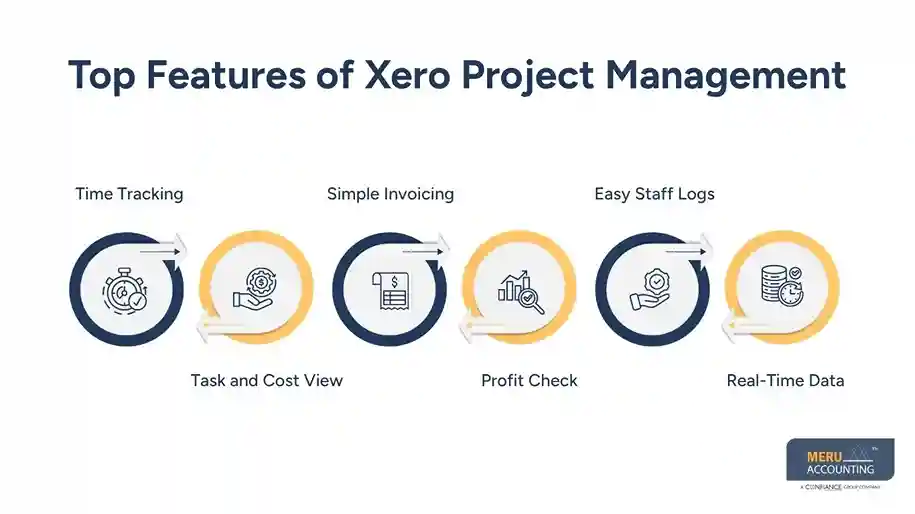
- Profit Check: See how much profit you made on each job. Get clear views on where you win or lose money.
- Easy Staff Logs: Track what each team member does. It helps with payroll and keeps work fair.
- Real-Time Data: Get updates on each job right when it happens. No delays or guesswork.
Projects in Xero make work easy. You can check progress, plan tasks, and act fast with the right tools.
How to Set Up and Use Xero Project Management
Setting up Xero project management is easy. You don’t need to be a tech expert. Take these steps to begin with ease.
Step 1: Enable Projects
Log in to your Xero account and turn on Projects. Add users who need access to job-tracking tools. Choose user roles and access levels for control. Start from the “Projects” menu on your dashboard. You’re ready to begin tracking new jobs.
Step 2: Add a New Project
Click on “New Project” and enter key job info. Set project name, client, start, and due dates. Add budget estimates if needed for tracking. Attach notes or files for client work. The project is now ready to add tasks.
Step 3: Add Tasks and Time
Break down work into clear tasks. Assign each team member with time estimates. Let the team log time for each small task. Get alerts when logged time exceeds the budget. Track daily progress with visual time graphs.
Step 4: Add Costs
Input all expenses related to the project. Link receipts, travel, and supply costs per task. Match costs to budget items for clean reports. Ensure no cost gets lost or misplaced. Use cost data to plan better next time.
Step 5: Bill Clients
Pull time and cost data into invoices. Send bills directly from the project screen. Add notes to show what each charge covers. Clients see value in detailed work logs. Faster invoicing means faster payments.
Xero project management is simple to use. It fits all skill levels and helps keep projects on track.
Benefits of Using Xero Project Management for Small Businesses
Xero project management is perfect for small teams with limited resources. It brings transparency, control, and cost savings to every job.
Better Cash Flow: With time logs and fast bills, your cash moves in faster. No more waiting weeks to get paid.
Saves Time: No need to copy data into other tools. Xero does it all in one place.
Cuts Costs: You don’t pay for tools you don’t use. Xero project management gives you what you need at a fair price.
Makes Teams Work Better: Each team member knows their role. Work flows smoothly and quickly.
Boosts Growth: Track which job brings profit. You can then take on more of that work.
Mobile Friendly: Use the mobile app to check work on the go. You don’t need to sit at a desk.
Projects in Xero help small teams stay strong, clear, and fast. It adds to profit and peace of mind.
Common Challenges and How Xero Project Management Solves Them
Small firms face tracking problems that slow growth. Xero project management helps solve these with smart tools and features.
- Missed Time Logs: Many staff members forget to log hours. With Xero, logging time is easy with a phone or the web.
- Hidden Costs: Sometimes small costs go untracked. Xero project management helps link each cost to a task or job.
- Late Invoices: Xero project management lets you make bills fast from job data. No delay means faster payment.
- Poor Job Scope: Xero project management gives a clear view of what work is due. This avoids scope creep.
- Team Confusion: Everyone sees what’s next. That keeps your team on track.
- No Job Reports: You get job data and results with one click. It helps you improve.
- Wrong Job Prices: See how much you made or lost. It helps set the right price for future work.
Tips to Maximize Business Efficiency with Xero Project Accounting
To get the best business efficiency from Xero project accounting, you must use it correctly. These tips can help.
- Use Daily Logs: Don’t wait till the end. Let your team log time each day.
- Review Each Job Weekly: See how your jobs are doing. Fix issues early.
- Set Job Budgets: Always set a time and cost cap. It keeps your job in line.
- Tag Tasks Well: Use clear task names. It helps find data fast.
- Train Your Team: Make sure all users know how to use Xero tools.
- Use the App: Track jobs from your phone. You don’t need to be in the office.
- Link to Your Bank: Let Xero match costs with bank feeds. It saves time and reduces errors.
With the right use, Xero project management can boost both speed and value in your firm.
At Meru Accounting, we help you set up, use, and grow business efficiency with Xero. We set up your Xero projects based on your goals. We show you how to cut costs using Xero’s smart tools. Our setup helps you see real job profits with ease. We use trusted ways to keep your data safe. Meru Accounting makes your Xero project management setup smooth. You get better use of your tools, and your work becomes sharp and strong.
Our Expert Insight
Effective project management is more than tracking tasks—it is about making informed business decisions based on accurate financial and operational data. Xero project management combines project tracking with accounting, allowing businesses to monitor costs, manage resources, improve billing accuracy, and measure profitability from a single platform. For growing businesses, this integration leads to stronger business efficiency, better cash flow, and improved decision-making. At Meru Accounting, we help businesses implement Xero Projects strategically, ensuring they maximize productivity while maintaining complete financial visibility.
Key Takeaways
- Xero project management centralizes project tracking, time recording, expense management, and invoicing in one platform.
- Real-time project data helps businesses improve planning, budgeting, and overall business efficiency.
- Accurate time tracking reduces missed billable hours and supports faster, error-free client invoicing.
- Built-in profitability reports help identify high-performing projects and improve future pricing strategies.
- Small businesses benefit from better cash flow, stronger team collaboration, and streamlined workflows.
- Following best practices such as daily time logging, regular project reviews, and budget monitoring helps maximize Xero’s value.
FAQs
Xero project management improves business efficiency by tracking time, costs, and project progress in one place, helping businesses work faster and make better decisions.
Yes, Xero’s mobile app lets you log time and tasks while on the go.
Yes, it covers time and costs to create accurate bills for clients.
Yes, since Xero works online, all team members can log tasks anytime.
Yes, you get job reports that show time, cost, and gains.
optional anymore
on running the business