
Xero for manufacturing can give small and mid-size firms a clear view of stock, bills, sales, and cash flow. But production firms need more than basic income and expense tracking. They also need a sound way to track raw goods, labor, factory costs, work in progress, and the cost of each finished item.
Xero has stock tools that track item count and value, while its app system can link with tools made for deeper production work. Xero itself notes that firms with more complex needs may need a mix of core Xero tools and a stock or MRP app.
This makes the right setup key. Xero manufacturing cost accounting works best when the chart of accounts, stock rules, cost codes, and app links match the way goods are made.
What You Will Learn From This Blog
- How Xero for manufacturing can be used to track key cost areas.
- How Xero manufacturing cost accounting can split direct and indirect costs.
- How to set a cost base for each product or job.
- How to track raw stock, finished stock, and work in progress.
- When a manufacturing app may be needed with Xero.
- What checks can make cost data more sound and useful.
How Xero for Manufacturing Handles Production Costs
Set Up Clear Cost Accounts
A sound chart of accounts is the base for Xero for manufacturing. Set clear accounts for raw goods, direct labor, factory cost, freight, stock, and cost of sales.
This gives the firm a clean path from a bill or cost entry to the right part of the profit and loss or balance sheet.
Track Raw Material Spend
Raw goods are often the first major cost in a plant. Record each buy in a way that lets the firm link the spend to the right stock item or job.
Xero for manufacturing can provide a central view of stock counts and inventory value, while a linked app can add more detail when the firm needs full production control.
Record Direct Labor
Direct labor is the wage cost tied to making a unit or batch. A firm can use time data and job records to trace this cost to the right work.
Xero Projects can track time and costs against a project, which can be useful for firms that make goods on a job basis.
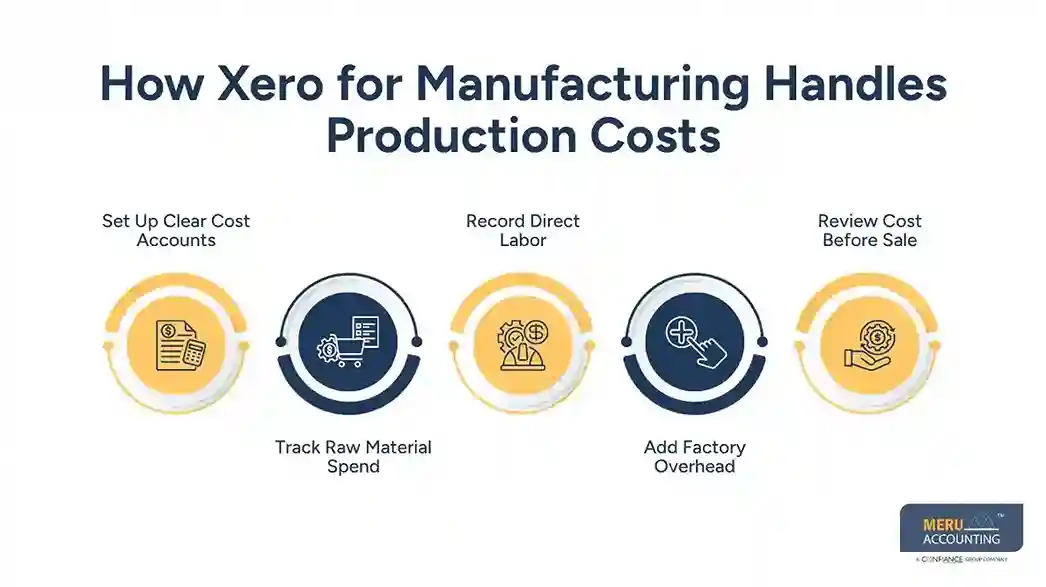
Add Factory Overhead
Power, rent, repairs, plant cost, and other shop costs do not always link to one unit with ease. These costs need a fair base for use in Xero manufacturing cost accounting.
The base may be labor hours, machine hours, units made, or another cost driver that fits the plant.
Review Cost Before Sale
Before a product is sold, check its full cost. A sale price may look strong while the real margin is low if labor or factory cost is left out.
This is where Xero for manufacturing can give the finance team a better view when stock, bills, and cost data are set up with care.
Understanding Cost Categories in Xero Manufacturing Cost Accounting
Direct Material Cost
Direct material is the raw input that goes into a product. For a chair maker, this may be wood, screws, foam, and fabric used in each chair.
Accurate Xero manufacturing cost accounting should keep these costs separate from general shop spend.
Direct Labor Cost
Direct labor is the pay tied to work on the product. If a worker spends 10 hours on a batch, those hours can form part of the batch cost.
Time data must be clear and tied to the right job or work order to make the result useful.
Factory Overhead
Factory overhead may include rent, power, plant repair, tools, and other shared costs. These costs need a set rule before they are spread across goods.
A clear rule makes Xero for manufacturing reports more useful for margin review and pricing.
Freight and Other Costs
Freight, duty, handling, and some inbound costs can affect the true cost of stock. The firm should set a policy for which costs form part of inventory and which are treated as period costs.
The same rule should be used from month to month unless there is a sound reason to change it.
Cost of Goods Sold
When a finished item is sold, its cost moves from stock to cost of goods sold under the firm’s accounting method. This link matters because it affects gross profit.
Xero manufacturing cost accounting should be checked at each close so stock and cost of sales do not drift apart.
How to Allocate Manufacturing Costs in Xero
Pick a Cost Driver
Cost allocation starts with a fair driver. A plant may use machine hours, labor hours, units made, or direct labor cost.
The right driver depends on how the plant works. A machine-heavy plant may gain more from machine hours than labor hours.
Set Cost Centers
Split plant costs into useful groups such as cutting, molding, packing, or assembly. Each center can have its own cost base.
This gives Xero for manufacturing users more detail when they review where factory spend comes from.
Use Job or Project Data
For custom work, project tracking can give a better view of time, bills, and other job costs. Xero Projects can assign time, bills, and spend to a project and show its total cost and margin.
Apply a Set Rate
A plant can set an overhead rate based on a known cost driver. For example, if factory overhead is $100,000 and planned machine hours are 20,000, the rate is $5 per machine hour.
The rate should be checked as real costs and output change.
Review the Allocation
A rate that was fair at the start of the year may not fit later. Review actual cost, output, and use of machines or labor on a set cycle.
This review adds control to Xero manufacturing cost accounting and can flag gaps before year-end.
Using Xero for Manufacturing for Product Costing
Build a Product Cost
Product cost should include the cost items that relate to making the good. A simple base can be material plus direct labor plus the fair share of factory overhead.
With Xero for manufacturing, the finance team can use stock, bill, expense, and project data as part of this cost review.
Use Bill of Materials Data
A bill of materials lists the parts and raw goods needed for one product. Xero’s core tools may need a linked manufacturing app when a firm needs full BOM and production control.
This is a key limitation to note when setting up Xero manufacturing cost accounting.
Compare Cost With Sale Price
Once the product cost is known, compare it with the sale price. This shows the gross margin before other firm costs.
For example, a unit that costs $40 to make and sells for $60 has a $20 gross margin before other costs.
Check Cost Variance
Compare planned cost with actual cost. A rise in raw goods, wage rates, scrap, or machine time can create a gap.
These gaps can show where the plant needs a closer review.
Update Product Cost Data
Product costs should not stay fixed when key inputs change. Review material rates, labor rates, and overhead rates on a set cycle.
This keeps Xero for manufacturing data closer to the real cost of making each product.
optional anymore
on running the business
Tracking Inventory and Work-in-Progress Costs in Xero
Track Raw Stock
Xero can track stock quantity and value within its accounting tools. This gives finance teams a direct view of key stock data.
For firms with many stock sites or deep production needs, a linked app may be needed.
Track Finished Goods
With Xero for manufacturing, finished goods can be recorded in the appropriate stock account after production is completed, while unit costs should follow the firm’s stated costing method.
This is an area where Xero manufacturing cost accounting needs good links between production data and finance data.
Track Work in Progress
WIP is stock that has started but is not yet done. Its value may include material, labor, and the right share of factory cost.
For complex WIP flows, Xero’s own guidance points firms toward specialist inventory tools and manufacturing apps.
Check Stock Counts
Physical stock checks in Xero for manufacturing can find gaps between system data and goods on hand. Check raw stock, WIP, and finished goods based on the firm’s risk and stock cycle.
When using Xero for manufacturing, a gap should be traced before an adjustment is posted.
Reconcile Stock Value
At month-end, compare stock reports with the general ledger. Check unusual changes in stock value, cost of sales, and stock adjustments.
This gives Xero for manufacturing users a better base for monthly reporting.
Best Practices for Xero Manufacturing Cost Accounting
Keep One Cost Policy
Write down how material, labor, overhead, freight, WIP, and finished goods are treated. Use the same rules across periods.
This makes Xero manufacturing cost accounting easier to review and explain.
Link Apps With Care
Xero lists manufacturing apps that can add tools for production planning, stock, shop-floor work, and supply chain data.
Choose an app based on the actual production need, not just the number of features.
Review Data Each Month
A monthly check can cover stock, WIP, cost of sales, overhead, and product margin. Look for large changes and items with no clear reason.
Regular checks make Xero for manufacturing data more fit for pricing and finance review.
Keep Audit Evidence
Keep bills, stock counts, time records, cost rates, and key adjustment notes. These records can show why a cost was posted or changed.
This is also useful during tax work, year-end close, and financial review.
Why Partner With Meru Accounting For Manufacturing Accounting
Review Your Cost Setup
Meru Accounting provides manufacturing accounting services that can review the way costs move through your accounts. The review can cover stock, expenses, fixed assets, cost of sales, and key account balances.
Set Up Cost Categories
A clear cost setup can make Xero for manufacturing data easier to read. Meru Accounting can help set up account groups and cost records based on the firm’s production model.
Check Inventory and WIP
Inventory and WIP need care because errors can affect both the balance sheet and profit. Meru Accounting can review stock data, WIP values, and related entries as part of the accounting process.
Review Product Cost Data
With Xero for manufacturing, product costing can be reviewed against material, labor, and factory cost data to identify differences between production costs and recorded accounting data.
Our Expert Perspective
Xero manufacturing cost accounting works best when the accounting setup reflects the real production process. Xero provides core stock and finance tools, but firms with BOM, WIP, shop-floor, or multi-site needs may need a connected manufacturing app.
The key is to keep production data and finance data tied to the same cost rules.
Key Takeaways
- Xero for manufacturing can track stock, bills, sales, and key financial data.
- Direct material, direct labor, and factory overhead should be kept clear.
- Cost allocation needs a fair and repeatable cost driver.
- Product cost should reflect the costs that are part of making the product.
- Complex production needs may call for a manufacturing app linked with Xero.
- Monthly stock and cost checks can find errors before they affect year-end reports.
- Xero manufacturing cost accounting is most useful when the setup matches the firm’s real production flow.
FAQs
Xero can track key costs such as materials, labor, stock, bills, and expenses, while connected manufacturing apps can manage more detailed production costs.
Xero can provide financial and inventory data for product costing, but detailed BOM, labor, overhead, and production cost calculations may need a connected manufacturing app.
Manufacturing overhead can be allocated by using a set cost driver, such as machine hours, labor hours, or units made, based on the firm’s costing method.
Xero can work with connected manufacturing apps to track WIP, including material, labor, and production costs for goods that are not yet finished.
Xero manufacturing cost accounting is the process of using Xero and related tools to record, classify, allocate, and review costs linked to manufacturing activity.
optional anymore
on running the business