
A warehouse can have 1,000 units on its shelves while QuickBooks shows 970. At first, 30 units may not seem like a major issue. But what if those units are high-value parts needed for a key order? What if the missing stock also changes the inventory value and cost of goods sold? This is where QuickBooks for manufacturing and wholesale needs more than basic data entry. The stock count, sales data, purchase records, and production data must tell the same story.
For a manufacturer or wholesaler, stock rarely stays in one place. Raw materials come in, some move into production, finished goods go to storage, and customer orders take them out again. A single missed receipt or duplicate invoice can break that chain. Regular QuickBooks inventory reconciliation gives the business a way to find where the numbers stopped matching and fix the cause rather than only changing the final balance.
What You Will Learn From This Blog
- Why inventory numbers can differ between QuickBooks and the warehouse.
- Which purchase, sales, return, and production errors cause stock gaps.
- How to trace and correct an inventory difference in QuickBooks for manufacturing and wholesale.
- How QuickBooks handles raw materials, WIP, and finished goods.
- How to check inventory quantity and value.
- How to build a better stock review process in 2026.
Understanding Inventory Reconciliation in Manufacturing and Wholesale
What Inventory Reconciliation Means
Suppose a wholesaler has 500 units on the shelf, but QuickBooks shows 475. The 25-unit gap is the starting point, not the answer. The missing units could come from a late receipt, wrong SKU, return, damaged stock, or duplicate sale.
That is the purpose of QuickBooks inventory reconciliation. With QuickBooks for manufacturing and wholesale, the aim is to explain the difference before changing the accounting records.
Why Inventory Balances Become Different
Stock passes through many hands and many entries. A supplier sends goods, the warehouse receives them, the accounts team records the bill, and the sales team later ships them to a customer.
One missed step can leave the records out of sync. In QuickBooks for manufacturing and wholesale, the longer an error remains open, the harder it can be to trace.
Why Quantity and Value Both Matter
A physical count may show the right number of units while the value is still wrong. For example, 1,000 units at $12 each should not be valued like 1,000 units at $15 each.
This matters because inventory value can affect the balance sheet and cost of goods sold. A complete QuickBooks inventory reconciliation should therefore look at both units and cost.
How Sales Affect Inventory
A sale can reduce inventory and record the related cost of goods sold. If an invoice uses the wrong SKU or quantity, the stock balance may fall by the wrong amount.
This can happen often in wholesale businesses with high order volume. A QuickBooks review for manufacturing and wholesale should compare invoices with orders and shipment data when a stock gap appears.
How Purchases Affect Inventory
A purchase record should reflect what the business ordered and received. If 200 units arrive but only 150 are entered, QuickBooks will show less stock than the warehouse has.
For QuickBooks for manufacturing and wholesale, purchase errors can also affect production because raw materials may later be used in a finished item.
Why Regular Checks Matter
A 10-unit gap found this week is easier to trace than the same gap found at year-end. Recent invoices, receiving sheets, and count records are easier to match.
Regular QuickBooks inventory reconciliation gives QuickBooks for manufacturing and wholesale users a chance to catch these issues before they affect a closed reporting period.
Common QuickBooks Inventory Reconciliation Errors in Manufacturing and Wholesale
Wrong Item or SKU
Two products can have similar names but very different costs. If the wrong Stock Keeping Unit (SKU) is selected during a sale or purchase, the total stock may still look close while individual items are wrong.
Clear SKU names and item rules are useful for QuickBooks for manufacturing and wholesale, especially when warehouse and accounting teams enter different parts of the same transaction.
Missed Purchase Receipt
A supplier may deliver 300 units, but the receiving record may show only 280. The extra 20 units then sit in the warehouse without a matching QuickBooks entry.
Before making a stock adjustment, check the purchase order, receiving record, and supplier bill. This gives the QuickBooks inventory reconciliation a clear source to review.
Duplicate Sales Entry
A customer may place one order, but the same sale can be entered twice. QuickBooks then reduces inventory twice even though only one shipment left the warehouse.
For QuickBooks for manufacturing and wholesale, compare invoice numbers, customer orders, and shipment records before correcting the stock balance.
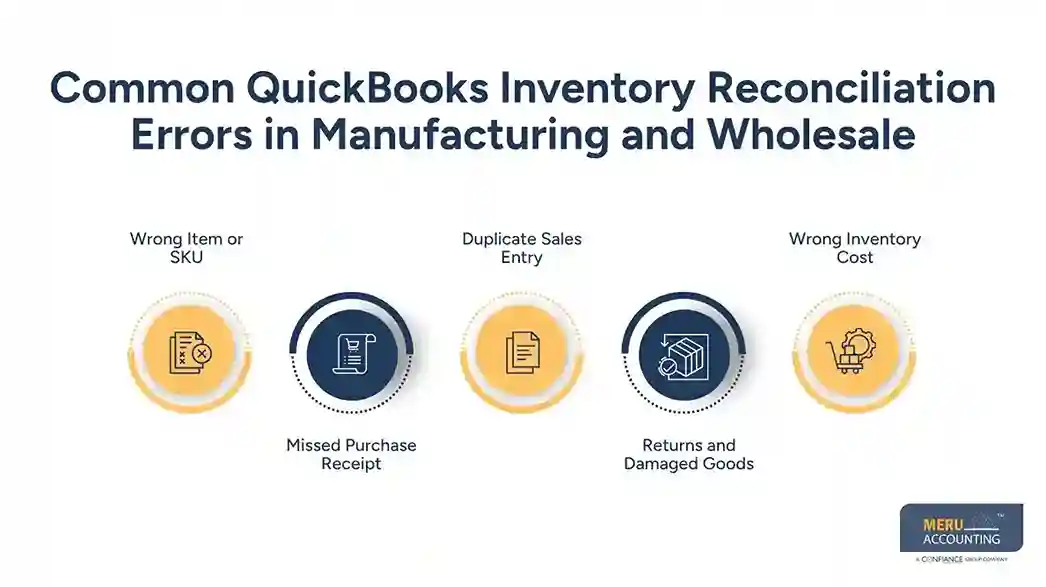
Returns and Damaged Goods
A returned product does not always go straight back into saleable stock. It may need inspection, repair, or disposal.
If a good return is left out, stock can be too low. If damaged goods stay in available inventory, stock can be too high. Intuit provides tools for inventory quantity adjustments in supported QuickBooks plans.
Wrong Inventory Cost
A count can be correct while the inventory value is not. This can happen when the wrong purchase cost is entered, or an item is linked to the wrong transaction.
For QuickBooks for manufacturing and wholesale, cost errors deserve attention because they can affect both inventory value and cost of goods sold.
optional anymore
on running the business
How to Fix Inventory Reconciliation Issues in QuickBooks
Start With a Physical Count
Begin with what is actually in the warehouse. Count the items and record the results before changing anything in QuickBooks.
For QuickBooks for manufacturing and wholesale, the count may need to cover raw materials, finished goods, damaged stock, and other items held by the business.
Compare Each Item
Put the physical count beside the QuickBooks count. If the warehouse has 735 units and QuickBooks shows 750, record the 15-unit difference.
This item-level view makes QuickBooks inventory reconciliation much easier because the problem is clear instead of being hidden inside one large adjustment.
Trace the Source Transaction
Work back through recent purchases, sales, returns, transfers, production entries, and adjustments. Look for the point where the quantity first became different.
With QuickBooks for manufacturing and wholesale, production records deserve special attention because a component may have been used without the related stock entry being made.
Review the Adjustment Account
Once the cause is known, decide whether an adjustment is needed and which account fits the reason. A damaged item and a counting mistake do not necessarily have the same accounting treatment.
QuickBooks provides inventory adjustment functions for supported plans. Material adjustments in QuickBooks for manufacturing and wholesale should be reviewed before posting.
Add a Clear Note
Record the date, item, quantity, reason, and source of the change. A note such as “20 units damaged during September count” gives much more context than a blank adjustment.
This creates a useful record for the next QuickBooks inventory reconciliation and for later financial review.
Review Reports After the Fix
After making the correction, run the inventory report again. Check the quantity, value, and related account.
For QuickBooks for manufacturing and wholesale, the job is not complete just because the unit count matches. The financial effect should also make sense.
How QuickBooks for Manufacturing Handles Raw Materials, WIP, and Finished Goods
Raw Materials
Raw materials may sit in storage for days or months before production starts. Once used, they become part of another product rather than remaining as separate sale stock. Item setup in QuickBooks for manufacturing and wholesale must show the right components and quantities. A wrong component can later create a stock gap.
Work in Progress
WIP covers goods that have entered production but are not complete. A business needs clear rules for when material and other production costs move into WIP and when they become finished goods.
For QuickBooks for manufacturing and wholesale, those rules should match the firm’s accounting method and production process.
Finished Goods
Finished goods are completed items ready for sale. When a build is complete, the finished item should be recorded correctly, and the related components should be reduced.
Intuit’s current guidance describes manufacturing orders and assemblies for supported plans. This gives manufacturing businesses a way to link production activity with inventory changes.
Bills of Materials
A bill of materials shows what is needed to make one finished item. If a product needs five parts but the list says four, every production run can create a small stock difference.
For QuickBooks for manufacturing and wholesale, accurate bills of materials are therefore important for both production records and stock checks.
Production Cost Checks
Production can create inventory issues that are not visible in purchase or sales reports. Extra material use, waste, or wrong component costs can change the expected result.
A review of production costs during QuickBooks inventory reconciliation can show whether the stock gap began during the manufacturing stage.
Check the QuickBooks Plan
Manufacturing features vary by QuickBooks plan. A company should confirm which production and inventory tools are available before building its process around them.
Intuit’s current guidance identifies manufacturing features for supported plans. This check is important when choosing QuickBooks for manufacturing and wholesale for a production business.
Best Practices for Accurate QuickBooks Inventory Reconciliation in 2026
Set One Stock Process
If the warehouse, sales team, and accounts team each record stock in a different way, gaps can grow quickly.
Set one process for receiving, selling, returning, counting, and adjusting inventory. This gives QuickBooks for manufacturing and wholesale users a common way to record stock changes.
Use Cycle Counts
A full stock count may take time, but not every item needs the same review schedule. High-value and fast-moving items can be counted more often.
For QuickBooks inventory reconciliation, cycle counts can bring attention to key items without waiting for the annual count.
Check High-Risk Items First
Focus first on items with high value, high sales volume, frequent returns, or a history of errors. A small difference in a costly item can matter more than a large difference in a low-cost item.
This risk-based approach can make QuickBooks for manufacturing and wholesale inventory checks more useful.
Review Negative Stock
Negative inventory can signal a timing problem, missing receipt, wrong SKU, or other entry issue.
Do not add stock only to remove the negative balance. Find the transaction behind it as part of QuickBooks inventory reconciliation.
Keep Source Records
Keep purchase orders, receiving records, invoices, returns, production records, count sheets, and adjustment notes.
For QuickBooks for manufacturing and wholesale, these records make it easier to link the number in QuickBooks with what happened in the warehouse.
Meru Accounting’s Services for Manufacturing and Wholesale Businesses
Manufacturing and wholesale businesses often have many stock entries moving through purchases, sales, production, returns, and adjustments. Meru Accounting provides accounting and bookkeeping services that can fit these day-to-day needs while keeping inventory data linked with the wider financial records.
Inventory Record Review
Meru Accounting reviews inventory entries to find gaps between stock data and the related purchase, sales, and adjustment records. This gives QuickBooks for manufacturing and wholesale users a clear view of where differences may have started.
Purchase And Sales Checks
Purchase and sales entries can change both stock quantity and financial figures. Meru Accounting reviews these records against available source data to spot missing, repeated, or wrongly posted transactions.
Inventory Cost Review
Stock quantity alone doesn’t show the full financial picture. Meru Accounting reviews item costs and inventory value so QuickBooks inventory reconciliation can cover both units and the related financial amount.
Manufacturing Stock Records
Raw materials, WIP, and finished goods need different checks as products move through production. Meru Accounting provides accounting services that consider these stock stages when reviewing inventory records.
Period-End Inventory Review
A period-end review can bring together stock counts, purchase data, sales records, and adjustments before financial reports are prepared. This gives QuickBooks for manufacturing and wholesale users a more structured point for checking inventory data.
Our Expert Perspective
Inventory errors should be traced to the transaction that caused the difference before any adjustment is made. For QuickBooks for manufacturing and wholesale, review purchases, sales, returns, production entries, stock counts, quantities, and costs, while comparing reports with receipts, invoices, and other source records. QuickBooks inventory reconciliation should also include a clear note of the cause and correction. Reviewing the process after each fix can prevent the same error from being repeated.
Key Takeaways
- QuickBooks for manufacturing and wholesale needs accurate stock data for useful financial reports.
- Count physical stock before making an adjustment.
- Trace missing, duplicate, and wrong entries before changing the balance.
- Use the right process for raw materials, WIP, and finished goods.
- Confirm which manufacturing tools are included in the QuickBooks plan.
- Use cycle counts for high-value and fast-moving items.
- Review negative stock instead of simply adding units.
- Keep source records for major stock changes.
- Review inventory before closing each reporting period.
FAQs
Compare the physical stock with the quantity in QuickBooks, trace any differences to purchases, sales, returns, or adjustments, and correct the source error before making an adjustment.
QuickBooks inventory may differ from physical stock because of missed receipts, duplicate sales, returns, damaged items, wrong SKUs, timing gaps, or incorrect inventory adjustments.
First, compare the item count with QuickBooks, then review the related transactions and correct the cause. If an adjustment is needed, record the reason and review the inventory reports after saving it.
Yes, supported manufacturing features can use inventory parts and bills of materials to track components and record finished goods, depending on the product and plan.
Negative inventory can occur when sales are recorded before purchases or production, when receipts are missed, or when the wrong item or quantity is entered.
optional anymore
on running the business