
Tax software for small business can make tax work less hard when your books, forms, and tax data are kept in one place. Small firms often have less staff and less time for tax work, so a clear tool can cut down on data entry, form checks, and filing steps. The right tool can also flag missing data, guide form entry, and keep tax files in order.
Still, tax software is not a substitute for sound records or tax advice. The IRS says firms need records that clearly show income and costs, and firms must be able to back up items claimed on a tax return.
What You Will Learn From This Blog
- Understand what tax software does for a small business.
- Learn how tax tools use data from your books.
- Discover the key features to check before choosing a plan.
- Understand how small business tax preparation software can reduce filing work.
- Learn how to choose a plan that fits your business needs.
- Identify common errors to avoid when using tax software for small business.
- Understand the costs linked to different tax software plans.
- Learn when professional tax support may be a better choice.
What Is Tax Software for Small Business?
A Tool for Tax Work
Tax software for small business is a tool that guides owners through tax forms, tax data, and e-file steps. The tool may link with books, payroll data, bank data, or other records used for tax work.
A Way to Sort Tax Data
Tax tools can sort income, costs, assets, payroll data, and other tax items into the right fields. The goal is to cut down on hand entry and make each tax form easier to review.
A Guide for Tax Forms
For many owners, tax software for small business provides prompts based on the required tax forms. The prompts can make form work less hard for owners who do not file taxes each day.
A Check Before Filing
Some tools check for gaps or data that may not fit the form. Such checks are useful, but no tool can know every fact about a firm’s tax case.
A Record for Future Use
Using tax software for small business makes filing easier, but recordkeeping remains important afterward. The IRS says firms should keep records for the time needed to prove income, costs, and tax claims. In many cases, the IRS says three years is the base period, with some cases needing more time.
Key Features to Look for in Tax Software for Small Business
Tax Form Support
Before buying tax software for small business, check which federal and state forms the plan can file. IRS approval does not mean that each tool covers every form, so firms should match the tool to their own tax needs.
Data Import
Data import can save time when sales, costs, payroll, or other tax data are already in a finance system. Look for tools that make it easy to check and fix imported data.
Error Checks
A strong tax tool should check math, missing fields, and some form rules. Such checks can lower the risk of basic entry errors before filing.
E-File Options
Check whether your tax software for small business plan can e-file the returns your firm needs. The IRS offers many e-file paths for firms, but the filing method can vary by form and tax type.
File Storage
Tax files should be easy to save and find later. A clear file system can make tax work less hard when an old return, receipt, or report is needed.
How Small Business Tax Preparation Software Simplifies Tax Filing
Less Hand Entry
Small business tax preparation software can move data from books into tax forms. Less hand entry can save time and lower the risk of typing the same figure in more than one place.
Better Data Flow
When books and tax software for small business work well together, sales and cost data can move with less manual work. The owner still needs to check the data before the return is filed.
Clear Filing Steps
Small business tax preparation software often gives a step-by-step path from firm details to tax forms and final filing. Clear steps can make tax work less hard for a first-time filer.
Easier Tax File Review
A tax tool can keep forms, reports, and filed copies in one place. Such records can make it easier to check past tax work when a new return is due.
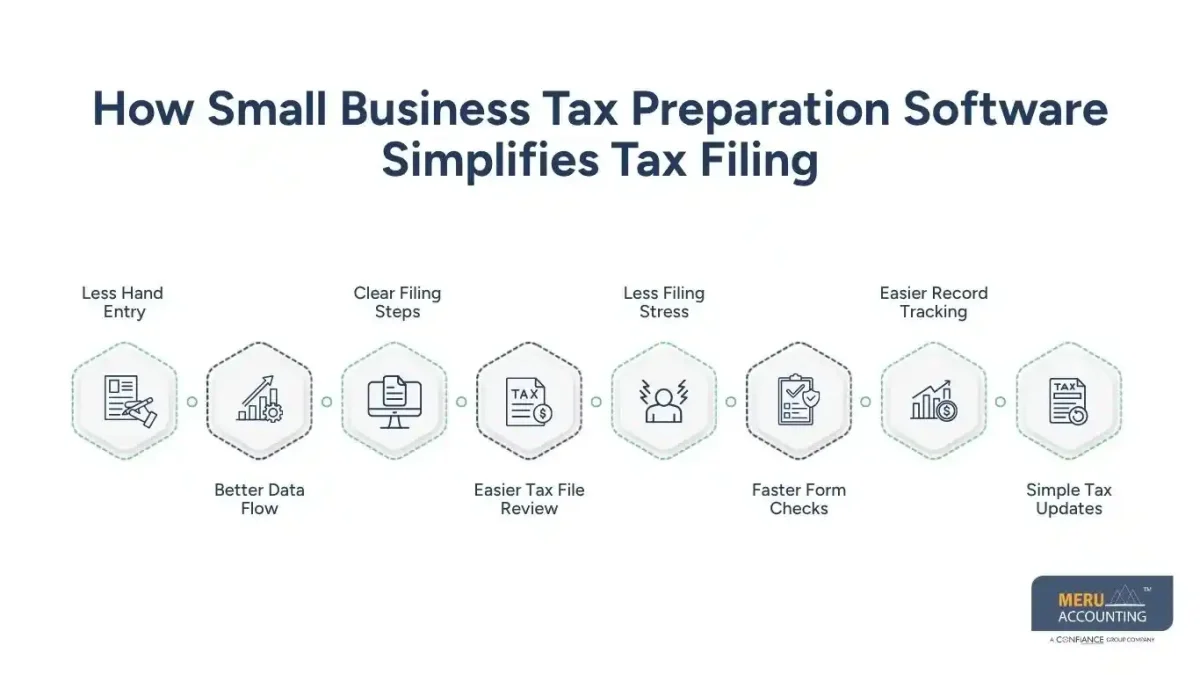
Less Filing Stress
Small business tax preparation software can take away some of the routine work tied to tax forms. It cannot take away the need to know what the firm earned, spent, owned, or paid.
Faster Form Checks
Small business tax preparation software can check key fields before a return is sent. These checks may flag missing data, math issues, or fields that need review before filing.
Easier Record Tracking
Tax tools can keep tax forms, reports, and related files in one place. A clear record trail makes it easier to find past tax data when preparing a new return.
Simple Tax Updates
Small business tax preparation software can update forms and tax rules within the software. Regular updates can reduce the need to track each form change by hand.
How to Choose the Right Tax Software for Small Business
Match Your Firm Type
Start by choosing tax software for small business that matches your tax entity and required returns. A sole owner may need a much simpler tool than a firm with staff, partners, or more than one tax return.
Check Your Tax Forms
Make a list of the forms your firm used in the last tax year. Then check if the plan can file those forms and any forms you may need in the next year.
Review Data Links
Look at the finance tools you use now. Tax software for small business that can pull clean data from your books may save more time than a low-cost tool that needs full hand entry.
Check Help Options
Tax work can get hard when a firm has assets, staff, more than one state, or other special cases. Check if the software gives access to tax pros or if you will need outside tax help.
Compare Total Cost
Do not judge a plan by its base price alone. Check fees for state returns, e-file, extra forms, payroll forms, add-ons, and expert review.
Common Mistakes to Avoid When Using Small Business Tax Preparation Software
Using Bad Book Data
Small business tax preparation software cannot fix poor books on its own. If sales or costs are wrong in the books, the tax return may also carry wrong data.
Missing Business Costs
Keep proof for costs that you claim when using tax software for small business to prepare the return. The IRS says firms must be able to prove key costs and deductions.
Mixing Personal and Firm Costs
Keep personal and firm spending apart when possible. Separate accounts and clear records make it easier to trace each item to the right use.
Ignoring State Tax Needs
Federal tax is only one part of tax work for many firms. State and local tax rules can vary, so check the rules that apply to your firm’s place of work.
Filing Without a Final Review
Small business tax preparation software can run checks, but owners should still review the return. Check names, tax IDs, income, costs, bank data, forms, and payment details before filing.
optional anymore
on running the business
How Much Does Tax Software for Small Business Cost?
Free or Low-Cost Plans
Some tax software for small business options have free plans or low entry fees for basic tax work. Such plans may suit a simple firm with few forms and no complex tax needs.
Paid Tax Plans
Paid plans may add state returns, more forms, e-file, data import, or extra support. The price can rise as the return gets more complex.
Add-On Fees
Some tax tools charge extra for state forms, expert review, amended returns, or other services. Read the full price list before you choose a plan.
Tax Pro Costs
A tax pro may cost more than tax software for small businesses, but expert review can be useful for complex returns. The right choice depends on the risk, time, and tax needs of the firm.
Cost Versus Time
The best price is not always the lowest price. A plan that cuts hours of hand work may have more value when the owner has many tax forms or little time to spare.
Why Choose Meru Accounting for Tax Support?
Tax Filing Support
Meru Accounting can assist small firms with tax work, record checks, and filing needs. Our team can review tax data before key filing steps so owners have a clear view of what is being filed.
Clean Tax Records
Businesses using tax software for small businesses still need accurate records before preparing a return. We can help sort income, costs, reports, and source files so tax data is easier to review.
Support for Complex Cases
Software can suit simple tax needs, but some firms need more than a tool. Firms with staff, many transactions, more than one entity, or special tax needs may benefit from expert review.
Clear Work Process
Our process can include data checks, tax file review, and filing support based on the scope of work. A clear work plan can make tax tasks easier to track.
Expert Tax Review
Software can guide data entry, but tax rules need judgment in some cases. Meru Accounting can add human review where a firm needs more care than software alone can give.
Our Expert Perspective
Tax software for small business works best when the tax data is clean before filing starts. Owners should not buy a tool based only on price or the number of features. First, list the forms, entity type, state needs, books, payroll needs, and level of tax help required.
The IRS also makes clear that electronic records must meet the same basic record rules as paper records. Your system should keep a full and clear record of business data.
A simple firm may be able to file with software alone. A firm with complex tax needs may need a tax pro to review the return. The best choice is the one that fits the firm’s tax case and gives enough control over the final return.
Key Takeaways
- Compare software features carefully before choosing a tax filing plan.
- Check whether the software can easily import your accounting data.
- Confirm that the software provides secure storage for important tax records.
- Review filing deadlines early to avoid late returns or payments.
- Update your tax software before starting each new tax year.
- Check customer support options before selecting your final tax software.
- Review all imported figures carefully before submitting your tax return.
FAQs
Tax software is a tool that guides a firm through tax forms, tax data, checks, and filing. The right tool can cut manual work, but the owner remains responsible for the data filed.
Tax software may be enough for a simple return with clear records. A tax pro may be a better choice when the firm has complex income, assets, staff, several entities, or other tax issues.
Check the firm’s tax type, required forms, state needs, e-file options, data links, support, and full cost. Also check if the tool can handle the forms used by your firm.
Small business tax preparation software can find some math, data, and form errors. It cannot find every tax issue, so a final review of the return and source records is still needed.
The time can vary by tax case and record type. The IRS says records that support income, deductions, and credits should be kept as long as needed to prove the items, with three years being a common base period for many returns.
optional anymore
on running the business



