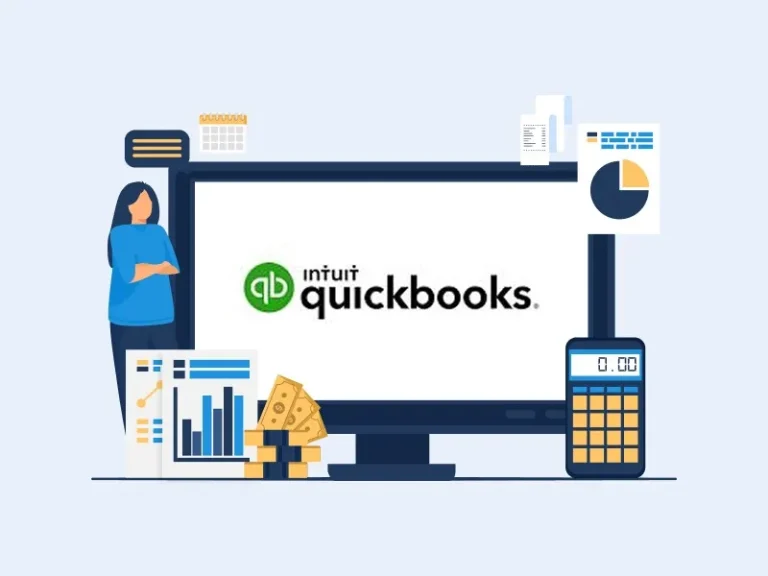
Cloud accounting is a way to offer accounting help. Accounting software has changed the field. QuickBooks is one of the top and most used tools in the world, known for its powerful functions of QuickBooks for managing business finances.
Meru Accounting offers solutions like QuickBooks Online, QuickBooks Desktop, QuickBooks Payroll, and QuickBooks Time. QuickBooks Online is the best choice for most businesses. The functions of QuickBooks make it easy to track sales, costs, and profit. Many small firms trust QuickBooks software for daily tasks because of the advanced features of QuickBooks that support efficient accounting and financial management.
QuickBooks is a top name in business finance. It is a simple tool with many features to help with accounting. What is QuickBooks Online? How does it differ from the desktop version? In this article, we will explain QuickBooks Online and how learning QuickBooks basics can help your business.
What You Will Learn From This Blog
By reading this blog, you will learn:
- What QuickBooks software is and how it works
- Overview of QuickBooks basics for business use
- The main functions of QuickBooks for daily accounting tasks
- How to use QuickBooks for tracking income, expenses, and reports
- Basic understanding of QuickBooks basics for business use
What is QuickBooks software?
QuickBooks software is an accounting solution developed by Intuit that helps businesses manage income, expenses, payroll, and financial reporting in one place. It is designed for small to mid sized businesses to simplify bookkeeping and financial management without requiring deep accounting knowledge.
QuickBooks offers different versions such as QuickBooks Online (cloud based) and QuickBooks Desktop (installed software), allowing businesses to choose based on their needs. It helps ensure accurate record keeping, supports compliance with tax regulations, and provides financial visibility for better decision making.
Understanding the functions of QuickBooks is important for business owners who want to maintain proper financial records and avoid costly errors.
What is QuickBooks Online?
QuickBooks Online is a cloud version of QuickBooks. You don’t need to install it on a computer. You can get your data from anywhere with the internet. This makes it easy to track your business from any place. QuickBooks Online stores your data in the cloud. It backs up all your files, so nothing gets lost. With QuickBooks software, you can send bills, get paid, and view reports. QuickBooks accounting keeps your books clean and up to date. These features together form the foundation of QuickBooks basics used by businesses for daily accounting.
Basic Functions and Features of QuickBooks
Track Financial Transactions with QuickBooks
One of the core functions of QuickBooks is to track financial transactions. You need to know how much money you earn and spend. QuickBooks software makes this easy. You can add sales, bills, and payments manually or link it to your bank accounts. This way, QuickBooks can automatically pull in your transactions.
This feature helps keep your books accurate and saves time. It ensures you don’t miss any transactions.
Why Tracking is Important:
- Instant updates: Your transactions are updated in real time.
- Fewer mistakes: Automation helps you avoid errors.
- Easy reports: See income, expenses, and profits clearly.
If you made a sale of $500 today, QuickBooks will record that income and update your balance. If you paid $200 for office supplies, QuickBooks will log that expense.
Create Invoices and Manage Billing in QuickBooks
If your business sends bills, invoicing is key. One of the important functions of QuickBooks is helping you create invoices fast. You can add your logo and change the look. Send invoices by email or print them.
In QuickBooks, set up reminders for unpaid bills. It tracks payments and keeps your records up to date.
Why Invoicing is Important:
- Quick billing: Create and send bills in just a few steps.
- Custom design: Add your logo and make it personal.
- Track payments: Know when customers pay or still owe.
You sell a thing for $200, and QuickBooks makes a bill. If not paid in 30 days, it sends a note to the buyer.
Handle Payroll with QuickBooks
For businesses with employees, payroll can be complicated. One of the key functions of QuickBooks is managing payroll efficiently. The software tracks work hours, calculates wages, and handles tax deductions. You can even pay employees by direct deposit.
You can pick full payroll in QuickBooks. It can file tax for you, or you can do it by hand.
Why Payroll is Important:
- Tax help: Automatically calculates tax amounts.
- Direct deposit: Pay workers directly to their bank accounts.
- Track hours: Easily track hours worked and pay fairly.
When it’s payday, QuickBooks will calculate pay for each worker, handle tax cuts, and send the right payments to their accounts.
Generate Financial Reports in QuickBooks
Another key feature of QuickBooks software is making financial reports. It creates income statements, balance sheets, and cash flow reports. These reports show the health of your business. With QuickBooks Online, you can filter data to view what you need. Reports guide decisions and help during tax season.
Why Reports Matter:
- Informed decisions: Use reports to understand your business better.
- Tax help: Get ready for taxes with clear reports.
- Custom reports: View only the data that matters to you.
Each month, you can run a Profit and Loss report in QuickBooks. It shows what you made and spent, so you can plan for next month.
Manage Inventory with QuickBooks
If you sell products, you need to track your inventory. One of the practical functions of QuickBooks is managing inventory and stock levels. It shows how much you have, what sells best, and when to restock. It automatically updates your inventory when you make a sale or receive new stock. You’ll get alerts if your stock is running low, so you can reorder before running out.
Why Inventory is Important:
- Real-time updates: See your stock levels change automatically.
- Alerts: Get notified when you’re running low on stock.
- Track sales: Know what sells best and when to restock.
If you sell T-shirts and a customer buys five, QuickBooks will update your stock count. If your stock drops below a set level, QuickBooks will notify you to order more.
Additional Features of QuickBooks to Know About
To understand QuickBooks basics, it is important to look at some additional features that support daily accounting tasks and improve financial accuracy.
Bank Reconciliation
QuickBooks helps you match your bank account with your records. This makes sure your numbers are correct and reduces mistakes.
Tax Filing and Reporting
QuickBooks organizes your income and expenses. It generates reports to help you file your taxes and avoid errors.
Integrations with Other Software
QuickBooks Online works with tools like PayPal, Shopify, and Square. It syncs your data and saves time.
Why Use QuickBooks for Your Business?
QuickBooks helps track sales, bills, and payroll. It is a full solution for your business. QuickBooks makes tasks easier and saves time.
Reasons to Use QuickBooks:
- Easy to use: Simple and clear design.
- Adaptable: Works for both small and large firms.
- Secure: QuickBooks Online keeps data safe.
- Save time: It automates tasks, saving you hours each week.
QuickBooks accounting save time and help cut down on errors. QuickBooks helps businesses stay organized and manage money. It tracks income, payroll, and stock. QuickBooks makes running a business easy.
While QuickBooks provides helpful tools for managing financial data, it does not replace professional accounting advice. Businesses should consult qualified accountants or tax professionals to ensure compliance with local tax laws and financial regulations. Proper use of QuickBooks accounting features depends on accurate data entry and regular review of financial records.
Meru Accounting’s QuickBooks Services
Handling business finances can be complex. Multiple transactions, payroll, and reports add more work. At Meru Accounting, we make it simple. Our team helps businesses save time and avoid errors. We provide clear, easy to read financial reports.
We offer:
Bookkeeping:
We track all income, expenses, and transactions daily using the powerful functions of QuickBooks. Our bookkeeping keeps finances organized. We help avoid missed entries and mistakes. We ensure every transaction is recorded properly.
Reports:
We generate balance sheets, profit and loss, and cash flow reports. Our reports provide insight into business performance. We support better financial decisions. Our reports help plan for future growth.
Payroll:
We manage employee payments, tax deductions, and compliance. Our payroll processing reduces manual work. We ensure employees are paid correctly and on time. We help avoid payroll errors and penalties.
QuickBooks Setup and Support:
We set up QuickBooks correctly and customize it based on business needs. Our setup ensures smooth accounting processes. We provide ongoing support to resolve issues quickly and keep records accurate.
Compliance:
We follow financial and tax rules using structured accounting processes. Our compliance approach protects businesses from penalties. We ensure accurate reporting and smooth operations.
With Meru Accounting, businesses can focus on growth while experts handle the accounting side. This leads to better decisions and improved financial control.
Whether you use QuickBooks online or desktop, it saves time, cuts errors, and helps you make smart moves. QuickBooks works for all businesses, big or small. At Meru Accounting, we use QuickBooks to help clients stay on track and meet goals.
Key Takeaways
- The functions of QuickBooks help manage daily business finances.
- Understanding QuickBooks basics help businesses stay organized and reduce errors.
- QuickBooks tracks income, expenses, payroll, and reports in one place.
- Accurate data entry is important for reliable financial results.
- QuickBooks basics help businesses stay organized and reduce errors.
optional anymore
on running the business
FAQs
The main functions of QuickBooks include tracking income and expenses, managing payroll, and generating reports.
Yes. Payroll is one of QuickBooks basics that can handle payroll, pay wages, and make tax deductions.
QuickBooks calculates taxes and helps make tax reports.
Yes. QuickBooks tracks inventory and warns you when stock is low.
QuickBooks Online has strong security to protect your data.