
Accounting stays at the heart of every business. But now, it’s more than ledgers and paper files. With new tools, accounting becomes quicker, and financial management gets clearer. Accounting tools reduce manual work, cut down errors, and improve project management. Real-time access gives business teams a better grip on finances. That leads to smart choices and steady growth. Automation, tracking, and reports make each step simple, fast, and useful for effective project management.
What You Will Learn From This Blog
- How modern accounting tools improve efficiency, accuracy, financial management, and project management for businesses.
- How Xero accounting software and its integrations support project management, inventory control, cash flow forecasting, reporting, and team collaboration.
- What factors to consider when choosing accounting software that fits your business needs and supports future growth?
What Are Modern Accounting Tools?
Modern accounting tools are easy software systems built to manage daily money tasks. These tools help with record keeping, invoices, payroll, tax filing, reports, and daily business activities. The goal is to make everything faster, clearer, and easier to handle.
Cloud-Based Software
Cloud tools allow access to accounts from any location. A device and the internet are all that’s needed. They update on their own and back up data safely. This setup keeps things smooth without extra tech effort. Teams work together live, making financial collaboration easier.
Integration Features
These tools connect with banks, CRMs, and apps. This saves time by stopping double entries. It links business parts together, keeping all data accurate and current.
Automation
They take care of repetitive jobs like paying bills or running payroll. Fewer errors and less time spent. Features like auto-reminders and invoice tools make tasks quick and clear.
Real-Time Data Access
Live money updates help track income and spending. Any problem can be spotted and fixed early. A full picture of business health stays on display.
Mobile Access
Most tools offer mobile apps. Invoices and receipts get sent on the move. This freedom helps business owners stay in charge, even away from the desk.
Benefits of Using Advanced Accounting Tools
Using modern accounting tools gives many clear benefits that help in daily tasks and long-term goals.
Saves Time
Fast data input and smart tools save hours of work. Reports build right away. Bank feeds sync without hassle. Time spent fixing errors or chasing slips gets cut down, giving teams more time for business growth.
Improves Accuracy
Fewer mistakes happen with set rules and checks. Duplicates stop, and wrong entries get flagged. Clear reports lead to trust and audit-ready records.
Better Financial Planning
Reports and charts show trends. This helps plan with care. Past data gives clues for building budgets and watching spending.
Experienced professionals follow standardized review procedures and business-suitable accounting practices. They verify records before audits begin and identify issues early. This approach improves reporting quality while allowing finance teams to focus on planning, budgeting, and business analysis instead of time-wasting repetitive tasks.
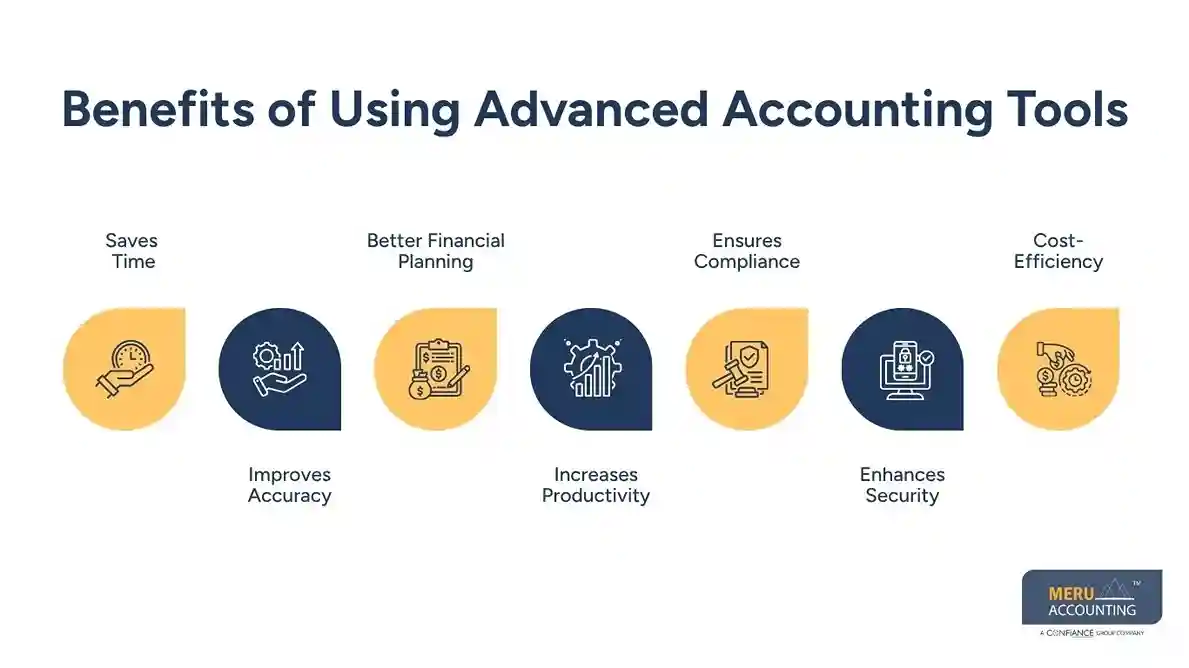
Increases Productivity
Staff focus more on growth than entry. They study results, serve clients, or improve systems. Simple jobs shift to tools, giving room for new goals.
Ensures Compliance
Tools stay updated with tax rules. Auto updates help meet due dates. Reports, filings, and returns become stress-free while keeping financial records organized.
Enhances Security
Cloud tools guard records with strong locks. Only trusted users can view files. Two-step login and alerts keep data safe.
Cost-Efficiency
Fast work and fewer mistakes save money. Smart tools help catch problems early. Fewer staff can handle more work, improving both overall business efficiency.
Key Areas Transformed by Modern Accounting Tools
Modern accounting tools improve daily financial operations while making project management more organized, efficient, and data-driven. When integrated with Xero accounting software, these tools help businesses manage projects, assign work, track costs, and improve decision-making.
Profitability calculation per inventory SKU is possible with Xero add-ons like Dear Inventory
- This Xero inventory integration management solution allows distributors, wholesalers, and business owners to have complete control over e-commerce operations. It also streamlines manufacturing, purchasing, sales, inventory, accounting, and project management.
- To build a strong position in today’s competitive market, Dear Inventory offers an intuitive and user-friendly interface with advanced inventory management features that support both accounting.
- The add-on inventory apps integrated with Xero accounting software provide automated and real-time calculations for sales tracking and profitability based on products, customers, or locations.
- Gives an outline for understanding and finding profitable products per inventory SKU.
- Helps generate reports for real-time profit and on-the-spot projections of stock values.
Work allocation within the firm is possible with Karbon HQ
- For the smooth and prompt operation of accounting teams, collaborating in a workflow and assigning work to team members must be handled systematically.
- Karbon HQ makes project management and task allocation more streamlined through a collaborative task list.
- No task goes unnoticed because each receives an assignee, status, and due date. This improves the project by helping teams track tasks, monitor sub-tasks, and prioritize work efficiently.
- Work allocation is further enhanced by providing a common platform where team members can collaborate, add comments, and coordinate their activities. This creates a more organized workflow across the firm.
Work order management is possible with Tradify
- Tradify is an all-purpose job management app designed for small trade and service businesses. It delivers an easy-to-use platform with excellent customer support while strengthening project organization.
- Tradify supports project management by handling quotes, invoices, timesheets, purchase orders, scheduling, job reporting, and field service management from a single system. This improves visibility and keeps every project on track.
Excellent reports and insights can be prepared with Fathom HQ
- Fathom HQ works as a powerful supporting app for Xero accounting software, creating professional reports and valuable business insights that improve financial performance.
- Fathom also allows businesses to merge and customize reports based on their operational needs. It provides performance metrics, company comparisons, and financial analysis that support better decision-making.
Cash flow forecasting is possible with the Float App
- Float App eliminates manual data entry by pulling financial information directly from Xero accounting software, reducing errors and improving efficiency.
- Its simple interface makes cash flow forecasting easy to understand while supporting better financial planning. Businesses can estimate future cash flow, monitor upcoming expenses, and allocate resources more effectively.
- The app also provides detailed visualizations of future cash positions that can be exported as PDF reports. It includes transactions, bills, and invoices, giving businesses the financial visibility needed for informed business management.
How to Find the Right Tools for Your Business Accounts
Picking the right set of tools depends on the size of your business and its accounting needs. Choosing them correctly can help you with your project requirements:
Define Your Needs
Make a list of must-have features. Start with invoicing, payroll, reporting, or project management tools. Match software features with the workflows that slow your team down.
Check for Scalability
Choose tools that grow with your business. Add features later if needed. Look for packages with upgrade paths that support expanding accounting needs and project management capabilities.
Integration Options
Ensure the tool works with others you already use, like CRMs or e-commerce platforms. Integration avoids duplicate data and creates a seamless experience for accounting.
User Friendliness
Pick tools that are easy to use, even for non-accountants. Simple menus, help articles, and video tutorials make onboarding faster and improve project management across teams.
Support and Training
Good support saves time during setup and troubleshooting. Choose vendors that offer live chat, phone support, or detailed tutorials to help users maximize both accounting and project management features.
Cost vs. Value
Some tools are free for small businesses, while others charge monthly fees. Always compare the features you receive for the cost. The best value comes from software that improves accounting, automation, and project management while supporting long-term business growth.
How New Tools Are Shaping the Future of Accounting
As tech grows, accounting tools keep getting better. These tools improve money tasks while making project management smoother and based on real data. Below are the top trends shaping what comes next.
Artificial Intelligence (AI)
AI will handle even more tasks, such as fraud checks, cost review, and tax tips. It will spot trends, find risks, and give useful insights to business leaders. AI will also improve project management by helping teams plan budgets, assign resources, and make quick decisions.
Blockchain
Blockchain can improve data tracking and lower the risk of fraud. It creates clear and safe transaction records, making audits more reliable. Businesses can also support project management by keeping clear financial records for every project.
Data Analytics
Modern accounting will depend more on data analytics to spot trends and improve business results. Predictive analytics will support better budgeting, financial planning, and project management by helping businesses track project costs and profit.
Cloud-Only Systems
More accounting tools are moving to cloud-based platforms, cutting the need for local servers. Cloud-first systems provide auto updates, safe data storage, and easy access from any place. These benefits also make project management more flexible by helping teams work together in real time.
Voice Commands
Future accounting tools may let users run reports, enter data, or find financial details with voice commands. This feature can make daily work easier and improve project management by saving time and making tools easier to use.
Our Expert Insight
Using Xero accounting software for project management goes beyond basic bookkeeping. When combined with powerful integrations for inventory management, workflow automation, reporting, and cash flow forecasting, it creates a connected financial system that improves visibility across every project. Businesses that use Xero accounting software with the right add-ons can reduce manual work, gain real-time financial insights, strengthen project management, and make better business decisions.
Key Takeaways
- Modern accounting tools automate daily tasks, improve accuracy, and provide real-time financial insights for better project management.
- Xero accounting software becomes a strong project management solution when paired with apps like Dear Inventory, Karbon HQ, Tradify, Fathom HQ, and Float.
- Choosing software with strong integrations, room to grow, and ease of use helps businesses improve financial management and project management.
- New tools such as AI, blockchain, cloud computing, and data analytics are changing accounting while making project management more efficient.
FAQs
These tools help manage bookkeeping, payroll, taxes, reports, and project management tasks. They save time, improve accuracy, and support better business decisions.
Yes. Most cloud-based accounting systems use strong encryption and multiple layers of security to protect financial data while supporting safe project management.
Yes. Many accounting platforms, including Xero accounting software, offer budget-friendly plans that help small businesses improve accounting and project management.
Yes. Most modern accounting tools connect with CRMs, POS systems, banks, inventory software, and project management apps to create a connected business system.
Basic training is helpful, but most accounting platforms have easy-to-use interfaces. Learning how to use Xero accounting software and its project management integrations can help businesses get even more value.
optional anymore
on running the business